
Lieferung heute & morgen

Qualitätsgarantie

Willkommens-Angebote freischalten: KOSTENLOSE Lieferung | Bis zu 80 % RABATT | Kostenlose 30-Tage-JoyPlus-Testphase
App herunterladen
A Phomemo mini printer can print study notes, labels, photos or DIY elements directly from your smartphone. At the same time, compact thermal printers vary considerably in terms of paper size, app connectivity and intended use. If you focus only on a small casing or high print resolution, you may end up buying a device that does not suit your everyday needs.
A portable Bluetooth printer usually requires a suitable app and an active Bluetooth connection. Before buying, check whether the app is available for your operating system and what permissions it requires. The way multiple smartphones can be connected may also vary depending on the model.
A wireless printer without ink uses special thermal paper. This eliminates the need to buy ink cartridges or toner. However, the device relies on compatible paper rolls or paper sizes. Standard copier paper cannot be used with this type of mini printer.
Thermal paper can also be affected by heat, direct sunlight or unsuitable storage. For important documents, users should therefore check whether thermal printing is the right choice.
A sticker printer for 50-mm paper is suitable for short notes, small pictures and labels. This format is less suitable for contracts, extensive tables or large documents. If you regularly need A4 printouts, you should choose a paper printer designed for this purpose rather than a mini printer.
The paper size determines how the printer can ultimately be used. Self-adhesive thermal paper can be practical for revision cards, small labels and scrapbooking projects. For the Phomemo T02 and compatible models such as Q02E, M02X and M02L, 50 mm x 3,5 m is specified as the size of the sticker paper available, for example.
Before buying, check the following:
Phomemo T02 sticker paper is available in a white version and as a coloured transparent set with three rolls. Even so, compatibility must be checked against the specific printer model.
A mobile thermal printer is often operated via Bluetooth and the manufacturer’s app. According to the product information, the Phomemo A282U features a Bluetooth connection, use via the Phomemo app and compatibility with iOS and Android. The device has a battery and, according to this information, can print up to 150 sheets per charge.
The actual range and battery life depend, among other things, on the print content, surroundings and battery condition. When using the printer on the go, it is also important to check whether the smartphone has already been set up and whether the app can be used without a mobile data connection.
Thermal printers do not require ink. Ongoing costs mainly come from paper rolls. Before buying, therefore, consider not only the device price but also paper consumption. A multi-roll pack may make sense for frequent users, while a smaller quantity of paper may be sufficient for occasional use.
For important documents, you should also bear in mind that a small thermal printer does not automatically offer the same features as a conventional document printer. Its suitability depends on the format, contrast, readability and how long you need the printout to last.
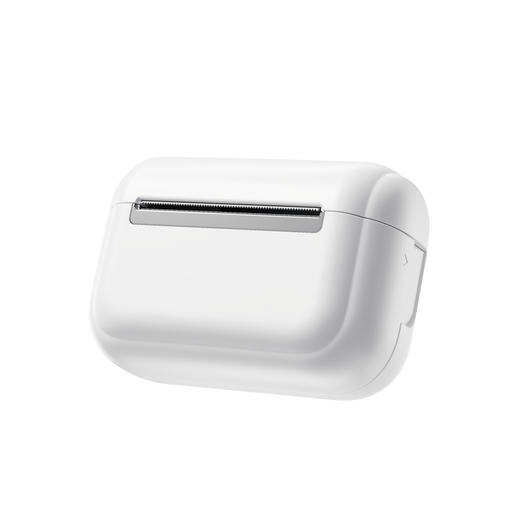
Why this product suits this profile: This compact model is designed for small stickers, short notes and creative applications. It is ideal for users looking for a straightforward introduction to mobile, inkless printing.
The stated pocket-sized format makes the intended use clear. However, users should plan to use only paper that is suitable for the Q02E format.
Pocket-sized design and ink-free thermal printing; suitable for stickers and notes.
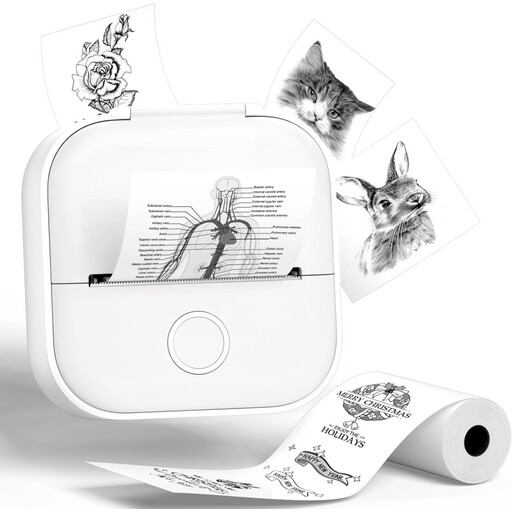
Why this product suits this profile: Its stated focus on study notes and stickers makes it suitable for pupils, students and anyone who wants to stick printed study notes directly into their materials.
The product name clearly identifies its intended use for notes and stickers. Before buying, you still need to check the paper size and app compatibility.
Designed for study notes and stickers; compact mini-printer design for mobile use.
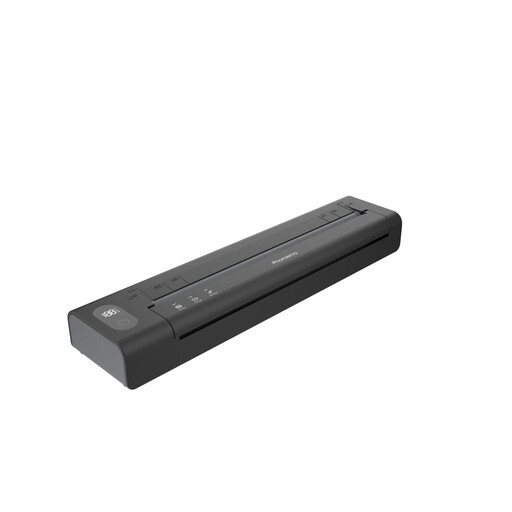
Why this product suits this profile: The model is designed for travel and home use and, according to the product information, supports documents such as invoices, boarding passes and contracts.
The stated dimensions, weight of 600 g and battery make its mobile use easy to understand. Before buying, check the document format you need.
600 g weight, Bluetooth via the Phomemo app and rechargeable battery; according to the product information, up to 150 sheets per charge.
Different paper options are available for T02, Q02E, M02X and M02L devices. Phomemo T02 Self Adhesive Thermal Paper is offered as self-adhesive thermal paper measuring 50 mm x 3,5 m, supplied in three white rolls. The coloured transparent version is available in the Phomemo T02/Q02E/M02L/M02X Sticker Paper Set.
Transparent or coloured rolls are particularly interesting for scrapbooking and DIY projects. White paper is often easier to read for study notes and labels. When ordering, check the compatible models explicitly listed and store unused rolls in a dry place away from intense heat.
We have put together a complete, regularly updated list of products that fully meet these strict selection criteria and the safety regulations applicable in the EU.
Download the Phomemo app specified for your device from the relevant app store, load the paper as instructed and activate Bluetooth on your smartphone. You can then select the printer in the app. Before printing for the first time, check that the paper width and print settings match.
Their lifespan depends on paper quality, storage and environmental conditions. Direct sunlight, heat, moisture and friction can affect the print. For content that needs to be kept permanently, it is also advisable to create a digital backup.
There is no need for ink or toner because the printer uses thermal paper. Ongoing costs therefore mainly consist of compatible paper rolls. Whether the device is economical depends on the paper price, print volume and required format.