What should you look for when buying?
Compact voice recorder
A good fit if: You’re recording a short greeting and prefer simple operation and file transfer.
Bear in mind: The recording formats listed do not guarantee that your phone system will accept the file unchanged.
Handheld recorder with built-in microphone
A good fit if: You want to record and edit the greeting several times, or use the recorder for other audio tasks later.
Bear in mind: Extra features can mean more setup, and they won’t automatically get rid of room echo.
Record directly through the phone system
A good fit if: Your specific service lets you record a greeting and you don’t need a separate audio file.
Bear in mind: The process depends on the phone system you use, and it won’t replace a recorder for other purposes.
For a greeting recorded in an echoey community hall, first check that the voice is clear where you plan to record. Then look at how to transfer it to your phone system, and only after that consider whether you need extra features.
| What you need |
What to check before buying |
Who should consider this? |
| Clear speech despite room echo |
Check whether you can position the microphone securely close to the speaker and listen back to a test recording. |
If you want to record a single clear voice in an echoey hall, distance at the recording spot matters most; around 36% of consumers put speech clarity first. |
| A suitable way to transfer the file to your phone system |
Check which phone system, service and greeting type you have. Then confirm the import method, format requirements and playback with a test call. |
If you want your recording to play as a greeting through your existing system, the transfer method needs to be compatible; around 29% of consumers prioritise compatibility with their phone system. |
| Simple recording and file sharing |
Look for easy-to-access recording and playback controls, plus a transfer method that works with your computer. |
If several volunteers need to record and share a short greeting, a straightforward process is important; around 21% of consumers prioritise ease of use and file sharing. |
| Using the recorder for other recordings |
Consider which extra connections and computer-based workflows you actually need. |
If you plan to use the recorder for other audio tasks after recording the phone greeting, extra features could be useful; around 14% of consumers prioritise versatility for future use. |
Joybuy products for voice recording
The Joybuy products below are compact voice recorders for short recordings and file-based workflows. Whether you can use a recording as a phone greeting also depends on your phone system’s requirements.
 No image available
Mobvoi TicNote Lite
Could be suitable for short voice recordings that you then transfer as a file; whether your phone system accepts it as a greeting depends on its requirements.
4 GB storage; triple-microphone system; Bluetooth connection, with management via app and web; stated weight: 29 g.
View at Joybuy
 No image available
Mobvoi TicNote Standard
Could be a good choice if you want to edit a voice recording as a file afterwards; check your phone system’s format requirements before using it for a greeting.
64 GB; 3-microphone array; OLED display; Ogg recording and audio export; synchronisation via Wi-Fi or Bluetooth; stated weight: 29 g.
View at Joybuy
 No image available
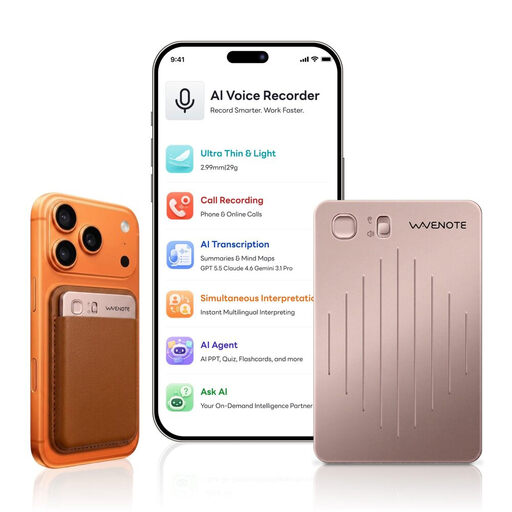
WaveNote AI Voice Recorder, 64 GB, Rose Gold
Could work for a short voice recording that you then share as a file; your phone system needs to accept the output format.
64 GB; WAV recording; one-button recording; Bluetooth synchronisation with an app; stated weight: 29 g.
View at Joybuy
 No image available
Digital Voice Recorder, 64 GB
Could be suitable for voice recordings that you then transfer as a file; check whether your phone system accepts the recording for use as a greeting.
64 GB; call and speaker modes; connects via a Bluetooth app; stated weight: 32 g; stated thickness: 0.3 cm.
View at Joybuy
 No image available
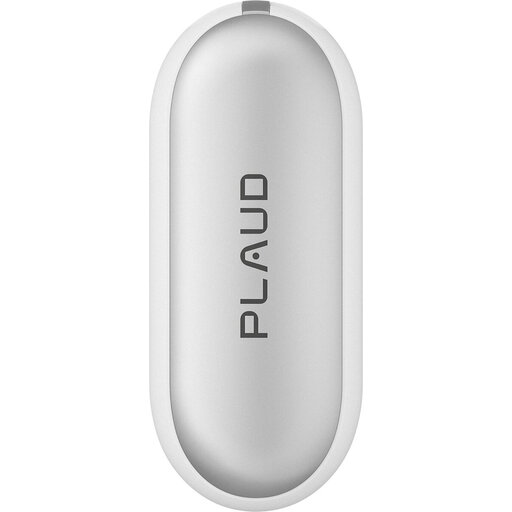
PLAUD NotePin S, 64 GB, Silver
Could work for a voice recording that you then transfer via USB; check first that your phone system can use the output format.
Two microphones; WAV recording; USB file transfer; push buttons; wearable with a clip, wristband, lanyard or pin.
View at Joybuy
Frequently asked questions
Do I need to record the greeting directly as an MP3?
No. The first thing to check is the requirements of your specific phone system. Sipgate describes an MP3 upload for its voicemail and, for sipgate classic, Click2Record as an alternative; other systems may have different requirements. A PCM recording can work in a file-based workflow if you then export it in a format your phone system accepts.
How should I test the recording before using it as the final greeting?
Record a short test script in the planned spot, somewhere as quiet as possible, with the microphone close by. Then listen back. Next, make a test call to check the configured phone greeting, as recording something on the device alone doesn’t confirm that your system will play the file.
What else should I budget for besides the recorder?
Before ordering, check whether you need a storage medium, power supply, stand or external microphone. For a consumer purchase in Germany, the seller is generally responsible for the statutory warranty, which is separate from a voluntary manufacturer’s guarantee. Whether a community centre buying as an organisation falls under consumer rules depends on the specific purchase. The Verbraucherzentrale explains the difference between statutory warranty rights and a guarantee.
Can I record other people’s voices in the community hall?
Do not record other people’s private conversations without authorisation. Section 201 of the German Criminal Code (StGB) covers this type of recording; the Federal Ministry of Justice and the Federal Office of Justice publish the text of the law. Arrange the greeting recording so that it doesn’t capture other people’s private conversations.


