
Lieferung heute & morgen

Qualitätsgarantie

Willkommens-Angebote freischalten: KOSTENLOSE Lieferung | Bis zu 80 % RABATT | Kostenlose 30-Tage-JoyPlus-Testphase
App herunterladen
If you use your smartphone on the bus or train, at work or in a café, you probably don’t want to share your messages, passwords and work-related content with everyone around you. A privacy screen protector for your phone can limit the view from the sides while protecting the screen from scratches and dirt. However, privacy screen protectors vary considerably in their materials, installation and suitability for everyday use.
The word “privacy” alone tells you little about the angle from which the screen starts to darken. Some products limit the view from certain directions only, while others promise all-round or 360-degree privacy. Check whether the manufacturer gives specific details about the viewing angle, and whether the protector is suitable for landscape mode, video calls or gaming.
Stronger privacy can also affect brightness and side-on visibility. This is especially worth bearing in mind if you use your phone outdoors or keep the screen brightness low.
9H tempered glass refers to the hardness rating of the glass or coating used. It’s mainly relevant to resistance against everyday scratches, but it doesn’t guarantee protection against every drop or screen damage. The edges, adhesive, fit and phone case you use can all affect how well the protector works.
So, when choosing a privacy tempered glass screen protector, also look for edge coverage, reinforced edges and a case-friendly design.
Dust, inaccurate positioning or rushing the installation can lead to bubbles and lifting at the edges. An alignment tool, cleaning cloths and suitable adhesive can help reduce these risks. For an iPhone 17 Pro privacy screen protector or a Samsung Galaxy privacy screen protector, it’s especially important to choose one made to fit the exact model.
A privacy screen protector should still keep the screen clear enough when viewed from the front. Details such as light transmission, an anti-reflective coating or a privacy filter can help you assess how it performs. The TORRAS model is listed in the product description as having over 92 per cent light transmission. This is a claim for that product, not a general feature of all privacy screen protectors.
Bear in mind that a privacy filter deliberately restricts the view from the sides. That’s useful in public places, but can be inconvenient when looking at photos or presentations together.
Tempered glass feels different from very thin films and can break if the edge takes an impact. Plastic films are generally more flexible, but can be more prone to scratches. A scratch-resistant screen protector should be described with specific material details, not just general marketing claims.
An anti-fingerprint coating or oleophobic surface can help reduce fingerprints, skin oils and dirt. It won’t prevent all marks, though, and can wear down over time with cleaning and regular use.
Before buying, check:
A bubble-free installation is usually easier on a clean, dust-free screen. Avoid fitting it in a draught, and press the glass down slowly from the centre towards the edges.
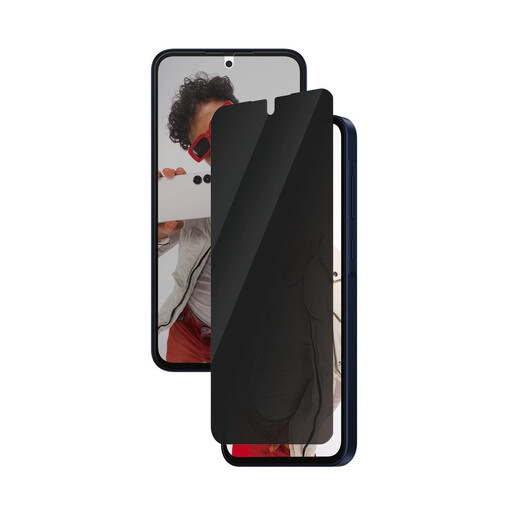
Why this product suits this profile: For Galaxy A36 5G users who want a clearly specified fit and help with installation.
Compatibility is explicitly stated for the Samsung Galaxy A36 5G. The EasyAligner is designed to make positioning easier, reducing the risk of crooked edges and trapped dust.
Integrated side privacy, protection against scratches and impacts, and a case-friendly design, according to the product description.
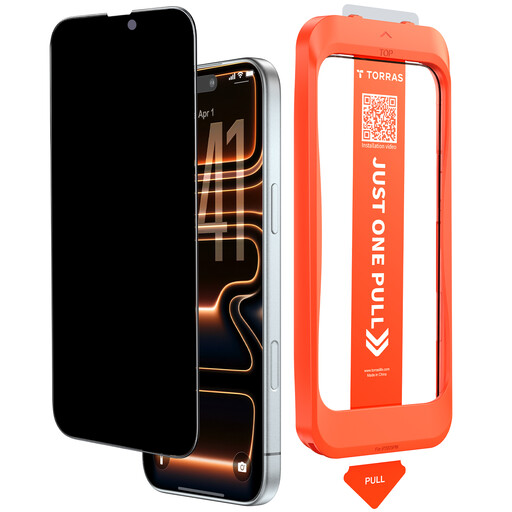
Why this product suits this profile: A good choice for everyday iPhone 17 Pro use if you’re looking for a glass protector with a specified hardness rating, reinforced edges and an alignment tool.
The product description specifies 9H hardness, a reinforced edge with a stated load rating of over 250 N, and a precise, case-friendly design. These figures should be treated as manufacturer claims.
According to the product description, over 92 per cent light transmission, an oleophobic surface and a static adhesive layer for bubble-free installation.
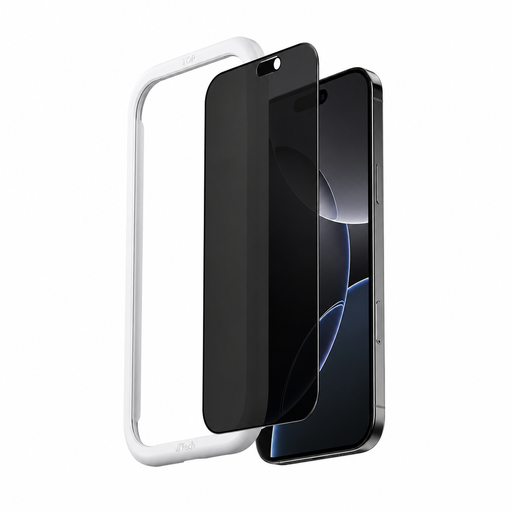
Why this product suits this profile: For commuters and frequent users who want clearly specified 360-degree privacy and quick installation.
The product description specifies side privacy, a 9H hardness rating and an applicator for one-click installation. Even so, check the exact model name of your iPhone before buying.
According to the product description, anti-fingerprint, dust-resistant and water-resistant coatings, plus three screen protectors included in the pack.
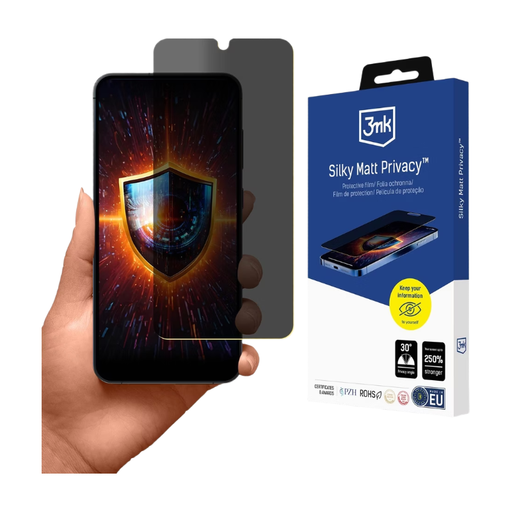
Why this product suits this profile: For anyone looking for a thin film with a matt finish and reduced glare for the office, train or outdoors.
The film is specifically listed for the Samsung Galaxy S25+. Its matt surface helps reduce glare and visible fingerprints, but careful cleaning and installation are still important.
According to the product description, a silky matt finish, privacy, reduced glare and touch sensitivity designed for use with the screen.
We’ve put together a complete, regularly updated list of products that meet these strict selection criteria and fully comply with the safety regulations in force in the EU.
First, clean the screen with a damp cloth and dry it with a lint-free cloth. Then use a dust sticker to remove any remaining particles. Align the protector using an applicator, or carefully position it along one edge. Press it down from the centre towards the edges. Bubbles are often caused by dust, incorrect positioning or pressing too hard in one spot.
Its lifespan depends on how you use and clean it, the edges of your case and any impacts. Scratches, cracks, lifting edges or a lasting problem with touch response are signs that it may need replacing. Remove damaged glass carefully and follow the manufacturer’s instructions. According to some product descriptions, repeated installation can put strain on the screen’s oleophobic coating.
A correctly fitted protector should allow you to use your phone as intended. However, privacy filters and extra layers of glass can affect how the screen feels and responds. If you have problems, try cleaning the screen again, removing any dust trapped beneath the protector and checking your device settings. Before buying, look for specific details about touch compatibility and make sure the protector is designed for your exact smartphone model.