Photo book creators using a shared desk
You review your photos and arrange your page layouts before putting your laptop away again. A clear, comfortable display, the right ports and a manageable size are all important.


For creating photo book layouts in a browser or photo book software, a laptop for everyday use with a clear, comfortable display, suitable storage and the ports you need is a sensible starting point. You don’t automatically need a more powerful device. If you regularly edit large collections of images as well, check that the RAM, storage and display meet the requirements of your chosen software. In a shared office, a manageable size, a practical screen lock and a separate backup are also worth considering.
You review your photos and arrange your page layouts before putting your laptop away again. A clear, comfortable display, the right ports and a manageable size are all important.
You review and edit lots of images before adding them to your book. Storage space and your image editing software’s requirements may matter more than they do for layout work alone.
You work at a shared desk with private or sensitive photos. As well as choosing a laptop, make sure you plan for a practical screen lock and a data backup.
First, decide whether you’ll mainly be designing pages or also doing extensive image editing. Then check that the display, storage and ports suit your workspace.
| What matters when buying | What to check | Who is this particularly important to? |
|---|---|---|
| Reviewing photos and layouts | Check the screen size and finish of the specific model, its stated colour gamut and the lighting at your workspace. If needed, also check for a port to connect an external monitor. | If I review photos and pages on screen before ordering, I want a suitable display size and a comfortable picture. For around 33% of consumers, the display is their top buying consideration. |
| Photo collection and software | Make sure the available SSD storage and RAM suit the size of your files and the requirements of the image editing software you actually use. | If I store lots of photos locally, I want to allow enough space for images and projects. Around 25% of consumers put storage and editing requirements first. |
| Moving between desks | Weigh the laptop’s weight and size against the screen area you want. Check the full model for the ports you need for charging, monitors and storage devices. | If I regularly move my laptop and put it away again, portability and the right ports matter to me. Around 25% of consumers prioritise working in different locations. |
| Confidential photos | Check the sign-in method, automatic screen lock and storage location. If it’s a work device, also follow your IT department’s requirements. | At a shared workspace, I want to protect private photos from unauthorised access and be able to restore files. Around 17% of consumers prioritise keeping their photos secure. |
The Notebookcheck list also assesses video and demanding photo editing. CEWE also offers an online editor for creating photo books.
First, decide which editor you’ll use, how large your photo collection is and whether you’ll regularly do extensive editing as well as layout work. Only then compare specific devices.
More powerful specifications can mean a higher price and take up more space, without adding anything to your own workflow.
Manufacturers’ claims about display technology and colour gamut aren’t the same as an independent measurement of the specific device.
Check the display option on the full model. If colour reproduction is particularly important to you, look for independent measurements of that exact version.
A large SSD won’t protect you from data loss if your device fails or goes missing. Germany’s Federal Office for Information Security points out that backups can help if a device fails or is lost.
As well as the storage on your device, plan a backup that lets you restore your photos and projects.
Without a recoverable copy, you could lose irreplaceable photos and all the design work you’ve already done.
For a consumer purchase, your statutory rights regarding faulty goods are against the seller; an additional guarantee has its own terms. You can’t assume the same applies to a business purchase.
Check who the buyer is, who the seller is and the guarantee terms separately.
One ThinkPad P14s Gen 6 configuration we reviewed is worth considering if you want to compare display specifications and ports.
The Zenbook S 14 is a compact OLED range, but the specific model is key when making comparisons.
The gram 15Z80T-G.AU78G is an example of a larger laptop for working in different locations.
The display and specifications of the OmniBook 7 depend on the configuration you choose.
This selection includes a model with a larger OLED display for layouts and reviewing images, as well as more compact Surface laptops for moving between desks.
 No image available
The 16-inch display gives you more room for page layouts and reviewing images.
16 inches, WQXGA, OLED, Ryzen AI 9 465, 32 GB RAM and 1 TB SSD. The product title states that a power adapter isn’t included.
 No image available
At 1.34 kg, this model is a compact option for working in different locations.
13.8-inch touchscreen, 16 GB RAM, 512 GB SSD and Windows 11 Professional.
 No image available
The 13-inch touchscreen is designed for anyone looking for a compact format to use in different locations.
Core Ultra 5 335, 24 GB RAM, 512 GB SSD and 1,920 × 1,280 resolution. The stated display brightness is 500 cd/m².
 No image available
A compact 13-inch option for creating layouts at different desks.
Core Ultra 5, 24 GB RAM, 1 TB SSD, touchscreen with a 1,920 × 1,280 resolution and Windows 11 Pro.
 No image available
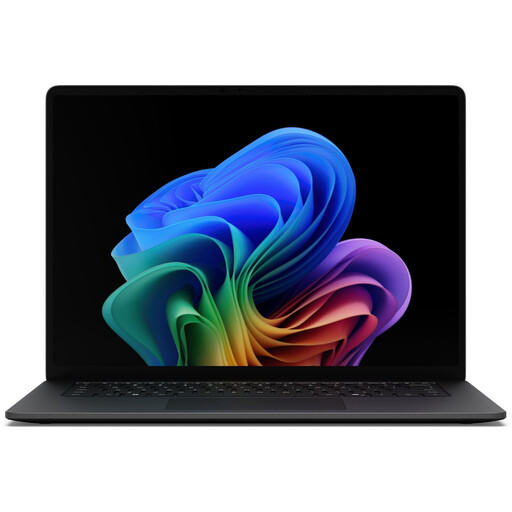
The 15-inch IPS display gives you more room to work on photos and page layouts.
16 GB RAM, 512 GB SSD, 3,270 × 2,180 resolution and 600 cd/m². The stated weight is 1.67 kg; USB 4.0 and a microSDXC card reader are also listed.
No, if you choose CEWE: it offers an online editor and lists Windows, Mac and Linux as compatible with its Fotowelt software. For other photo book services and additional image editing programmes, check their current requirements.
Check with your IT department which software and storage locations are approved. Germany’s Federal Office for Information Security recommends locking work devices when you leave your desk and only using software approved by IT.
Store your project files and any original photos you need somewhere you can find them, and plan a backup that you can restore. Germany’s Federal Office for Information Security points out that backups can help if a computer fails or is lost.
If you buy as a consumer from a business seller, you have statutory rights against the seller if the goods are faulty. Your Europe, the European Union’s information portal, states that these rights generally apply for at least two years from receipt of the goods. A voluntary guarantee is separate. Whether an office purchase is a consumer or business purchase depends on the buyer and the specific contract.