For laying out photo books at a standing desk, what matters is a practical amount of screen space, support for the design software you use and the right connections. You don’t automatically need a high-performance creator laptop. CEWE offers its Fotowelt software for Windows, Mac and Linux. If you also edit lots of photos, give more weight to storage and the requirements of your own applications, and check whether you can position the screen separately from your input devices.
Which laptop is right for you?
Photo book makers at a standing desk
If you spend a long time choosing photos and designing pages, a clear layout and a well-set-up workspace are important. CEWE offers its Fotowelt software for Windows, Mac and Linux; BG BAU describes a keyboard positioned separately from the screen as a feature of a computer workstation.
Careful image reviewers
If you correct photos before adding them to your book, distinguish the display specifications from the quality of the finished photo book page. CEWE says its quality indicator assesses the print resolution of the placed photo; Acer lists 100% DCI-P3 among the display specifications for the SFG16-72-518S variant.
People editing large photo collections
If you also browse and edit lots of images, consider the RAM, SSD capacity and requirements of the applications you actually use. Notebookcheck lists tested configurations for photo and video editing; the specifications apply to the models and variants listed.
What should you look for when buying?
Laptop for photo book layouts
A good fit if: you mainly choose photos, customise templates and check your pages. Look for support for your design software, enough screen space and suitable connections.
The trade-off: Extra graphics power won’t fix a photo file with too low a resolution or an awkward workspace layout.
Laptop for reviewing images
A good fit if: you regularly edit images yourself and want to compare the display specifications of specific configurations.
The trade-off: A display’s resolution and colour gamut specifications don’t guarantee that it will match the finished photo book.
More powerful creator or workstation laptop
A good fit if: you also regularly edit large collections of images and the applications you use have demanding requirements.
The trade-off: Specs for demanding image work aren’t automatically necessary for straightforward photo book layouts.
| Buying priority |
What to check |
Who it matters most to |
| Design pages clearly |
Screen size and resolution for the exact variant; support for your design software. |
When I choose photos and arrange pages, I want a clear view of the layout and tools. Around 31% of consumers say a clear page layout is their top buying priority. |
| Set up a standing desk |
Connections for a screen, keyboard and mouse; whether it can be set up on your desk. |
At a standing desk, I want to position the screen and input devices comfortably in relation to each other. Workspace setup is the top priority for around 31% of consumers. |
| Review photos on screen |
Display specifications for the exact configuration; quality indicators in the photo book software you use. |
When I correct photos before adding them, I want to understand the display specifications without treating them as a guarantee of print quality. Image review is the priority for around 23% of consumers. |
| Edit and store lots of photos |
Requirements of your image-editing applications; RAM and SSD capacity for the exact variant. |
If I edit lots of images as well as creating a photo book, I look at the requirements of my applications and the local storage available. Extensive image editing is the top buying priority for around 15% of consumers. |
Avoid common buying mistakes
-
Confusing a high-resolution laptop display with print-ready photo files
A high-resolution display doesn’t change the resolution of the image file you use. CEWE explains that its quality indicator assesses the print resolution of the placed photo.
Check the image quality indicator in the layout you’re working on. If it shows a warning, choose a higher-resolution file or make the photo smaller on the page.
-
Assuming you need a powerful photo and video setup for photo books
A ranking for photo and video editing doesn’t focus solely on designing photo books. Extra features aren’t automatically necessary for simple layouts.
First work out whether you’ll mainly be designing layouts or regularly editing large collections of images. Then compare configurations that suit your applications.
-
Choosing a standing-desk laptop based only on its display and processor
With a laptop, the screen and built-in keyboard are positioned together. BG BAU describes a keyboard positioned separately from the screen as a feature of a computer workstation.
Check the connections and consider whether you can set up an external screen, separate keyboard and mouse at your desk.
Key brands at a glance
Acer
The Swift Go 16 is a 16-inch option for layout work and reviewing images; the display specifications below refer to the SFG16-72-518S variant.
- Acer lists a resolution of 3200 × 2000 pixels, 100% DCI-P3, 16 GB RAM and a 512-GB SSD for this variant.
- The colour gamut specification is a manufacturer’s claim, not an independent comparison with the finished photo print. Other Swift Go variants may differ.
HP
The OmniBook Ultra Flip is a 14-inch touchscreen option for those who want to use their laptop in other places too; the specifications refer to model 14-fh0797ng.
- HP lists a 14-inch 3K OLED touchscreen, 32 GB RAM and a 1-TB SSD for this variant.
- Weigh the smaller screen size against the space you need for photo book layouts.
ASUS
The ProArt P16 is a creator-class device for additional, demanding image work; the specifications refer to model H7606WX-SE090X.
- ASUS lists a 16-inch OLED touchscreen, 64 GB RAM and a 2-TB SSD for this model.
- These specifications don’t mean you need the same level of performance for simple photo book layouts, and they don’t apply to every ProArt P16 variant.
Lenovo
The ThinkPad T1g Gen 8 is a performance-focused 16-inch option; Lenovo describes the product line as a high-performance laptop.
- Notebookcheck’s ranking entry specifically refers to model 21TD003GE.
- The features and results for a particular configuration shouldn’t be assumed to apply to other variants.
Apple
The MacBook Pro is a macOS option if it’s compatible with the photo book and image-editing software you use.
- CEWE also offers its Fotowelt software for Mac; Notebookcheck lists tested MacBook Pro configurations.
- The assessment and specifications apply to the specific configuration listed, not automatically to other storage or display variants.
Joybuy products for creating photo books at a standing desk
The Joybuy product options below are 16-inch laptops for photo book layouts, including configurations with more extensive specifications for additional image editing.
 No image available
HP OMEN 16-ap1099ng, QHD, Ryzen 9 8940HX, 24 GB/1 TB
For photo book layouts and additional image editing; check that the specifications meet the requirements of your applications.
16 inches, AMD Ryzen 9 8940HX, 24 GB RAM, 1 TB SSD, GeForce RTX 5070 and Windows 11 Home.
View at Joybuy
 No image available
HONOR MagicBook X16 AMD (2025), R5 6600H, 16 GB/512 GB
A 16-inch option for designing photo book pages and storing photos and projects locally.
AMD R5 6600H, 16 GB RAM, 512 GB SSD, Cloud Gray and German keyboard.
View at Joybuy
 No image available
Apple MacBook Pro 16 (M5 Max, 2026), 48 GB/2 TB, Silver
For photo book layouts on macOS, provided the software you use supports this operating system. CEWE lists macOS as a supported platform for its Fotowelt software.
16 inches, M5 Max, 18-core CPU, 40-core GPU, 48 GB memory, 2 TB SSD and German QWERTZ keyboard. The product description says that a power adapter isn’t included, so it must be purchased separately.
View at Joybuy
 No image available
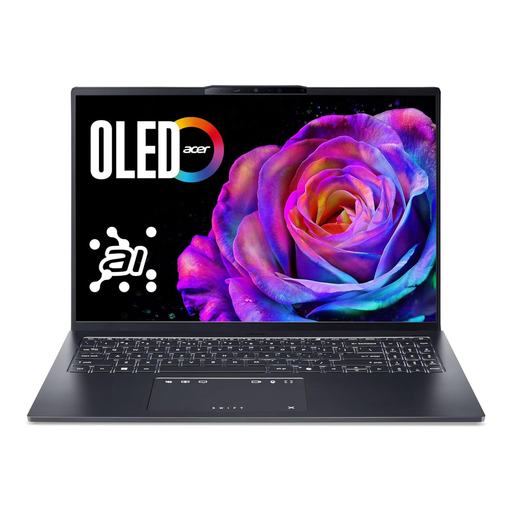
Acer Swift Go 16 OLED (SFG16-73-7943), Core Ultra 7, 16 GB/1 TB
This 16-inch model is designed for layout work; check the display specifications for the exact variant if you plan to review images on it.
WUXGA+ OLED with 120 Hz, Intel Core Ultra 7 255H, 16 GB RAM, 1 TB SSD, Intel Arc 140T, Windows 11 and QWERTZ keyboard.
View at Joybuy
 No image available
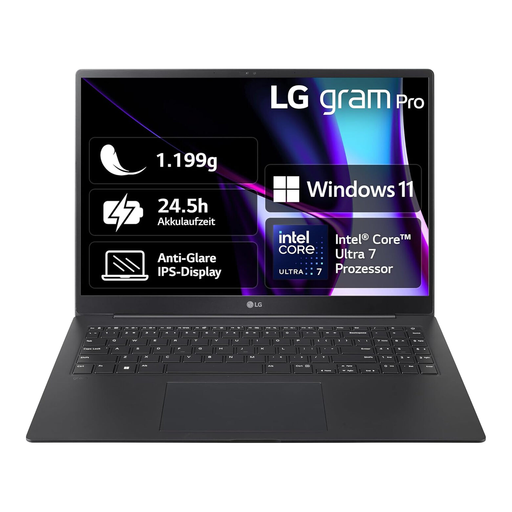
LG gram 16 Pro (6Z90SP-G.AA78G), Core Ultra 7 155H, 16 GB/1 TB
A 16-inch option for designing and reviewing photo book pages; also consider the requirements of your image-editing applications.
16 inches, Core Ultra 7 155H, 16 GB RAM, 1 TB SSD, Windows 11 and German keyboard.
View at Joybuy
Frequently asked questions
Do I have to use Windows to create a photo book?
No, not for CEWE Fotowelt software: CEWE offers it for Windows, Mac and Linux. Also check that your photo book service and the specific software version support your operating system.
How should I set up my laptop for longer periods of designing at a standing desk?
Check whether you can position the screen separately from the keyboard and mouse at your workstation. BG BAU recommends a keyboard positioned separately from the screen for computer workstations. ASR A6 does not apply generally to private screen use at home.
Does a positive image quality indicator mean the colours and print will be right?
No. CEWE explains that its indicator only assesses the print resolution of the placed photo; it doesn’t confirm how the colours will look in the finished photo book.
What are my rights when buying a laptop online in Germany?
For a standard online purchase from a business seller, you generally have 14 days from delivery to withdraw from the contract; statutory exceptions and possible return costs should be taken into account. Your Europe, the European Union’s portal, explains this period. Your statutory rights for faulty goods are separate from any voluntary guarantee, as the Verbraucherzentrale also explains.


