Photo book designers working by a window
If daylight falls on your screen from the side, check for reflections and consider your setup before comparing models.


When assessing a monitor for photo book double-page spreads by a bright window, don’t rely on its brightness rating alone. Anti-glare properties, positioning and, where appropriate, a compatible monitor hood all matter too. For decisions about print colours, you’ll also need a suitable colour mode and a profiled screen-to-print workflow. Manufacturers’ claims about screen finishes and hoods don’t show how well a model will cope with the light at your particular window.
If daylight falls on your screen from the side, check for reflections and consider your setup before comparing models.
If you’re making colour decisions for printed photo books, look for a suitable colour mode and a clear screen-to-print workflow. EIZO distinguishes between calibration and profiling as part of colour management.
If you want to view double-page spreads and image details together while working on a laptop, compare screen size, resolution and the connections you need.
Base your decision on what matters most for your workspace by a bright window: reducing reflections, checking print colours, having enough room for your layout or connecting your laptop.
| Buying priority | What to check | Who is it most relevant to? |
|---|---|---|
| Reflections by a window | Screen finish, possible positioning angles and a compatible hood for the exact model. | If window light obscures my double-page spread, I want to reduce distracting reflections through careful positioning and suitable accessories. Around 36% of consumers prioritise reflection control. |
| Assessing print colours | Suitable colour modes, calibration and profiling options, and the photo book provider’s print requirements. | If I’m adjusting colours for a particular print process, I need a suitable colour workflow, not just a wide-gamut specification. Around 29% of consumers focus on print colour control. |
| Viewing double-page spreads | Screen size, native resolution and scaling that’s easy for you to read. | If I want to check the page layout and image details together, I need a screen size that suits my desk. Around 21% of consumers prioritise seeing the whole layout. |
| Connecting a laptop | Video output connection, the power delivery required and the right cables for the specific model. | If my laptop is the hub of my workspace, I want to check the connection type and power requirements in advance. Around 14% of consumers prioritise connecting a laptop. |
Brightness ratings and information about the screen finish describe different features. Neither tells you on its own how easy the screen will be to see by your particular window.
Consider the angle of incoming light and the screen finish together. If you’re considering a hood, check that it’s compatible with the exact model too.
A colour gamut specification or factory calibration alone can’t predict how an image will look on your chosen photo book paper.
Compare your photo book provider’s print profiles and requirements with the monitor’s colour modes and profiling options.
Depending on the model and your workflow, you may need additional calibration or profiling equipment.
What’s included can vary by model: EIZO lists the CH2710 as included with the CG2700X, but as an optional accessory for the CS2740.
Before buying, check what’s included and whether the hood is compatible with the exact model number.
The SW272U and PD2732U combine features for photo and layout work; specifications vary by model.
The ColorEdge CG2700X is worth considering for a colour-managed photo book workflow.
The ProArt PA279CRV is a 27-inch 4K model with colour modes for different types of screen use.
The UltraSharp U2725QE is a 27-inch 4K alternative with an adjustable stand and a Thunderbolt hub.
This selection at Joybuy covers monitors for photo book layout work, from large ultrawide models to portable extra screens.
 No image available
The large ultrawide screen could be a good fit if you want to view double-page spreads and tools together, and have the desk space and viewing distance to suit it.
40 inches; 5120 × 2160 pixels; IPS; 100 Hz; 21:9; USB-C with 65 W Power Delivery.
 No image available
A 27-inch 4K monitor could work well for layouts and image details if you’re looking for a more compact screen than an ultrawide model.
27 inches; 3840 × 2160 pixels; IPS; 120 Hz; USB-C with 90 W Power Delivery; PIP and PBP.
 No image available
This model could work as a portable extra screen if portability matters more to you than having a large display for two photo book pages.
15.6 inches; 1080p FHD; IPS; 60 Hz; HDMI and USB-C connections.
 No image available
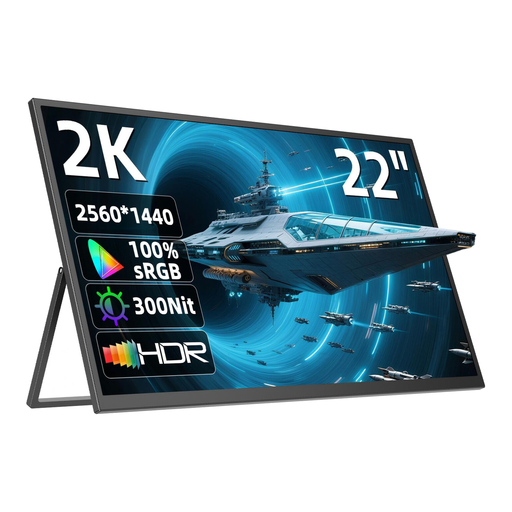
The portable 22-inch screen could suit a flexible layout workspace. Check that its size and resolution are right for your double-page spreads.
22 inches; 2560 × 1440 pixels; QHD; IPS; stand adjustable up to 180°; USB-C and Mini HDMI.
No, it shouldn’t be the only factor in your choice. For example, ASUS lists typical brightness of 350 cd/m² and an anti-glare screen for the PA279CRV, but this manufacturer specification isn’t a test under the lighting conditions at your window. Check the screen’s positioning and finish too.
First, reduce direct light falling on the screen as much as possible. When making decisions about print colours, you should also consider monitor calibration and profiling, as well as the print profiles and requirements of your chosen photo book provider. EIZO describes calibration as adjusting a device, and profiling as measuring it to create a profile.
No, features and what’s included vary by model. EIZO lists the CH2710 as included with the CG2700X and as an optional accessory for the CS2740; the CG2700X is also specified as having a built-in calibration sensor. Check the exact model and what’s included.
According to the European Commission, electronic displays such as computer monitors carry an energy efficiency label ranging from A to G. Check the energy label and product information for the specific model, including if you use HDR content.