A new photo book workspace with limited sockets
If you’re buying a new computer and monitor, an all-in-one PC combines both in a single device. Remember to factor in the power supply for all your other workspace devices, too.


If you need a new computer and monitor and want to use as few mains sockets as possible for both, an all-in-one PC is a good place to start. A mini PC is a better fit if you already have a suitable monitor, while a tower is worth considering if you want to choose the computer and monitor separately or need specific expansion options. In every case, check the photo book software, the connections available for importing photos and how many sockets are actually free.
If you’re buying a new computer and monitor, an all-in-one PC combines both in a single device. Remember to factor in the power supply for all your other workspace devices, too.
If you’d like to keep using your monitor, a separate desktop PC could be a good option. The monitor will still need its own mains socket. CEWE describes importing photos using a USB cable or SD card reader.
If you import and sort lots of photos, consider the connections, storage and a separate backup of your original files. CEWE recommends keeping photos organised on your computer.
A good fit if: you need a new computer and monitor and want them in one integrated unit.
Things to consider: The monitor is tied to the computer, and upgrade options vary by model.
A good fit if: you already have a suitable monitor or want to choose one separately from your computer.
Things to consider: The monitor needs its own mains socket.
A good fit if: you want to choose your monitor and computer separately or need specific expansion options.
Things to consider: You’ll need to plan for and connect the computer and monitor separately.
| Criteria | What to check before buying | Who should pay particular attention |
|---|---|---|
| Sockets and set-up | Count the free sockets and the mains plugs needed for all your devices. Check whether the monitor is integrated. | If I need a new computer and monitor, I want to know how many sockets the complete workspace will use. Around 36% of consumers are primarily concerned with the number of sockets available. |
| Monitor for photos and layouts | Compare the screen size and resolution, and look for reliable specifications or test results on the colour reproduction of the specific model. | If I’m selecting photos and assessing them in a layout, I want to be able to judge the screen specifications of the specific device. Around 29% of consumers say screen quality is their top concern. |
| Photo import and backup | Check which operating systems the photo book software supports, whether the device has suitable connections for importing photos and whether you can back them up separately. | If I’m transferring photos from a camera or mobile phone, I want to plan for the software, connections and backup together. Around 21% of consumers put their photo workflow first. |
| Making changes later | Check the documented expansion options, as well as the repair and warranty terms for the specific product. | If I want to change the monitor or components later, I need clear information about the specific configuration. Around 14% of consumers place the greatest importance on flexibility and service. |
A monitor connected separately will still need its own power supply. You’ll also need to account for any other devices in your workspace.
Before buying, make a note of your computer, monitor and required peripherals, including their mains connections.
Even models in the same range can differ in their displays and upgrade options. In its tests, COMPUTER BILD found differences in upgradeability between the ASUS ExpertCenter E5402 and ASUS ExpertCenter P600 AiO PM640KA.
Compare the full model name and the specifications for the exact configuration, rather than assuming features carry over from one model to another.
If your original photos are stored on just one device, a device failure could also affect your only saved copy.
Plan how you’ll import and store your photos, as well as how you’ll keep a separate backup of the originals.
The ExpertCenter AiO models are aimed at buyers looking for a computer and monitor in one device.
The OmniStudio X 27-cx0770ng is a Windows all-in-one configuration with an integrated monitor.
The IdeaCentre all-in-one range includes computers with integrated monitors in various sizes.
The iMac combines a computer and monitor, while the Mac mini is a separate computer designed for use with an external monitor.
Aspire C all-in-one models offer another integrated PC option; the model suffix is important when comparing them.
The desktop PCs below are designed for use with a separate monitor, so remember to account for its own mains socket when planning your set-up.
 No image available
This separate desktop PC is worth considering if you’re planning to use your own monitor.
The product name lists 32 GB RAM, a 1 TB SSD, RTX5060 and Windows 11 Home.
 No image available
The mini PC form factor suits a workspace where you already have a separate monitor or plan to add one.
The product name lists 128 GB RAM and 2 TB storage.
 No image available
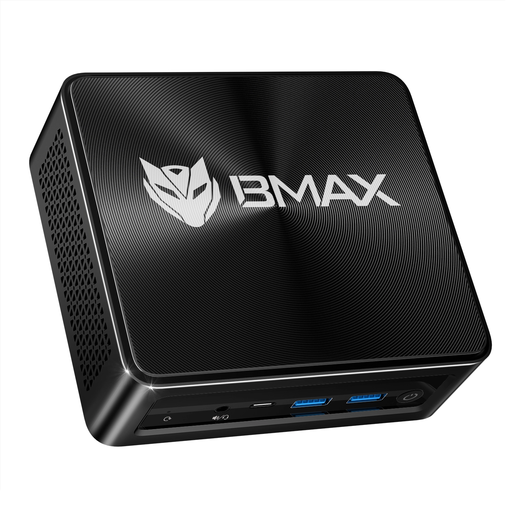
This mini PC is a separate computer option for a workspace with its own monitor.
The product name lists AMD Ryzen 7 8745HS, AMD Radeon 780M Graphics, 16 GB RAM, a 512 GB SSD and Windows 11. Listed connections include USB, HDMI, Type-C and DP.
No, Windows isn’t essential for CEWE Fotowelt: CEWE offers its ordering software for Windows, Mac and Linux. Before buying, check the requirements for the specific software version you’ve chosen and any other programmes you use.
No, a monitor with its own power supply will still need a separate mains socket. Factor in any other devices you need, too, and count the plugs for your complete set-up.
CEWE describes importing photos into a folder using a USB cable or SD card reader. As well as checking you have a suitable connection, make sure you have a separate backup of your original photos.
Compare the full model name and the specifications for the exact configuration. In its tests, COMPUTER BILD found differences in upgradeability between the ASUS ExpertCenter E5402 and P600 AiO PM640KA; you can’t assume the same applies to other configurations.
Your statutory rights against the seller are separate from any voluntary guarantee. If a fault occurs, you can initially request that the product is repaired or replaced. Also check the terms of any guarantee offered.