Which mouse is right for you?

Photo reviewers

If you select lots of photos and organise them into a gallery, an easy-to-use scroll wheel and a straightforward workflow may matter more than a host of extra features. Adobe describes collections, flags and ratings as ways to organise photos in Lightroom Classic.

Long-session users

For longer periods at your desk, choose a mouse that suits your hand size and how you hold it. The Federal Institute for Occupational Safety and Health also recommends arranging your mouse and keyboard flexibly to suit your individual needs.

Detail editors

If you also edit selected photos, check whether you can adjust the pointer speed or customise the buttons to suit your workflow. These features are only useful if they work with your software and preferred way of using a mouse.

What should you look for?

Standard mouse with extra buttons

A good choice if: You often move between images and use the same commands repeatedly. Check whether you can assign functions to the buttons in your photo software.

Keep in mind: Extra features are only useful if the controls, software and mouse shape suit your workflow and hand.

Vertical mouse

A good choice if: Finding a mouse that feels right in your hand is especially important during longer sessions. Check that you choose the right handedness and size.

Keep in mind: Fit is personal. A different grip is no guarantee that you’ll avoid discomfort.

Stationary trackball

A good choice if: You have little desk space for moving a mouse, or would rather control the pointer with a ball.

Keep in mind: Using a trackball feels different from using a mouse. Try one out to see whether you can control image areas and selection edges accurately.

Basic wired mouse

A good choice if: You mainly select and organise photos on a desktop computer and don’t need a wireless connection.

Keep in mind: You’ll need a suitable port, and the cable must be easy to position at your workspace.

What you need What to check Who is it important to?
Reviewing and organising lots of photos Scroll behaviour and easy-to-reach buttons; check whether you can assign the commands you want in your photo software. When I’m looking through lots of photos, I want to select and sort them quickly without having to switch between input devices unnecessarily. Around 33 % of consumers put reviewing and organising first.
A comfortable fit for longer sessions Right- or left-handed version, hand size and button reach; also consider where you’ll place it on your desk. When I’m working for longer, I want a mouse that suits my hand and lets me reach the buttons comfortably. Around 25 % of consumers prioritise a comfortable hand position.
Pointer control for detailed work Adjustable pointer speed and how it feels to use with your photo software; if you’re considering a trackball, try its ball control too. When I want to edit specific areas of an image more precisely, controlled pointer movement matters more to me than a high maximum setting. Around 25 % of consumers put precise editing first.
Connectivity and ongoing upkeep Available ports, Bluetooth support and the power supply required by the specific model. I want to use the mouse with my existing computer without a complicated setup. Around 17 % of consumers prioritise a straightforward connection.

Common buying mistakes

  • Assuming the highest DPI means better photo editing

    A high setting on its own doesn’t tell you how well you’ll be able to control selection edges or image details.

    Compare adjustability and how the mouse feels to use with your software, rather than focusing only on the maximum setting.

  • Assuming “ergonomic” means a universal fit or guaranteed health benefits

    Hand size and grip vary from person to person. The Federal Institute for Occupational Safety and Health highlights the importance of individual fit and workspace layout.

    Check that you have the right version and can reach all the buttons comfortably. A manufacturer’s claims about reducing strain are no guarantee of a particular effect.

  • Overlooking connectivity and power

    Bluetooth, USB receivers and cables each have different requirements. For wireless models, check the power supply they need too.

    Make sure the specific model’s connection type is compatible with your computer’s available ports and Bluetooth support.

Brands to consider

Logitech

The MX Master 3S Bluetooth Edition and Lift may suit different preferences. The former offers customisable pointer settings and scrolling features, while the Lift is a vertical option.

  • Logitech says the Lift is designed for small to medium-sized hands, with a separate left-handed version available.
  • Fit is still personal. A manufacturer’s ergonomic claims don’t guarantee relief from discomfort.

Kensington

The Orbit Wireless Trackball with Scroll Ring is an alternative if you’d like to control the pointer with a ball or don’t want to move a mouse across your desk.

  • Kensington lists an ambidextrous design, customisable buttons and four DPI settings.
  • A trackball feels different from a mouse, so it’s worth trying one before you decide.

CHERRY

The MW 4500 LEFT is a wireless mouse shaped specifically for the left hand; the MW 4500 is a separate right-handed version.

  • CHERRY lists three sensitivity settings up to 1.200 dpi and two extra thumb buttons for the LEFT version.
  • Claims about reducing strain come from the manufacturer and don’t prove a specific health benefit.

Perixx

The PERIMICE-513 L is a wired, left-handed vertical option for a desktop computer with a suitable USB-A port.

  • Perixx lists two DPI settings, 1.000 and 1.600, and a 1,8 m cable.
  • The cable limits where you can place it, and claims about preventing discomfort are made by the manufacturer.

Joybuy product selection

This Joybuy selection includes mice for reviewing photos and carrying out regular navigation or control tasks on your computer.

HOFOTEK M308 2.4G Silent Office Mouse

HOFOTEK M308 2.4G Silent Office Mouse

An office mouse with adjustable DPI settings to suit different preferred pointer speeds.

2.4G connection; multiple DPI settings according to the product name.

View at Joybuy

HOFOTEK M311 2.4G+BT Silent Office Mouse

HOFOTEK M311 2.4G+BT Silent Office Mouse

A wireless office mouse offering different pointer speeds and connection options, provided they’re compatible with your devices.

2.4G+BT; multiple DPI settings; 1xAA Battery according to the product name.

View at Joybuy

Razer Naga V2 HyperSpeed wireless gaming mouse

Razer Naga V2 HyperSpeed

Its programmable buttons may be useful for regular commands, as long as the software suits your workflow.

19 programmable buttons; wireless connection via 2.4 GHz or Bluetooth. According to the product information, button programming requires Razer Synapse.

View at Joybuy
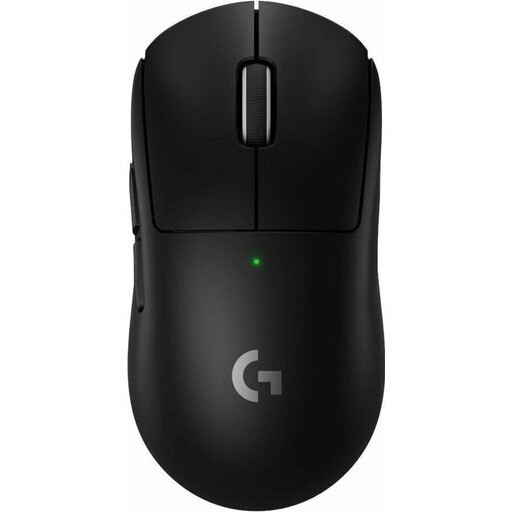
Logitech G PRO X SUPERLIGHT 2 LIGHTSPEED Wireless Gaming Mouse, Western Europe Packaging, Black

Logitech G PRO X SUPERLIGHT 2 LIGHTSPEED

The five programmable buttons may suit you if you want to customise commands you use regularly.

Five programmable buttons; USB-C charging according to the product name.

View at Joybuy
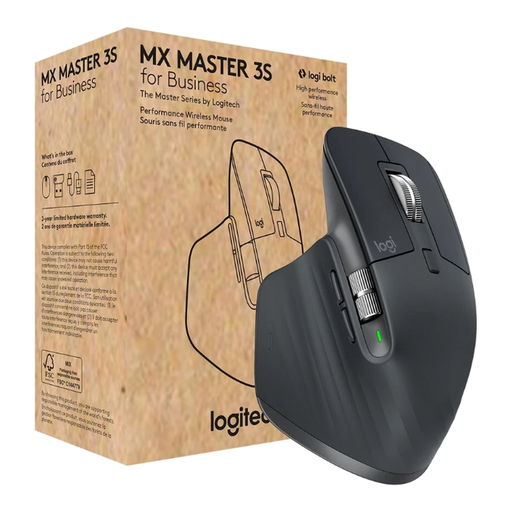
Logitech MX Master 3S for Business Wireless Mouse, Graphite

Logitech MX Master 3S for Business, Graphite

The MagSpeed wheel and programmable buttons may help with navigation and repeated tasks, provided they suit your workflow.

8.000 DPI; Bluetooth and Logi Bolt USB; seven programmable buttons. According to the product information, button and pointer settings require Logi Options+.

View at Joybuy

Frequently asked questions

Do I need a mouse with lots of buttons to organise a photo gallery?

Not necessarily. Start by thinking about the selection and organisation steps you repeat in your software. In Lightroom Classic, collections, flags and ratings are all part of organising photos. Extra buttons are only useful if you can assign the commands you need.

How should I position my mouse when working at a desk for long periods?

Leave enough room for your mouse and arm, and choose a mouse that suits your hand size and shape. The Federal Institute for Occupational Safety and Health recommends positioning your mouse and keyboard flexibly to suit your needs; this doesn’t mean a particular model is guaranteed to prevent discomfort.

What should I check about the cable, wireless connection and power supply?

Check that the connection and power supply are compatible with your computer. According to Perixx, the wired PERIMICE-513 L needs a USB-A port and space for its 1,8 m cable. If a product is faulty, remember that your statutory rights are separate from any voluntary guarantee.

What should I look out for when buying a wireless mouse in Germany?

For a specific listing, look for clear information about the product’s identity, its manufacturer and any required documentation. The German Federal Network Agency lists CE marking, product information, German-language instructions with the necessary guidance and a declaration of conformity among its checks; a shop description alone doesn’t confirm that an individual model complies.

Can I return a mouse bought online if it doesn’t suit my hand?

According to the Verbraucherzentrale, consumers who buy online generally have a 14-day right to cancel after receiving the goods; you must notify the retailer that you wish to cancel. Check the terms of your specific purchase.