House share with family group photos
If you want several faces to be recognisable in a single print and there’s limited space on the shared table, it’s worth choosing your preferred format before deciding on the size of the printer.


For family group photos, the print format you want is the most important first filter. A postcard-size print offers more space than the mini formats mentioned here, while an A4 photo printer can also handle tasks such as document printing, scanning and copying. A small smartphone printer is a better fit if compact prints to share matter more than having plenty of room for faces. Then check the compatible media, print options and space available.
If you want several faces to be recognisable in a single print and there’s limited space on the shared table, it’s worth choosing your preferred format before deciding on the size of the printer.
If you need to print larger photos or study materials as well as family pictures, a photo printer with extra functions for documents, scanning or copying could be a good option.
If you want to print small pictures straight from your smartphone and share them, consider compact formats – and check whether the smaller image area is big enough for group photos.
Start by deciding on the print size you want. Then you can check the consumables, the space available and which devices you’ll be printing from in your house share.
| What matters | What to check before buying | Who it matters most to |
|---|---|---|
| Image area for group photos | Compare the printable formats: the Canon SELPHY CP1500 uses postcard-size media measuring 100 × 148 mm; the small print media mentioned here are considerably smaller. | If you want several family members to fit in a shared print, the image area is crucial. That’s why around 29% of consumers put print format first. |
| Consumables | Check which paper, ribbon, cartridge or ink is compatible with the exact model, and compare the printer and media on the same basis. | If you plan to print photos regularly, you’ll want to know which media you’ll need to buy and whether they’re compatible with the printer. Around 23% of consumers prioritise the ongoing cost of compatible consumables. |
| Space and storage | Compare the printer’s dimensions and allow extra room for loading paper and operating it. | If you share a desk in your house share, you may want to put the printer away after use. Around 18% of consumers focus mainly on the space a printer takes up and how easy it is to store. |
| Printing from your own devices | Check the app, operating system and available print options against the smartphones, computers or memory cards used in your house share. | If housemates use different devices to print, it’s important that each one has a suitable way to connect. Around 18% of consumers put device compatibility first. |
| Additional printing tasks | Check whether you actually need A4 photos, document printing, scanning or copying, and whether the model offers these functions. | If you want to print study materials or larger photos as well as family pictures, extra functions could be useful. Around 12% of consumers prioritise this kind of multifunction printing. |
Smaller media leave less room for each face in a group photo than a postcard-size print.
First decide whether a mini print will do or whether you’d prefer something larger. Then look for a printer that supports the right format.
Photo printers may need different consumables, some of which are specific to particular models, such as paper-and-ribbon sets, film, cartridges or ink.
Check which consumables are compatible with your model and compare the printer and media on the same basis. A manufacturer’s stated yield won’t necessarily reflect how much you’ll use in a house share.
Plugs and items included in the box can vary between product versions. You’ll also need to check that the consumables are compatible.
For the specific German listing, check the plug, what’s included, compatible media and applicable product safety information. The EU’s Your Europe guidance explains that CE marking is only required where it applies to the specific product.
The SELPHY range offers compact print formats, while the PIXMA G650 is an A4 photo printer with scanning and copying functions.
The EcoTank ET-8500 is an A4 photo inkjet printer with scanning and copying functions for photos and documents.
The instax Link WIDE 2 prints smartphone photos on compatible instax WIDE film.
The Mini 2 Retro P210R is a compact portable range, while the Dock Era D600 is designed for 4 × 6-inch photos.
The Hi-Print 4x6 is a postcard-size printer with app-based editing.
This Joybuy selection includes portable photo printers and all-in-one printers. Before buying an all-in-one model, check in particular that its media format and photo-printing functions are right for your family pictures.
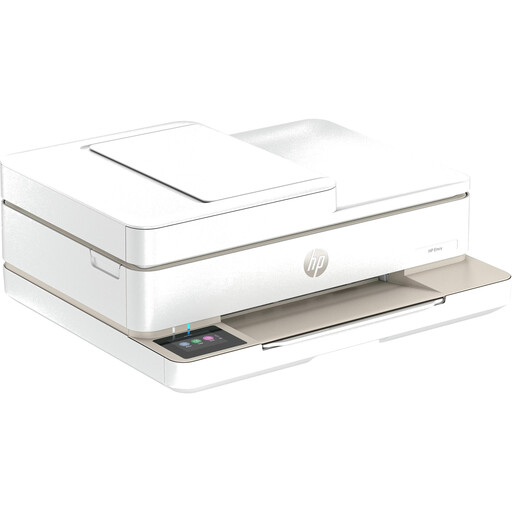 No image available
This colour all-in-one inkjet printer could be a good option if you want to print, copy or scan documents as well as photos.
The product description lists Wi-Fi, Bluetooth, automatic double-sided printing and the HP Smart app. Check in advance that the supported media format is right for your group photos.
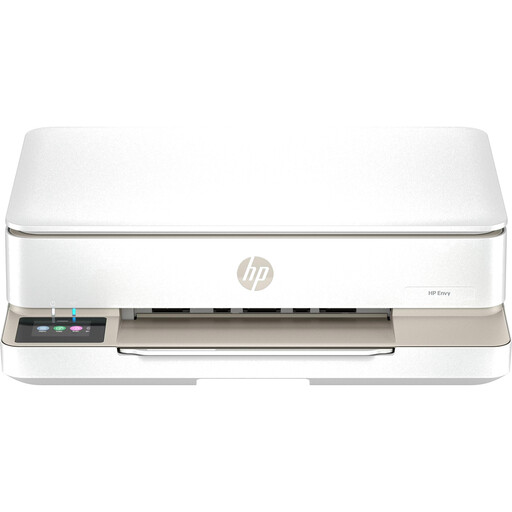 No image available
This colour all-in-one model could suit a house share if you need to scan or copy documents as well as print photos.
The product description lists dual-band Wi-Fi, automatic double-sided printing and the HP Smart app. Check that the media format matches the print size you have in mind.
 No image available
This compact model is designed for small smartphone prints. Its format is considerably smaller than a postcard-size print, making it less suited to group photos.
The product description lists Bluetooth, the Xiaomi Home app and self-adhesive photo paper measuring 50 × 76 mm. For comparison, Canon specifies 100 × 148 mm for the SELPHY CP1500.
 No image available
This portable model could be a good fit if you want to print small smartphone photos to stick up or share. The image area is limited for group pictures.
The product description lists Bluetooth, the Xiaomi Home app and self-adhesive photo paper measuring 50 × 76 mm.
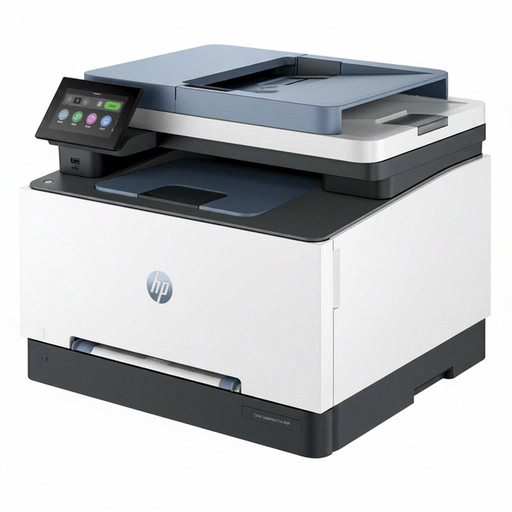 No image available
This colour laser all-in-one is more suited to you if you also need to print, scan and copy documents. Before printing family photos, check that the specific model and paper are suitable.
The product description lists Wi-Fi, Ethernet, USB, automatic double-sided printing and printing from mobile devices.
First, check the print options for the specific model and make sure it’s compatible with your devices. Canon says the SELPHY CP1500 supports Wi-Fi printing from compatible iOS and Android devices, as well as printing from a computer. According to Canon, the QX20 prints via the SELPHY Photo Layout app.
Buy consumables that match your model and media format: the Canon SELPHY CP1500 uses compatible paper-and-ink sets, while the PIXMA G650 needs GI-53 ink bottles and photo paper. Follow the instructions for your chosen printer when it comes to cleaning and maintenance.
In Germany, your statutory rights against the seller are separate from any voluntary manufacturer’s warranty. The consumer advice centre explains that you have statutory rights if a product is faulty, and that the first step may be to ask for the issue to be put right, for example through a repair or replacement. Check the purchase date and terms and conditions for your specific case.
Products sold in the EU are subject to product safety regulations. Your Europe notes that certain electrical and electronic equipment must carry a CE marking; check the requirements for the specific product. The marking is not an independent quality endorsement.
Take electrical equipment for recycling separately from your household rubbish. The German Environment Agency lists recycling centres and participating retailers among the options; removable batteries should be disposed of separately.