For flower studies that several people will look at or annotate together, an A4 photo printer may be a good option. For individual postcard-sized images or self-adhesive mini prints, a smaller format may be enough. The key considerations are how large the flower details need to be on the print and how many images you plan to produce. Also check how much space the printer needs, whether it connects to the devices used in class, and which paper and printing supplies are suitable.
Which printer is right for you?
Teachers who need large image templates
If you want to look at flower shapes and areas of colour together or annotate them, A4 can provide more working space. Canon Deutschland and Epson Deutschland list the PIXMA G650 and EcoTank ET-8500 as supporting photo printing up to A4.
Course leaders who print regularly
If you print regularly, make sure you plan for the right paper, ink or other supplies required by the model. For certain print quality issues with EcoTank and Expression printers, Epson Deutschland recommends a nozzle check and, if necessary, print-head cleaning.
Teachers who need small image sections
A small print format may be enough for individual postcard-sized images or self-adhesive mini prints. Canon Deutschland lists the SELPHY CP1500 as printing at 100 × 148 mm; Xiaomi Deutschland gives the Portable Photo Printer 1S print size as 50 × 76 mm.
What should you look for when buying?
A4 photo inkjet printer with refillable tanks
A good choice if: you need larger flower studies for a group or plan to print them regularly.
Bear in mind: the printer needs space, and suitable photo paper and ink are ongoing supplies.
Compact dye-sublimation printer
A good choice if: postcard-sized images are large enough for your class activity and you want a compact printer.
Bear in mind: the SELPHY CP1500 needs a compatible paper-and-ink cassette set and does not print in A4.
Mobile ZINK photo printer
A good choice if: small self-adhesive image sections matter more than larger templates.
Bear in mind: the 50 × 76 mm format of the Xiaomi Portable Photo Printer 1S limits the space available for fine flower details. You’ll also need compatible specialist paper and the Xiaomi Home app.
| Priority |
What to check before buying |
Who it matters most to |
| Flower details and format |
Check that the supported paper size matches the image and annotation size you need. |
If I want to look at or annotate flower shapes with others, the template needs enough space. Around 36% of consumers prioritise format and detail. |
| Supplies for regular printing |
Allow for the right paper and the ink, ribbon or specialist paper required by the model. |
If I print regularly, I want to know which supplies I’ll need for the planned format. Around 29% of consumers prioritise repeat printing and the supplies required. |
| Space and ease of use |
Check the space available, whether an app is required and how the printer connects to the devices you already use in class. |
If the printer needs to fit in a small room and work with existing devices, it’s important to find the right combination of placement and connectivity. Around 21% of consumers focus on space and ease of use. |
| Assessing flower colours |
Try out photo paper and print settings with one of your own flower photos, and check the result under the lighting you’ll use. |
For exercises involving subtle colour differences, I want to assess prints in suitable lighting. Around 14% of consumers put colour checking first; Canon Deutschland recommends assessing prints under consistent lighting conditions. |
Avoid common buying mistakes
-
Choosing a small photo format just because it takes up less space
The models covered range from 50 × 76 mm to A4. A small image may be fine for a collage, but it might not leave enough room for a group to look at or annotate together.
Before buying, decide how large the flower study needs to be when printed.
-
Planning for the printer but not the right supplies
Different printing methods need different supplies, such as photo paper, ink, a paper-and-ink cassette set or ZINK specialist paper.
Check which supplies are compatible with the exact model and the print size you have in mind.
-
Assuming the manufacturer’s quoted yield is a guaranteed number of prints
A quoted photo yield won’t necessarily match the number of prints you can make of your flower images on your chosen paper and settings.
Plan print runs using the formats and supplies you actually intend to use, rather than relying on a maximum figure alone.
Brands and models to consider
Canon
Canon’s range includes the SELPHY CP1500 for postcard-sized images and the PIXMA G650, which prints photos up to A4.
- The PIXMA G650 uses refillable ink tanks and, according to Canon Deutschland, supports borderless photo printing up to A4.
- The SELPHY CP1500 needs a compatible paper-and-ink cassette set and does not print in A4.
Epson
According to Epson Deutschland, the EcoTank ET-8500 combines photo printing up to A4 with refillable ink tanks and additional document functions.
- It’s worth considering for larger photo templates when you need A4 for a class activity.
- For certain printing problems, Epson recommends a nozzle check and, if necessary, print-head cleaning as maintenance steps.
Xiaomi
According to Xiaomi Deutschland, the Portable Photo Printer 1S is designed for small, self-adhesive image sections.
- This ZINK model prints at 50 × 76 mm and, according to the manufacturer, does not need ink cartridges.
- It requires compatible specialist paper and the Xiaomi Home app. Its small print area is not an A4 template.
Joybuy products
The Joybuy products below are mobile photo and thermal printers. Before choosing one, check that the format and printing supplies are suitable for the flower details you want to show in class.
 Image unavailable
Mobile mini thermal printer for smartphone photos and notes
A portable option for smartphone photos and notes. Before buying, check whether the print size will show the flower details you need.
View at Joybuy
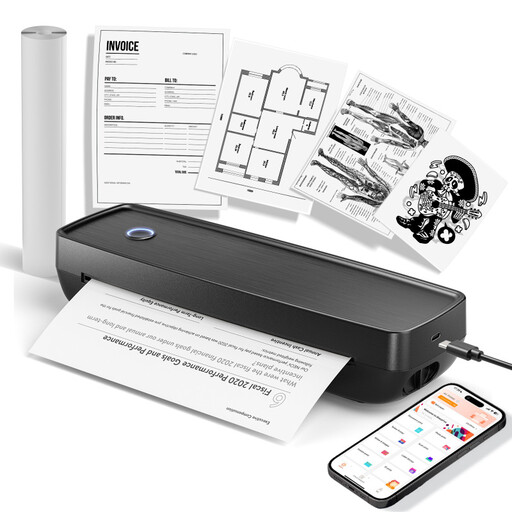 Image unavailable
Mobile wireless printer for photos and documents
The product name specifies photo and document printing in US Letter and Legal sizes. Check that these formats suit your class templates.
View at Joybuy
 Image unavailable
Mobile mini thermal printer for photos and stickers
For mobile image sections and stickers; compatible thermal paper is required.
View at Joybuy
 Image unavailable
Xiaomi Portable Photo Printer 1S
For small, self-adhesive image sections: the ZINK print size is 50 × 76 mm. Compatible ZINK paper and the Xiaomi Home app are required.
View at Joybuy
 Image unavailable
Mobile mini Bluetooth thermal printer for photos, notes and labels
For notes or monochrome images; the specified black-and-white output won’t reproduce flower colours.
View at Joybuy
Frequently asked questions
Is a mini photo printer suitable for flower studies?
A mini photo printer may be enough for image sections to stick into a project. The print size given by Xiaomi Deutschland for the Portable Photo Printer 1S is 50 × 76 mm. If several people need to look at flower details together or add detailed annotations, consider a larger format such as A4, based on the class activity.
What can I do about streaks or incorrect colours?
For relevant printing problems with EcoTank and Expression printers, Epson recommends checking the ink levels first and then running a nozzle check. You can clean the print head if needed. Follow the instructions for your specific model.
Which printing supplies should I plan for?
It depends on the printing method and format. You may need suitable photo paper, ink, a paper-and-ink cassette set or ZINK specialist paper. Manufacturer figures for photo yield are not a guaranteed number for your own flower images and print settings.
Can I put an old printer in household waste in Germany?
No. Germany’s Federal Ministry for the Environment classifies printers as electrical and electronic equipment. In information dated 28 July 2022, it explains that old devices must be handed in at an authorised collection point, such as a municipal collection centre or a manufacturer. A retailer may also be an option if it is required to accept returns under the applicable rules.


