For organisers printing occasional photos
If you’d like to hand out selected beach photos as handy prints, focus on finding the right postcard size. Canon Deutschland gives the SELPHY CP1500’s print size as 100 × 148 mm.


For occasional postcard-sized prints, a compact photo printer could be a good choice; for regular batches and A4 photos, consider a refillable photo printer instead. A smartphone instant photo printer is handy for small keepsake prints on the spot, but it won’t replace a postcard or A4 printer. Start by deciding on the print size, quantity and location, then check compatible media, connections, and the cost of the printer and consumables.
If you’d like to hand out selected beach photos as handy prints, focus on finding the right postcard size. Canon Deutschland gives the SELPHY CP1500’s print size as 100 × 148 mm.
If you take group photos regularly, factor in your planned print quantity along with the paper and consumables. Canon Deutschland and Epson Deutschland offer photo printers with refillable ink tanks.
If you want to show off landscape photos at a larger size or print additional group materials, the supported paper size is key. Canon Deutschland and Epson Deutschland state that the PIXMA G650 and EcoTank ET-8500 support photo printing up to A4.
A good fit if: you want to hand out selected photos as 100 × 148 mm prints and don’t need A4.
Bear in mind: The print size is limited, and the battery for the Canon SELPHY CP1500 is sold separately. Also check whether a compatible media set is available to you.
A good fit if: you regularly need several prints or photos up to A4 size.
Bear in mind: Include paper, ink and any maintenance costs in your comparison. Manufacturers’ estimates of print yield won’t necessarily tell you how much your photos will cost to print.
A good fit if: little keepsakes to take away from your get-together matter more than large coastal views.
Bear in mind: The instax mini Link 3 requires film and a compatible app; its image area measures 62 × 46 mm.
| What you need | What to check before buying | Who is it important to? |
|---|---|---|
| Size for prints to hand out | Check the supported paper size and whether compatible ink ribbon and paper sets are available. | If I want to hand out selected beach photos as postcard prints, the size needs to be right. Around 31% of consumers put postcard prints first. |
| Ongoing costs for print runs | Work out the combined cost of the printer, compatible paper and consumables for the quantity you have in mind. | For regular group photos, I want to include paper and consumables for the planned quantity in my budget. Around 31% of consumers base their first choice mainly on the ongoing costs of printing batches like these. |
| Larger photos and extra features | Check the largest size you need, as well as borderless printing and any scanning or copying features you require. | If I want to display coastal photos at a larger size, small prints won’t be enough. Around 23% of consumers prioritise A4 photos. |
| Instant prints at your get-together | Check the image area, film, battery charge and app compatibility. | If I want to print small photos on the spot at a get-together, having enough film and a compatible smartphone is important. Around 15% of consumers prioritise instant prints on the spot. |
The instax mini Link 3 has an image area of 62 × 46 mm, and the SELPHY CP1500 is not an A4 printer either. These models won’t give you the larger print sizes you need.
Before comparing printers, decide on the largest print size you’ll need.
For larger prints, you may also need another printer or an external printing service.
Different models need different media and consumables. A stated ink yield alone won’t tell you how much a planned batch of photos will cost.
Compare the cost of printing the same number of photos at the same size, including the right paper and consumables for each model.
Canon and Fujifilm specify temperature and humidity conditions for their respective compact models. Fujifilm explicitly warns against condensation.
Check the operating conditions for the specific model and plan a suitable, dry place to print, with an appropriate power supply.
The model ranges described here cover everything from postcard prints to refillable photo printing up to A4.
The EcoTank ET-8500 is a refillable A4 photo printer option for recurring group projects.
The instax mini Link 3 is designed for small smartphone instant prints when you’re getting together with others.
The Amber range described here offers another dye-sublimation option for 4 × 6-inch photos.
The following Joybuy products are portable thermal printers for use with smartphones. Before buying, check that the colour output, image size and paper are right for your beach photos; not every model is a substitute for colour postcard or A4 photo printing.
 No image available
For printing from your smartphone on the go, if black and white is all you need; the product description specifies black-and-white output.
The product description lists Bluetooth and 10 rolls of thermal paper as included.
 No image available
Could be suitable for printing from a smartphone; check first that the output type and supported size are right for your group photos.
The product description lists thermal printing and a wireless smartphone connection.
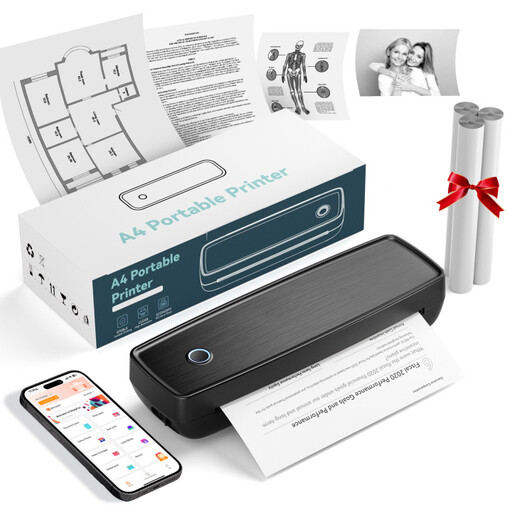 No image available
Designed for use on the go; before buying, check that the print size and output type suit the beach photos you have in mind.
The product name lists Bluetooth and USB-C; the product description calls it a thermal printer.
 No image available
For printing from your smartphone on the go if black and white is enough; the product name specifies monochrome output.
The product name lists a 1200-mAh battery; the product description mentions Bluetooth for printing photos from a smartphone.
 No image available
Could be suitable for smartphone photos; check that the output type and paper size meet your needs for group beach photos.
The product description lists thermal printing, Bluetooth and a companion app for iOS or Android smartphones.
First decide whether you need small instant photos, postcard prints or A4 photos. The instax mini Link 3 has an image area of 62 × 46 mm, the SELPHY CP1500 supports 100 × 148 mm, and the PIXMA G650 and EcoTank ET-8500 support photo printing up to A4.
It depends on the power supply and operating conditions for the model. The Canon SELPHY CP1500 runs on a mains adapter; Canon says its compatible battery is not included. The instax mini Link 3 has a built-in battery, but needs film and a compatible app. Fujifilm also specifies temperature and humidity ranges and warns against condensation.
Calculate the cost of the printer, compatible paper and ink, ribbon or film for the number of prints you plan to make. The Verbraucherzentrale distinguishes the statutory guarantee against the seller from a voluntary manufacturer’s guarantee. Who can make a claim under a specific purchase contract also depends on who made the purchase.
Not automatically: photos of identifiable people contain personal data. The State Commissioner for Data Protection and Freedom of Information of Rhineland-Palatinate and the Bavarian Data Protection Authority highlight the importance of the purpose and how the photos will be used. Before printing or sharing them, check who will receive the photos and what legal basis applies to the specific purpose.
First check the guidance for your model. For pale, streaky or incorrectly coloured prints from its EcoTank and Expression ranges, Epson recommends a nozzle check and, if necessary, a print head clean. Check the ink levels before running a cleaning cycle.