Small-format crafters
If you want to print individual portraits for album pages, cards or other projects, choosing the right small print size is key. Canon Germany lists postcard media measuring 100 × 148 mm for the SELPHY CP1500.


Start by deciding on the finished photo size, then consider how many portraits you expect to print regularly. For postcard-sized prints, a compact dye-sublimation printer such as the Canon SELPHY CP1500 could be a good fit. For A4 or A3+, consider an inkjet photo printer designed for those formats, such as the Epson ET-8500 or Canon imagePROGRAF PRO-310, as recommended by Canon Germany and Epson Germany. Then compare the photo media and consumables that suit your needs: a larger print format isn’t automatically necessary for small keepsake photos.
If you want to print individual portraits for album pages, cards or other projects, choosing the right small print size is key. Canon Germany lists postcard media measuring 100 × 148 mm for the SELPHY CP1500.
If you regularly print several photos after get-togethers, consider the format and consumables together. Epson Germany lists the EcoTank ET-8500 as capable of printing photos up to A4, with refillable ink tanks.
If you want to create portraits for frames or print on different types of photo paper, the maximum supported format matters. Epson lists A3+ support for the Expression Photo HD XP-15000, as does Canon for the imagePROGRAF PRO-310.
First decide how large you want the finished portrait to be. Then choose a printer whose media and consumables suit the format and the number of prints you plan to make.
| Purchase priority | What to look for | Who it matters most to |
|---|---|---|
| The right small format | Maximum photo size; compatible paper and ribbon sets | For album pages or cards, I care more about getting the right small format than having A3+. Around 36% of consumers prioritise small formats. |
| Supplies for batches of photos | Price and contents of compatible ink, ribbons or photo media | If I’m printing several portraits at a get-together, I want to compare the supplies needed and the format for the number of prints I’m making. Around 29% of consumers prioritise regular batches and the consumables they require. |
| Larger framed portraits | Supported photo size; compatible paper and feed path | For a larger framed portrait, I need a model that supports the size I want. Around 21% of consumers prioritise larger framed portraits and paper choice. |
| Sharing prints on the spot | Compatible connection and app; image size and required media | If I want to share small prints at a reunion, I need a suitable connection and the right print media. Around 14% of consumers prioritise sharing small photos there and then. |
Supported formats vary considerably: Canon lists postcard media measuring 100 × 148 mm for the SELPHY CP1500, while Epson says the XP-15000 can print up to A3+.
Measure the photo or frame you have in mind, then check the dimensions against the media supported by the specific model.
Depending on the printing technology, you’ll also need consumables such as photo paper, ink, ribbons or specialist film. Epson also notes that print-head cleaning uses ink.
Compare the consumables that suit your chosen format and planned number of prints. Manufacturers’ quoted yields aren’t a guarantee of what your own portraits will cost.
An inkjet printer may use extra ink when print-head cleaning is required, as Epson explains.
F.A.Z. Kaufkompass tested the Canon imagePROGRAF PRO-300. Canon lists this model as discontinued, so the review doesn’t confirm the performance of the separate PRO-310.
Check the full model name and the specifications of the exact printer you’re considering.
Canon offers printers for different photo formats, including the SELPHY CP1500 and imagePROGRAF PRO-310.
Epson offers photo printers in different formats and with different ink systems, including EcoTank and Expression Photo models.
The HP Sprocket Select is an example of a portable printer for small prints, rather than larger framed portraits.
The instax printer ranges are designed for occasions when you want to share small instant photos at a get-together.
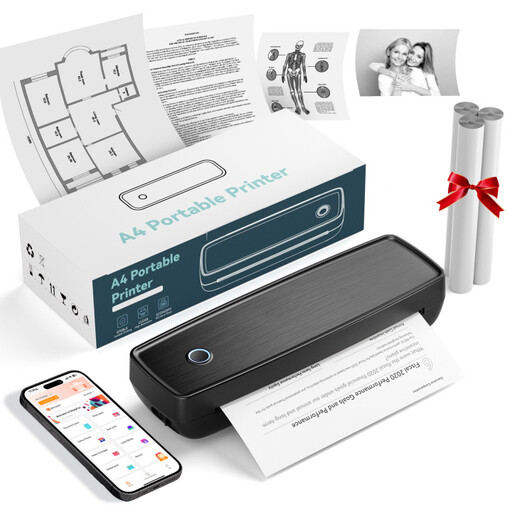
The Joybuy range includes portable thermal and photo printers. Before choosing one for framed reunion portraits, check the image size it supports and the compatible print media.
 No image available
The product title describes a thermal printer for photos and notes, designed for use with a smartphone. Before buying, check that the print size it supports is right for your portraits.
 No image available
The product title describes a thermal printer with Bluetooth and USB-C for use on the go or in the office. If you want to print portraits with it, check the supported image size and suitable photo media first.
 No image available
The specified format matters if you want to print small, sticky keepsake photos.
Self-adhesive ZINK photo paper: 2 × 3 inches (50 × 76 mm); Bluetooth; Xiaomi Home app; weight: 180 g.
The specified photo paper measures 2 × 3 inches (50 × 76 mm), making it suitable for small prints.
 No image available
The product title describes this model as a portable photo printer. Before buying, check the image size it supports and how it connects to your device.
Start by deciding how large you want the finished portrait to be. Canon lists 100 × 148 mm postcard media for the SELPHY CP1500; Epson lists photo printing up to A4 for the ET-8500 and up to A3+ for the XP-15000. Then check that the specific model supports the paper you want to use.
Check that the printer’s connection options work with your devices: Canon lists Wi-Fi and the SELPHY Photo Layout app, among other features, for the SELPHY CP1500. If print quality is poor, Epson recommends starting with a nozzle check and cleaning the print head only if necessary; cleaning uses ink.
As well as the printer, factor in the photo paper and the ink, ribbons or film required for your model. Compare consumables for the same format and the number of prints you plan to make; manufacturers’ quoted yields aren’t a personalised estimate of your costs.
Your statutory rights are separate from a voluntary guarantee. The Verbraucherzentrale explains that statutory rights are set out by law, while a guarantee is offered voluntarily. Check the relevant purchase terms and guarantee conditions.