Postcard prints when space is limited
If you want individual school portraits in postcard size and plan to put the printer away after use, check the print size, how much space it takes up and whether compatible paper and ribbon are included.


For occasional classic portrait prints that you can put away after printing, a compact postcard photo printer is a good place to start. Mini printers are better suited to deliberately small pictures, while an A4 photo printer takes up more space and makes most sense if you also want to print larger photos or documents, and perhaps scan or copy. Before you buy, also check which consumables you’ll need, what’s included in the box and how you’ll print from your devices.
If you want individual school portraits in postcard size and plan to put the printer away after use, check the print size, how much space it takes up and whether compatible paper and ribbon are included.
If you want to print larger pictures or documents as well as portraits, and might also need to scan, an A4-capable all-in-one printer could be a good fit. Make sure you have a dedicated space for it and factor in the consumables you’ll need.
If you specifically want to print small pictures from your smartphone, check the image area and the type of film or cartridge used by the model.
A good choice if: You want to print individual classic portrait photos and put the printer away afterwards.
Keep in mind: You’ll need paper and ribbon that are compatible with the model; an optional battery may not be included.
A good choice if: You want to print small pictures straight from your smartphone and don’t need postcard size.
Keep in mind: The image area is smaller, and the film or cartridges vary from model to model.
A good choice if: You regularly want to print larger photos or documents as well as portraits, and might also need to scan or copy.
Keep in mind: It needs more permanent space; choose consumables to suit what you’ll actually be printing.
| Criteria | What to check before buying | Who should pay particular attention? |
|---|---|---|
| Portrait size | Compare the finished size you want with the printable area. The Canon SELPHY CP1500 supports 100 × 148 mm prints, while the Fujifilm instax mini Link 3 has an image area of 62 × 46 mm. | If I want a classic portrait rather than a very small instant photo, the printable area is what matters most. Around 33% of consumers put the right portrait size first. |
| Compatible consumables | Check which paper, ribbon, film or cartridges are compatible with the print volume you have in mind. For the Kodak Mini 2 Retro P210R, the supplier specifies the ICRG-260 cartridge. | If you want to plan ahead for the right media for your prints, check the system before you buy. Around 25% of consumers prioritise consumables and print volume. |
| Space and power supply | Allow for the printer’s dimensions and the space needed for paper input and print output. Also check whether the mains adapter or battery suits the way you want to use it. | If my desk is short on space, I need to know whether I can put the printer away after printing. Around 25% of consumers put available space first. |
| Printing method | Check whether the specific model can print from your laptop or smartphone, and what kind of USB, Wi-Fi, Bluetooth or app connection it requires. | If I want to print pictures straight from my smartphone, the connection and app are key. Around 17% of consumers prioritise direct smartphone printing. |
Fujifilm states that the instax mini Link 3 has an image area of 62 × 46 mm, while the Canon SELPHY CP1500 supports 100 × 148 mm paper. These formats suit different portrait sizes.
Before letting a printer’s portability sway you, compare its actual printable area with the finished size you want.
Depending on the model, photo printers need compatible media such as paper and ribbon, film or cartridges. These systems are not automatically interchangeable.
Check that refills are compatible and see what comes with the specific model.
Canon lists a mains adapter for the SELPHY CP1500; according to Canon, the optional battery is not included.
If you want to print without a mains socket, check the power supply and what’s included with the exact model variant.
If you need a battery, you’ll have to buy it separately.
The Thuringian State Commissioner for Data Protection and Freedom of Information distinguishes between photos taken in a private setting and those published beyond it. Different requirements also apply when a school takes or publishes photos itself.
Before sharing photos outside a private setting, clarify the specific purpose and what consent is needed. Printing a photo for private use does not automatically give you permission to publish it.
The models range from a compact postcard photo printer to a refillable A4 photo all-in-one printer.
The EcoTank ET-8500 is an A4-capable photo tank printer for photos, documents, scanning and copying.
The Mini 2 Retro P210R is designed for small smartphone prints, not classic postcard-sized photos.
The instax mini Link 3 is aimed at people who specifically want small instant photos using instax mini film.
The Sprocket Select is a small smartphone printing option for sticky-backed pictures.
The following Joybuy products are mobile thermal printers for pictures and other prints. They are not the same as a classic postcard photo printer, so before you buy, pay particular attention to the print size you want, the printing method and how you’ll connect.
 No image available
A compact option for printing from your smartphone; the description specifies black-and-white photo prints.
The description lists Bluetooth, the Fun Print app for iOS and Android, a weight of 200 g and 10 rolls included. It also says printed images may be damaged by friction.
 No image available
A mobile printing option if you want to print photos or notes from your smartphone.
The title describes a portable mini thermal printer; the description lists Bluetooth.
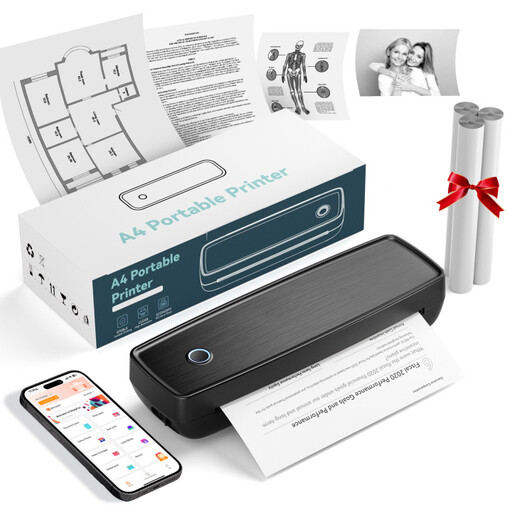 No image available
For printing pictures on the go from a smartphone or laptop.
The title and description list Bluetooth and USB-C; the description also mentions smartphone and laptop connections, as well as photo printing.
 No image available
For printing pictures and documents on the go, if the listed paper sizes suit your needs.
The description lists A4, A5 and B5, as well as Bluetooth, USB and image printing via the RONGTA app. The title specifies 203 DPI and 16 mm/s.
 No image available
For small prints from your smartphone when black-and-white output suits what you have in mind.
The title and description list Bluetooth, thermal printing and a 1200 mAh battery; the description specifies black-and-white photo printing.
It depends on the model: Canon says the SELPHY CP1500 can print from a computer via USB or Wi-Fi. The supplier describes printing from the Kodak Mini 2 Retro P210R via a smartphone app, so you’ll first need to transfer computer images to your smartphone. Check the printing method for the exact model variant.
It depends on the model and what’s included. For the black SELPHY CP1500, Canon lists a mains adapter and paper cassette, but not a paper and ribbon set; film for the instax mini Link 3 is sold separately. Check what’s in the box against the compatible media you’ll need.
For photos taken in a private setting, the Thuringian State Commissioner for Data Protection and Freedom of Information describes a household exemption under data protection law, even if other children are also in the picture. This does not automatically apply to publishing photos beyond a private setting. Different requirements apply when a school takes or publishes photos; check what consent is needed for your specific purpose.
Your statutory rights are against the seller; a manufacturer’s guarantee is an additional voluntary offer with its own terms. The Verbraucherzentrale lists repair or replacement as possible ways of remedying a fault.
In Germany, waste electrical equipment must be taken to an authorised collection point, such as a local authority recycling centre. The Federal Ministry for the Environment also notes that retailers must take back old equipment in certain circumstances.