Joybuy products for small smartphone prints
The devices below are described as portable or small-format smartphone photo printers. Before buying one for holiday photos, be sure to check the image size you want, colour output and the print media required.
 No image available
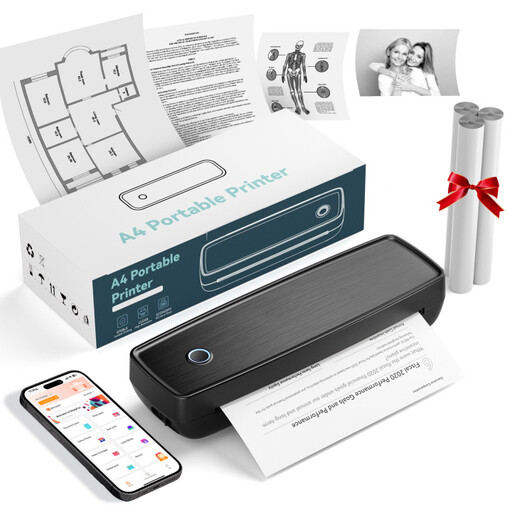
Portable mini thermal printer for smartphone photos
For smartphone photos in a shared workspace; the product description lists Bluetooth connections to smartphones, tablets and laptops.
Before buying, check that the image size, colour output and paper required are right for your holiday photos.
View at Joybuy
 No image available
Portable thermal printer with Bluetooth and USB-C
For printing photos in a flexible workspace; the product title lists Bluetooth and USB-C as connection options.
Check the image size, colour output and print media against your holiday photos before buying.
View at Joybuy
 No image available
Mini thermal printer with Bluetooth for iOS and Android
For small smartphone prints; the product title lists Bluetooth and support for iOS and Android.
Check in advance that the image size, colour output and compatible print media meet your needs for holiday photos.
View at Joybuy
 No image available
Portable black-and-white thermal printer with Bluetooth
For portable printing when black and white is all you need; the product title lists Bluetooth and a 1200 mAh battery.
According to the product title, this printer produces black-and-white prints, so it isn’t designed for colourful holiday snaps.
View at Joybuy
 No image available
Xiaomi Portable Photo Printer 1S
For deliberately small, self-adhesive smartphone photos; the product description lists Bluetooth and sequential connections for multiple users.
According to the product description, the Zink photo paper measures 2 × 3 inches and holds up to 10 sheets; the printer weighs 180 g. Check that the small format suits your photos.
View at Joybuy
Frequently asked questions
Can I print holiday photos directly from a computer rather than using a smartphone?
Canon Germany lists USB or Wi-Fi computer printing for the SELPHY CP1500. For computer files used with the Kodak Dock Plus, however, its supplier says you’ll first need to transfer them to a smartphone. Check how the specific model connects to your devices.
What do I need to set up before my first print, and what will I need to buy again?
Check that the connection method and app work with the smartphones or computers in your studio. The SELPHY CP1500 uses a compatible ink and paper set; instax mini film for the instax mini Link 3 is sold separately. Only use media designed for the device in question.
Does a manufacturer’s guarantee cover my statutory rights?
According to Your Europe, the European Union’s consumer portal, when you buy from a trader as a consumer, you generally have at least two years of statutory legal protection against faulty goods, starting from the date you receive them. An additional commercial guarantee can’t exclude or shorten these rights; its own terms depend on the guarantee conditions.
Can I simply return a printer I bought online?
For online purchases from a trader, Your Europe explains that you generally have 14 days from delivery to cancel, subject to legal exceptions. Under the conditions described there, the buyer may have to pay return postage. Check the seller’s status and the terms of the contract.
Where can I dispose of an old photo printer in Germany?
Electrical and electronic waste shouldn’t go in ordinary household rubbish; it must be collected separately. The German Environment Agency generally lists free municipal collection points and take-back obligations for certain retailers. The available return options depend, among other things, on the retailer and device.


