What should you look for when buying?
First decide on the finished size and type of paper you want. You can then compare printing systems and supplies to find the right fit for your projects.
| What matters |
What to check |
Who should consider this? |
| Image and paper size |
Check the supported photo sizes, borderless printing and paper feed for the paper you plan to use. |
If I want to lay out photos with text or other images on a larger sheet, the printer needs to support that size and feed the paper correctly. Around 31% of consumers put size first. |
| Colour and paper finish |
Check which paper types and feed methods are approved for the material you want to use. |
If I care about how my pictures look on my chosen paper, I need to make sure that the specific model can print on it. Around 25% of consumers prioritise how their images look on paper. |
| Supplies for batches |
Compare the paper, ink or ribbon needed for the same planned number and size of photos. |
If I regularly print several photos, I want to be able to estimate the supplies needed for the sizes I actually use. Around 19% of consumers prioritise supplies for batch printing. |
| Adhesive backing and small formats |
Distinguish between self-adhesive paper, non-adhesive photo paper and film; check compatibility. |
If I want to stick a small picture straight into a scrapbook or onto a craft project, I need a medium that is genuinely self-adhesive. Around 13% of consumers prioritise adhesive media and small formats. |
| Space, connectivity and maintenance |
Check the printer’s footprint, including any open trays, app and operating system compatibility, and the maintenance instructions for the specific model. |
If I want the printer to take up little space in my craft room and connect to my device, its dimensions and compatibility are key. Around 12% of consumers put this kind of convenience first. |
Joybuy products for small photo projects
The devices below are portable photo printers for small pictures and smartphone projects.
 No image available
Xiaomi Portable Photo Printer 1S
For small, self-adhesive smartphone photos; check that the stated size of 50 × 76 mm suits your project.
Xiaomi Home and Bluetooth are listed for printing from a smartphone.
Joybuy
 No image available
Xiaomi Portable Photo Printer Pro
Listed as a portable photo printer. Before buying, check that its supported image size and supplies are right for your craft photos.
Joybuy
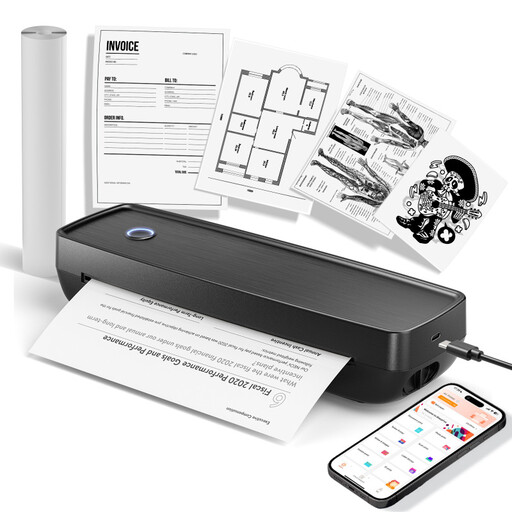 No image available
Portable Wireless Inkless Mobile Printer
Listed as a portable wireless printer. Before buying, make sure the print medium and image size are suitable for your photo projects.
Joybuy
Frequently asked questions about photo printers
Can I print full A4 craft pages with a small photo printer?
Not with every model. Canon Deutschland lists sizes including 100 × 148 mm for the SELPHY CP1500, while the PIXMA G650 supports borderless photo printing up to A4. The size and paper feed specified for the particular printer are what matter.
What can I do if there are streaks or missing colours?
For affected Epson EcoTank and Expression printers, Epson recommends starting with a nozzle check and cleaning the print head if the results indicate a problem. Follow the instructions for your specific model; this isn’t general maintenance advice for every printer.
Are a warranty and statutory consumer rights the same thing?
No. Verbraucherzentrale distinguishes your statutory rights against the seller if a product is faulty from a warranty, which is an optional additional benefit with its own terms. Check the terms and conditions and warranty details that apply to your purchase.
Can I return a printer bought online if I change my mind?
According to Verbraucherzentrale, online consumer contracts generally come with a 14-day right to cancel. When the period starts and whether any exceptions apply depend on the specific contract; you must notify the other party that you wish to cancel.
Can I put an old photo printer in household waste in Germany?
No. Umweltbundesamt explains that old electrical equipment must be collected separately, and lists local collection points and recycling centres as return options. Different conditions may apply when returning it to a retailer.


