Designers working with larger proofs
If you want to assess composition and impact on larger sheets, look for A3+ support and allow space for the paper feed and output tray. Epson Deutschland and Canon Deutschland offer A3+ photo printers.


Choose your printer based on the largest format you need to assess composition and impact: small photo prints are no substitute for A4 or A3+ proofs. If the look of the paper and colours matters, your printer, paper and colour management all need to work together. If you’re printing lots of variations, also consider the cost of consumables and the space the printer will take up.
If you want to assess composition and impact on larger sheets, look for A3+ support and allow space for the paper feed and output tray. Epson Deutschland and Canon Deutschland offer A3+ photo printers.
If you want to match the colour and look of the paper to the final print, you’ll need a suitable colour-managed workflow. Canon Deutschland describes a workflow that uses a calibrated monitor.
If you’re comparing images or sequences on small prints to begin with, a compact printer may be enough. The Canon SELPHY CP1500 uses compatible postcard-size media measuring 100 × 148 mm.
When making exhibition proofs in student accommodation, your choice depends above all on whether print size, colour and paper appearance, consumables or space matters most.
| Buying priority | What to check before buying | Who is it most relevant to? |
|---|---|---|
| Proof size you need | Check the largest sheet size you need, as well as borderless printing and the media feed on the specific model. | If I need to assess the composition at the final print size, I’ll choose based on the largest sheet I need first. Around 36% of consumers would say proof size is their top buying priority. |
| Colour and paper appearance | Check which papers are supported and whether suitable profiles are available; assess a test print on the intended paper. | If the look of a particular paper matters for my exhibition, I want to assess colour and brightness on that medium. Around 29% of consumers would put colour and paper control first. |
| Consumables for repeat prints | Work out how many proofs you plan to print and in what size; compare ink or ribbon and paper on the same basis. | If I’m printing lots of variations, I want to estimate the consumables I’ll need in advance. Around 21% of consumers would say ongoing consumable costs are their top concern. |
| Space and extra features | Check the printer’s dimensions and allow room for the paper feed and output tray; only factor in extra features you need. | If space is tight in my home workspace, or I also want to scan and copy documents, making the most of the room I have matters to me. Around 14% of consumers would prioritise footprint and multifunction use. |
Postcard-size media, such as the 100 × 148 mm media listed for the Canon SELPHY CP1500, is no substitute for A4 or A3+ sheets.
Before choosing a printer, decide on the largest size you want to use to check composition and paper appearance.
You may need a different printing method for larger proofs.
Epson’s stated yield for the ET-8550 is a manufacturer estimate; it doesn’t predict how many proofs you’ll be able to print in your chosen format.
Compare ink and paper for your planned print size and a similar number of variations.
Canon Deutschland describes a calibrated monitor and a colour-managed workflow as the way to achieve the closest possible match.
Check whether suitable settings are available for your printer and paper combination, then assess a print under appropriate viewing conditions.
Comparing several variations may mean making extra test prints.
HP notes that the Envy 6532e has dynamic security measures that may block cartridges with certain non-HP circuitry.
Before buying, check the cartridge requirements for the specific model and factor in the cost of paper and other consumables.
The range spans the compact SELPHY CP1500 and A3+ photo printers such as the PIXMA PRO-200S and imagePROGRAF PRO-300.
The models mentioned cover A4 photo printing, A3+ printing with cartridges and A3+ printing with refillable tanks.
The Envy 6532e is described as an all-rounder for documents and occasional photo prints, with scanning and copying functions.
This selection includes mobile printers and photo printers for smartphone prints and choosing images. Before buying, check that the format and printing method suit the proofs you plan to make.
 No image available
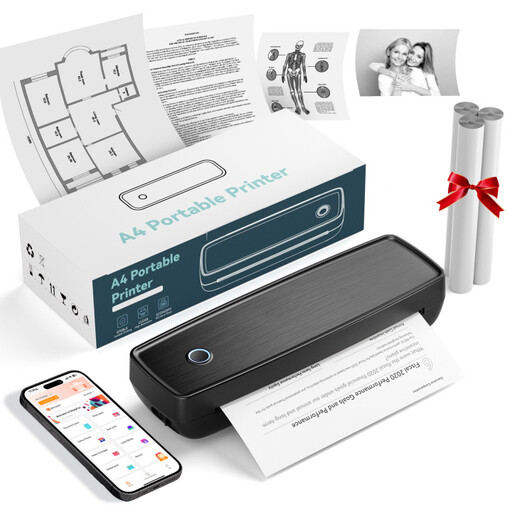
For printing smartphone photos and notes on the go; check that the print size suits your proofs.
 No image available
For simple image and document prints on the go; check that the listed connections suit your device and workflow.
Bluetooth and USB-C are listed in the product title.
 No image available
For printing images in one of the formats listed in the title; check first that thermal printing suits your proofing needs.
Listed in the title: A4, A5 and B5; 203 DPI and 16 mm/s.
 No image available
For printing photos and images on the go; check that the listed paper sizes and device connection suit your planned use.
The product title lists US Letter and Legal, as well as iOS, Android and laptops.
 No image available
For small image-selection prints; this model is no substitute for larger A4 or A3+ proofs.
A postcard printer may be enough for choosing images or deciding on their order, but that size won’t give you a sense of how an A4 or A3+ print will look. The Canon SELPHY CP1500 uses compatible media in sizes including 100 × 148 mm.
Match the profile and settings to the paper you’re actually using. Canon Deutschland also recommends a calibrated monitor for the Professional Print & Layout workflow described; check that the software works with your chosen printer model.
Epson Deutschland recommends checking the nozzles and, if necessary, cleaning the print head. Check the ink level before cleaning and don’t switch off the printer while it’s running. Available maintenance functions may vary by model.