Group collage makers
You arrange several family photos on one sheet and need enough space for portraits and captions to remain clear at the intended display size. Canon Germany and Epson Germany list A4 or A3+ photo printing, depending on the model.


Start with the finished collage size and the number of copies you need. A compact printer is a good fit for small prints to hand out, provided its format is large enough. For several clearly recognisable portraits on a single sheet, consider an A4 or A3+ photo printer. If you print regularly, plan for photo paper and ink or other consumables together. Before printing or sharing recognisable photos of people, the group should also agree on the purpose, who will receive them and the appropriate legal basis.
You arrange several family photos on one sheet and need enough space for portraits and captions to remain clear at the intended display size. Canon Germany and Epson Germany list A4 or A3+ photo printing, depending on the model.
You need several copies regularly and plan for ink or other consumables and photo paper. Canon Germany lists compatible paper and ink ribbon sets for the SELPHY CP1500; Canon and Epson offer refillable ink on selected tank models.
You want to hand out small prints or put individual stickers together to create a collage. Xiaomi Germany lists 50 × 76 mm self-adhesive paper for the Portable Photo Printer 1S.
Decide whether you need one large finished sheet, regular print runs, small prints to create together, or a device that can also scan and handle documents.
| Buying priority | What to check | Who it matters most to |
|---|---|---|
| Collage size and readability | Decide on the finished size, number of images and viewing distance. Canon Germany lists 100 × 148 mm for the SELPHY CP1500 and A4 for the PIXMA G650; Epson Germany lists A4 for the ET-8500 and A3+ for the XP-15000 and ET-8550. | If I want to fit several portraits and captions clearly on a display sheet, I’ll choose based on the finished size first. Around 40% of consumers are likely to prioritise collage size. |
| Supplies for regular print runs | Compare compatible paper and ink ribbon sets, ink bottles or cartridges, along with the photo paper you need. Manufacturer yield figures do not guarantee how many of your own collages you can print. | For several copies at each session, I want to plan my paper and ink or other consumables in advance. Around 30% of consumers are likely to prioritise the cost of supplies for regular print runs. |
| Creating collages together at a get-together | Decide whether you want one finished sheet or lots of small prints. Xiaomi Germany lists 50 × 76 mm self-adhesive ZINK paper for the Portable Photo Printer 1S; Canon Germany describes app layouts for the SELPHY CP1500. | If we want to make individual prints at a get-together and put them together in a shared collage, the format and compatible paper are key. Around 20% of consumers are likely to prioritise creating a collage together in person. |
| Scanning and document tasks | Check whether the group really needs to scan or copy, and confirm these features on the specific model. Canon Germany lists them for the PIXMA G650; Epson Germany does the same for the ET-8500. | If we also need to handle originals or supporting documents regularly, I want those features built into the same device. Around 10% of consumers are likely to prioritise combined photo and document tasks. |
Xiaomi’s 50 × 76 mm format and the Canon SELPHY CP1500’s postcard format are not the same as A4 or A3+ prints. To make a large display, you would need to put together a collage from individual prints.
Before you buy, decide whether you want one large finished sheet or a collage made from individual prints stuck together.
The photo yields quoted by Canon and Epson are based on the manufacturers’ specified conditions. They do not automatically apply to a custom group layout.
Plan for the actual format and number of copies you need, and allow for materials for test prints.
On 7 July 2026, F.A.Z. Kaufkompass named the Canon imagePROGRAF PRO-300 its test winner. Canon Germany lists the model as discontinued and permanently unavailable.
Only apply an older review to the model that was actually tested. If you’re choosing a printer now, check the exact model name and its availability.
Canon’s relevant ranges include small-format SELPHY prints and A4 photo printing with ink tanks.
Epson offers tank printers for A4 and A3+ photo printing, as well as an A3+ cartridge model.
The Portable Photo Printer 1S is designed for small self-adhesive prints that can be put together to create a shared collage.
HP offers photo all-in-one printers for when scanning or copying is also important alongside photo printing.
The Joybuy models below range from small portable printers to colour all-in-one printers. Before making a collage, check that the specific model supports your chosen format and photo paper.
 No image available
For small self-adhesive prints that group members can put together to create a shared collage; it does not print a large-format image on a single sheet.
ZINK printing; 50 × 76 mm self-adhesive photo paper.
 No image available
Described as a compact option for smartphone photos and notes. Before using it for a collage session, check whether the specific device supports your chosen paper format.
Portable mini thermal printer; described as suitable for smartphone photos and notes.
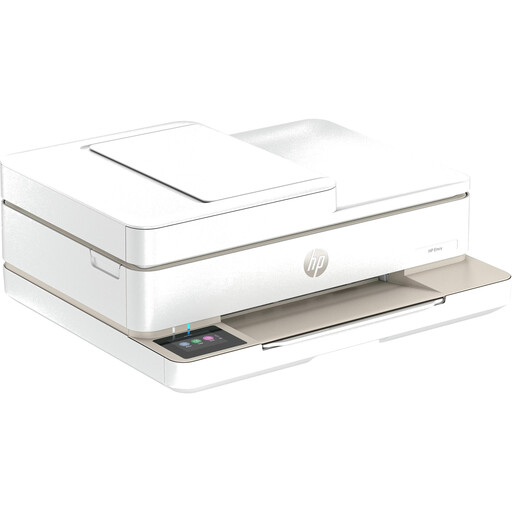 No image available
Could be worth considering if you also need to print things other than photos. Check that the specific model supports your chosen collage format and photo paper.
Wireless inkjet printer; described as an all-in-one device.
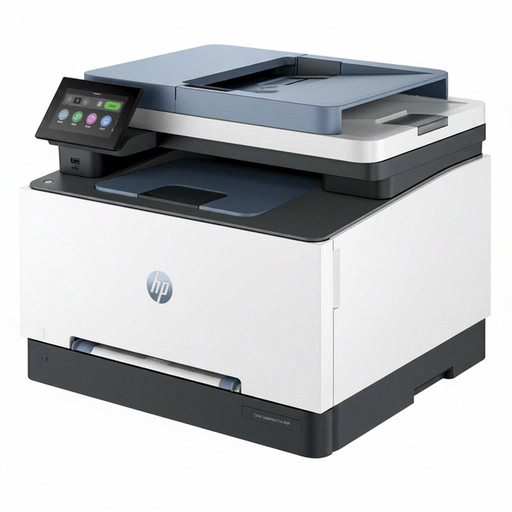 No image available
Consider it for family collages only if the specific model supports your chosen photo media and format.
Automatic duplex printing; touchscreen, Wi-Fi, Ethernet and USB.
If people in the photos can be identified, the images contain personal data. The data protection authority in Rhineland-Palatinate notes that non-profit organisations and informal associations may also be subject to the GDPR. Agree on the purpose, who will receive the photos and the appropriate legal basis. Consent is one possible legal basis, but it is not the only one. Permission to print photos for internal use should not automatically be taken to cover displaying them publicly or publishing them online.
First, decide on the finished size and print a test of the actual layout. Canon Germany lists the SELPHY Photo Layout app and compatible paper and ink ribbon sets for the SELPHY CP1500; Xiaomi Germany lists the Xiaomi Home app and compatible self-adhesive photo paper for the Portable Photo Printer 1S. Check app and paper compatibility for the model you choose.
For the number of prints you’re planning, allow for both ink or other consumables and suitable photo paper. Paper and ink ribbon are sold together in compatible sets for the SELPHY CP1500; the A4 tank printers mentioned from Canon and Epson use ink bottles. Manufacturer yield figures based on different conditions cannot be directly compared as a cost per collage of your own.
For a fault, the retailer is generally responsible for your statutory consumer rights; this is separate from any additional manufacturer’s warranty. The Verbraucherzentrale explains that, for consumer purchases, the seller is responsible for faults present at the time of delivery for two years. Whether your group counts as a consumer for a particular purchase depends on the buyer and the contract. Also check the warranty terms for the device you choose.