Start by deciding on your finished print size. For framed photos in A4 or larger, you’ll need a model that supports that size; compact dye-sublimation and instant photo printers are designed for smaller prints. For example, Canon Deutschland lists postcard-size prints of 100 × 148 mm for the SELPHY CP1500, while Canon Deutschland and Epson Deutschland also document models for A4 and larger photo formats. If you’re printing a series, consider the cost of paper and ink, ribbon or film, as well as the maintenance involved. Manufacturers’ stated yields don’t guarantee the cost of each photo you print.
Who are the different types of photo printer for?
Portraits to frame
If you’d like to choose your graduation photos and print them in A4 or larger, the finished print size will determine which models are suitable. Canon Deutschland and Epson Deutschland list A4 or larger photo formats for their respective models.
Lots of prints for family and guests
If you’re planning to print several smaller portraits, consider the photo paper and the relevant ink, ribbon or film system as well as the printer itself. Canon Deutschland describes a matched paper and ribbon set for the SELPHY CP1500, while Canon Deutschland and Epson Deutschland list models with refillable ink tanks.
A home office with occasional photo printing
If you also need to print, scan or copy documents as well as graduation photos, an all-in-one printer could suit your working day. Brother Deutschland lists these functions for the DCP-J1050DW.
What should you look for when choosing?
Refillable A4 photo printer
A good fit if: You regularly want to print graduation photos up to A4, as well as smaller prints. Canon Deutschland and Epson Deutschland each document suitable six-ink models.
The trade-off: Manufacturers’ stated yields are based on test conditions and don’t guarantee a price per photo you print.
Inkjet printer for A3 or A3+
A good fit if: You want to print a framed graduation photo larger than A4. Canon Deutschland lists A3 for the PIXMA TS9550a series, while Epson Deutschland lists borderless prints up to A3+ for the ET-8550.
The trade-off: A3 and A3+ are different sizes. Check the finished dimensions and compatible photo paper before you decide.
Compact dye-sublimation printer
A good fit if: You mainly want to give away smaller photos. Canon Deutschland lists postcard-size prints of 100 × 148 mm for the SELPHY CP1500.
The trade-off: Postcard size isn’t a substitute for A4 printing; paper and ribbon are used as a matched set.
All-in-one printer for the office and photos
A good fit if: Printing, scanning and copying documents at home are just as important as occasional graduation photos. Brother Deutschland lists borderless photo printing up to A4, among other sizes, for the DCP-J1050DW.
The trade-off: The documented office and print-size features alone don’t indicate a quality or cost advantage for photo printing.
Instant photo printer
A good fit if: You’re after the instant-photo look and small keepsake prints to share. Fujifilm lists instax WIDE film for the instax Link WIDE 2.
The trade-off: Film is sold separately and the print size isn’t an alternative to A4. You’ll also need to consider the app.
| Buying criterion |
What to check before you buy |
Who is it most relevant to? |
| Finished portrait size |
Decide on the frame size and check that the specific model supports borderless printing and the photo paper you want to use. Canon Deutschland and Epson Deutschland offer different A4, A3 and A3+ models. |
If I want my portrait to fit an A4 or larger frame, I’ll base my choice on the finished print size first. Around 36% of consumers put this size first. |
| Materials for a series of photos |
For the same size and number of prints, compare compatible ink and paper or the relevant ribbon or film. Manufacturers’ stated yields apply to their respective test conditions. |
If you’re printing several graduation photos, factor in the ongoing cost of materials as well as the printer. Around 29% of consumers prioritise the cost of a series of prints. |
| Small prints to give as gifts |
Check the exact image or paper size, along with any required app and consumables. Canon Deutschland lists 100 × 148 mm for the SELPHY CP1500; Fujifilm lists separately sold instax WIDE film for the Link WIDE 2. |
If I mainly want to share small keepsake photos with family or guests, a handy print size matters more than a large portrait for the wall. Around 21% of consumers put this purpose first. |
| Working from home |
Check the specific model’s printing, scanning and copying functions, as well as its print sizes and photo paper compatibility. Brother Deutschland documents these office and photo functions for the DCP-J1050DW. |
If you want one device for documents, scans and occasional graduation photos, check its office functions alongside its photo printing features. Around 14% of consumers prioritise this mixed use. |
Which buying and usage mistakes should you avoid?
-
Choosing a small photo printer for an A4 framed portrait
A printer for postcard-size or smaller photos won’t necessarily meet your needs if you want an A4 portrait. Canon Deutschland lists postcard-size prints of 100 × 148 mm for the SELPHY CP1500; other models support A4 or larger formats.
Decide on the finished print size before comparing printing technologies or models.
For a larger framed photo, you may need a different printer or to use an external print service.
-
Treating manufacturers’ stated yields as a fixed price per photo
Canon Deutschland and Epson Deutschland state yields based on their respective test conditions. These don’t guarantee the cost of printing your own portraits.
Compare compatible materials for your chosen size and print quantity, and remember to factor in maintenance for an inkjet printer. Epson Deutschland recommends printing a colour test page at least once a week to keep the ink flowing.
-
Assuming film and dye-sublimation supplies are interchangeable
The SELPHY CP1500 uses a matched paper and ribbon set, while the instax Link WIDE 2 requires instax WIDE film.
Before buying a printer, check the exact name of the compatible consumables.
You’ll need to buy the right film or paper and ribbon set again when you want to print more photos.
Which brands and models are worth considering?
Canon
The models listed cover refillable photo printing up to A4, an A3 all-in-one system and compact postcard-size prints.
- Canon Deutschland lists six dye-based inks and borderless photo printing up to A4 for the PIXMA G650. The PIXMA TS9550a series is listed with A3 printing and five separate ink cartridges.
- The SELPHY CP1500 is designed for smaller formats; Canon Deutschland lists postcard prints of 100 × 148 mm. The G650’s stated yield is based on the manufacturer’s test conditions.
Epson
The EcoTank ET-8500 is described as supporting borderless photos up to A4, while the ET-8550 supports borderless photos up to A3+.
- Epson Deutschland lists six inks for both models; according to the manufacturer, the ET-8550 uses Claria ET Premium ink.
- Yield and cost-saving claims come from Epson and aren’t an independent cost comparison. Check how they apply to your print size and planned number of photos.
Brother
According to Brother Deutschland, the DCP-J1050DW combines office tasks with occasional borderless photo printing.
- Brother Deutschland’s datasheet lists printing, scanning and copying, as well as borderless photo printing in sizes including A4 and 10 × 15 cm.
- These features don’t demonstrate a quality or cost advantage over dedicated photo printers.
Fujifilm
The instax Link WIDE 2 is designed for small instant-photo keepsakes, not a traditional A4 portrait.
- Fujifilm lists an image size of approximately 86 × 106 mm.
- According to Fujifilm, the printer requires instax WIDE film, sold separately, and an app.
Joybuy products for home offices and small keepsake photos
This selection is aimed at home office tasks such as printing, scanning and copying, as well as small keepsake photos to share.
 No image available
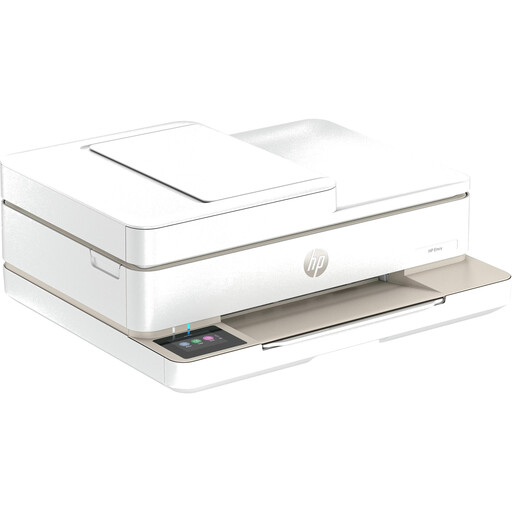
HP Envy 6520 All-in-One Wireless Inkjet Printer
A good fit if you want to scan and copy as well as print in your home office; these functions are listed for home or office use.
Joybuy
 No image available
Xiaomi Portable Photo Printer 1S
For small keepsake photos to share; the listed photo paper size of 50 × 76 mm isn’t designed for a larger framed portrait.
According to the product information, you can print on the go via Bluetooth and the Xiaomi Home app.
Joybuy
 No image available
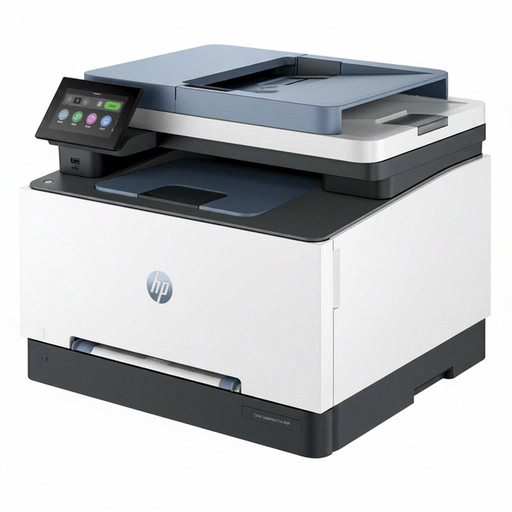
HP Color LaserJet Pro MFP 3302sdwg
For home office tasks involving printing, scanning and copying; these office functions are listed in the product information.
The product name identifies it as a colour laser multifunction printer.
Joybuy
Frequently asked questions about photo printers for graduation photos
Is a compact photo printer suitable for a framed A4 graduation photo?
Not if the specific printer only supports smaller media. Canon Deutschland lists postcard-size prints of 100 × 148 mm, among other formats, for the SELPHY CP1500. Before buying, check your frame size and the media formats supported by the model you’re considering.
What should I set up before printing my first portrait?
Select the photo paper you’ve loaded and your preferred size in the print dialogue, then check the crop on a test print. For Epson inkjet printers, Epson recommends printing a colour test page at least once a week to keep the ink flowing.
Is the stated yield of an ink tank guaranteed for my photos?
No. Canon Deutschland and Epson Deutschland state model-specific yields based on their respective test conditions. For your planned image size and print quantity, compare compatible paper and ink rather than assuming the manufacturers’ figures will apply to your own portraits.
What are my rights in Germany if a printer is faulty?
Your statutory rights for faulty goods are against the seller; a manufacturer’s guarantee is separate and voluntary. The Verbraucherzentrale explains that if a product is faulty, you can initially request that the seller remedy the problem through a repair or replacement.
Can you put a discarded printer in household waste in Germany?
No. The Umweltbundesamt advises that waste electrical equipment must be collected separately. Local collection points generally accept it free of charge.


