What to look for when buying
The key considerations are your finished print size, the cost of further print runs, the size of individual pictures for sticking on and how files get from your device to the printer.
| Priority |
What to check before buying |
Who it matters most to |
| Finished collage size |
Check the supported print size and suitable photo paper; only plan for borderless printing if you need it. |
If I need several images and captions on one finished sheet, the print size comes first. Around 39% of consumers have this as their main priority. |
| Cost of further print runs |
Compare your planned print sizes and frequency with the cost of suitable ink or cartridges and photo paper. Don’t extrapolate yields for 10 × 15 cm prints to A4. |
If I want to print more collages after the school project, I want to consider supplies and print size together. Around 23% of consumers prioritise recurring printing costs. |
| Small pictures to stick on |
Check the image area and whether the media is self-adhesive or standard; for a compact printer, also make sure you have the right paper, ribbon or film set. |
If I want to cut out individual pictures and stick them on a larger sheet, I need suitable image areas and media. Around 23% of consumers have this as their main priority. |
| Printing from your existing device |
Check that the operating system, app and connection work with your smartphone or computer; make sure you know how to send the file before the project deadline. |
If I want to print the collage from a device I already use without extra transfer steps, I need a straightforward printing process. Around 15% of consumers particularly value this convenience. |
Joybuy products for photo collages
The following options range from all-in-one inkjet printers to portable photo printers. Before choosing, check that the print size and media suit your planned collage.
 No image available
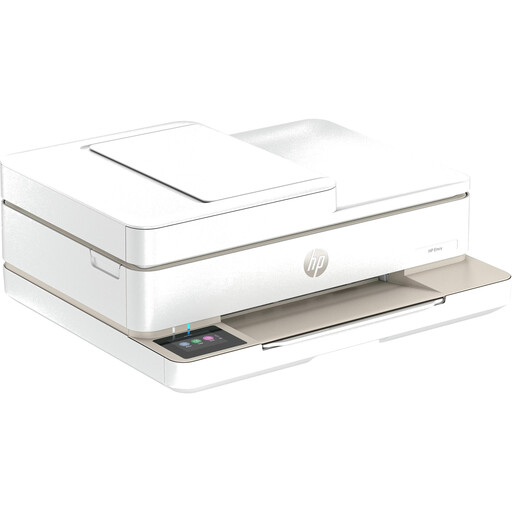
HP Envy 6520 All-in-One Wireless Inkjet Printer
As a wireless all-in-one inkjet printer, this model could suit a project that also involves scanning or copying; check the print size and photo paper you need first.
The product name specifies Wi-Fi and inkjet printing.
View at Joybuy
 No image available
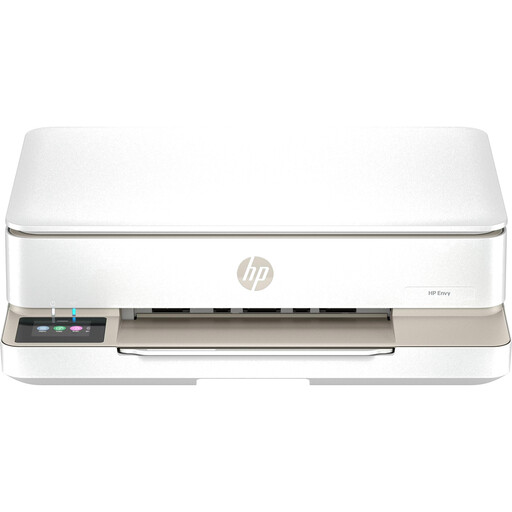
HP Envy 6120 All-in-One Wireless Inkjet Printer
If you’d like to scan or copy as well as print your collage, this all-in-one model could be a good fit; check that its supported print size is suitable for your project before buying.
The product name specifies Wi-Fi and inkjet printing.
View at Joybuy
 No image available
Portable mini thermal printer for smartphone photos and notes
As a portable thermal printer for smartphone printouts, this model is better suited to individual image elements than a complete project sheet; check that the media it uses is right for your collage.
View at Joybuy
 No image available
Xiaomi Portable Photo Printer 1S
This portable photo printer could be a good option for a collage made up of small individual pictures; it won’t print the entire collage directly onto an A4 sheet.
View at Joybuy
Frequently asked questions
Does the printer need to print a whole collage on A4?
Only if you want the finished sheet to come straight out of the printer. For a collage you’ll assemble by hand, smaller individual pictures may be enough; Canon Germany lists the PIXMA G650 as supporting A4 photo printing, while the SELPHY CP1500 uses smaller photo media.
What should I set up before printing my first project?
First, decide on the finished size and media, then check how you’ll print from your existing device. Canon Germany lists Wi-Fi and app-based smartphone printing for the SELPHY QX20; according to Canon, the CP1500 can also print from a computer or memory card.
Which supplies should I allow for?
Factor in the cartridges or ink that suit your model, as well as photo paper. Compact printers may require special paper-and-ribbon sets or film sold separately. Your statutory rights against the seller are separate from any voluntary guarantee; if a product is faulty, the seller must first be given the opportunity to put things right.
What can I do about streaky or incorrectly coloured inkjet prints?
Epson recommends running a nozzle check first and cleaning the print head only if print quality has deteriorated. Also follow the maintenance instructions for your specific model.
Can I post a family collage online if people in it are recognisable?
Making a school project at home isn’t the same as publishing it. If you plan to post photos of identifiable people online, check the relevant image rights and data protection rules separately; the Rhineland-Palatinate data protection authority distinguishes between taking and publishing photos.


