What should you look for when buying?
Postcard photo printer
A good fit if: you want to add individual holiday photos to your project page in a size of around 10 × 15 cm. Canon Germany lists the SELPHY CP1500 as supporting 100 × 148 mm and wireless printing via the SELPHY Photo Layout app.
Keep in mind: The format isn't large enough for A4 photo pages, and the paper and ink cassette need to be compatible with the printer. Druckerchannel reported in 2022 that these weren't included with the basic model at the time. So check what comes with the specific offer.
A4 photo ink tank printer
A good fit if: you want to print larger images or expect to print photos and text pages regularly in future. Canon Germany and Epson Germany list the PIXMA G650 and EcoTank ET-8500 as supporting photo printing up to A4; both model ranges also offer scanning and copying.
Keep in mind: The extra features may be more than you need for just a few individual prints. Manufacturers' stated yields depend on their respective test conditions, and print quality issues may mean maintenance is needed.
Portable mini photo printer
A good fit if: small images, mainly from your smartphone, are enough for your decorative elements. Fujifilm lists the instax mini Link 3 image area as 62 × 46 mm; HP specifies ZINK paper in the 5.0 × 7.6 cm size for the Sprocket model mentioned here.
Keep in mind: The image areas are much smaller than postcard prints. Film for the instax model is sold separately, and you'll need a smartphone app. Also check which consumables are compatible with the exact model version.
First decide how large your images need to be, then think about how often you're likely to use the printer. For anyone printing holiday photos for a school project, the main buying priority will depend on what matters most to you.
| What you need |
What to check before buying |
Who it's most important for |
| Individual prints in the right size |
Image dimensions, compatible paper and ink cassette set, and how the specific model prints. |
If I want to stick individual holiday photos somewhere prominent in a scrapbook or on a poster, the print needs to fit the project page. Around 42% of consumers prioritise classic postcard-size prints. |
| Large photos and text pages |
A4 photo printing, supported photo paper, and any scanning and copying features you need. |
If I need larger images or want to add printed captions, a small photo format may not be big enough. Around 25% of consumers prioritise A4 photos and project documents. |
| Small images for decorating |
Actual image area, any app required, and compatible refill materials. |
If small images are enough as individual decorative elements, a mini format could be a good choice. Around 17% of consumers prefer mini prints. |
| Consumables for future projects |
Compare the printer, included media, and the cost and yield of compatible refills on the same print-size basis. |
If I want to keep printing regularly after the school project, the ongoing cost of materials matters as well as the one-off purchase. Around 16% of consumers focus mainly on the cost of future printing projects. |
Joybuy products for your project
These Joybuy models cover portable mini prints and an A4 thermal printer. Their printing technology and intended uses differ from those of postcard photo printers and A4 photo inkjet printers.
 No image available
Mini Bluetooth thermal printer with 10 rolls of thermal paper
For small black-and-white prints to use in creative projects, if thermal printing suits your design.
Thermal printing; the product name states that it comes with 10 rolls of thermal paper.
Joybuy
 No image available
Portable mini thermal printer for smartphone photos and notes
For small prints from your smartphone, if a mini thermal printer is suitable for the image you want.
The product name describes the device as a portable mini thermal printer.
Joybuy
 No image available
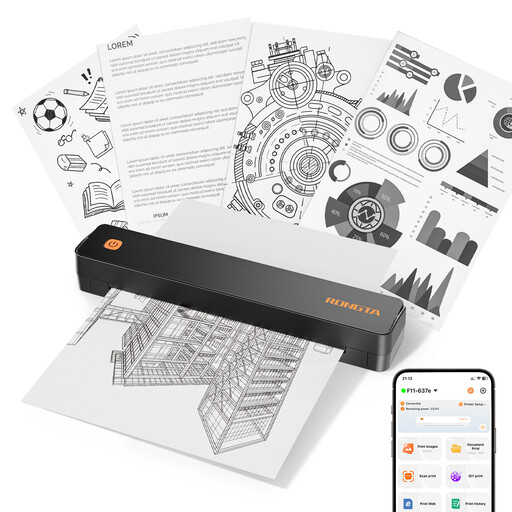
RONGTA F11B A4 thermal printer
For project pages if an A4 thermal printer is suitable for the task; its printing technology differs from that of a photo inkjet printer.
The product name lists A4, A5 and B5, as well as 203 DPI and 16 mm/s.
Joybuy
 No image available
Mini thermal printer with Bluetooth for iOS and Android
For small smartphone prints to use in creative projects, if thermal printing is suitable for your project.
According to the product information, compatible thermal paper is required for printing.
Joybuy
 No image available
Xiaomi Portable Photo Printer 1S
For small, self-adhesive smartphone prints to stick onto your project as decorative elements.
Make sure you have compatible ZINK photo paper for your prints.
Joybuy
Frequently asked questions
Can I print whole A4 project pages with a small postcard photo printer?
Not with the Canon SELPHY CP1500 featured here: Canon Germany lists 100 × 148 mm as its photo size. For A4 photo pages, consider models specified for this purpose, such as the Canon PIXMA G650 or Epson EcoTank ET-8500.
What do I need to print photos from my smartphone?
Check how the specific model prints and which consumables it needs. Canon Germany lists Wi-Fi and the SELPHY Photo Layout app for the SELPHY CP1500; Fujifilm lists Bluetooth and a required app for the instax mini Link 3. The SELPHY also needs a compatible paper and ink cassette set, while the instax requires compatible film.
What can I do if my Epson inkjet prints have streaks?
For affected EcoTank and Expression models, Epson recommends checking the nozzles first and cleaning the print head if necessary. Follow the instructions for the model you actually bought, and check the ink level before cleaning.
Can a school project include photos in which classmates are recognisable?
That depends on who takes the photos and how they're used or shared. The Data Protection Authority of Rhineland-Palatinate explains that taking photos of identifiable people requires their consent or another legal basis; for photos taken by the school at school events, it specifies that consent is needed. Check with the school what applies to your particular project. Taking a holiday photo privately doesn't automatically give you permission to publish it.
Can I print any images I find online for a school project?
No, not automatically. § 60a UrhG permits certain uses to illustrate non-commercial teaching, subject to the conditions and exceptions set out in the provision. It doesn't generally make images available for subsequent public publication; check what use and sharing are allowed in your particular case.


