Creating project pages
If you want food photos alongside captions or instructions on one sheet, A4 printing matters more than having an especially small device. Canon Germany lists borderless printing up to A4 for the PIXMA TS7750i.


The key question is whether the food photos need to sit alongside text on an A4 project page, be printed as individual photos to stick in, or work as small stickers. Canon Germany lists the PIXMA TS7750i as an A4-capable option, while the SELPHY CP1500 uses postcard-size media measuring 100 × 148 mm, so it cannot replace an A4 printer. If you’ll be printing photos regularly after the project, refillable A4 photo tank printers are also worth considering. Compare the print size, the number of prints you expect to make and the media you’ll need.
If you want food photos alongside captions or instructions on one sheet, A4 printing matters more than having an especially small device. Canon Germany lists borderless printing up to A4 for the PIXMA TS7750i.
If you want to cut out or stick in individual pictures, first measure the space available on your project page. Canon Germany lists postcard-size media measuring 100 × 148 mm among the options for the SELPHY CP1500.
If you’ll be printing lots of photos after the school project too, the media you need and how the ink works matter alongside the print size. Canon Germany and Epson Germany list refillable A4 photo tank models such as the PIXMA G650 and EcoTank ET-8500.
Start by deciding how large you want the pictures to be on the finished page. Then check whether the printer, paper and connection to your device will work for the way you plan to use it.
| What you need | What to look for when buying | Who it matters most to |
|---|---|---|
| Image size and space for text | Plan your page layout and check which print sizes the printer specifically supports. Canon Germany lists A4 for the PIXMA TS7750i; the SELPHY CP1500 is designed for postcard-size media such as 100 × 148 mm. | If I want the photo and captions to fit together on a larger sheet, A4 is my priority. Around 36% of consumers put an A4 layout first. |
| Individual photo prints | Measure the space you have in mind and check it against the paper size and compatible supplies. Canon Germany lists the paper and ink cassette for the SELPHY CP1500 as a set. | If I want to cut out and stick in pictures individually, the print size needs to fit the available space. Around 29% of consumers prioritise individual photo prints. |
| Printing photos regularly | For the same image size and print volume, compare the printer, ink or ribbon, and paper. Manufacturers’ quoted page yields are not necessarily based on the same conditions. | If I have lots of photos to print after the project too, I want to consider the right supplies and printing process. Around 21% of consumers prioritise regular photo printing. |
| Small stickers | Compare the actual image area with the space available on the page, and check which paper and smartphone app are compatible. HP Support Germany lists a ZINK medium measuring 5.0 × 7.6 cm for the documented Sprocket. | If small self-adhesive pictures are enough for my collage, the image size matters more than a large print. Around 14% of consumers prefer small stickers. |
A small casing doesn’t tell you whether a printer supports the size you need for your project. Canon Germany lists postcard-size media for the SELPHY CP1500, while the PIXMA TS7750i supports A4.
Sketch your planned page layout to scale before you buy, then check that it matches the printer’s supported size.
Photo printers can require different types of paper and print media. Manufacturers’ quoted yields are also based on specific conditions, so they’re not necessarily directly comparable.
Compare printers and supplies for the same planned image size and number of prints.
Remember to factor in suitable photo paper and, depending on the printer, ink, ribbon or specialist media.
Canon Germany specifies automatic duplex printing on the PIXMA TS7750i for A4 and Letter plain paper, not for photo paper in general.
Check duplex support, paper type and size together before planning your project layout around them.
The documented product ranges include A4 photo printing, individual postcard prints and refillable photo tanks.
The EcoTank ET-8500 is a documented A4 photo tank option with features for photo and document printing.
The Sprocket documented by HP Support Germany is an option for small smartphone prints on ZINK media.
Fujifilm Germany lists instax smartphone printers as a range for small instant photo prints.
Here you’ll find Joybuy devices for mobile photo and image printing, including small smartphone printers and an A4 thermal printer. For colour food photos, check carefully whether each device can actually print in colour and in the size you need.
 No image available
The title describes a portable printer for smartphone photos; the product description mentions thermal printing and Bluetooth.
Before buying, check whether the printing method and output are suitable for colour food photos, and whether the image size is right for you.
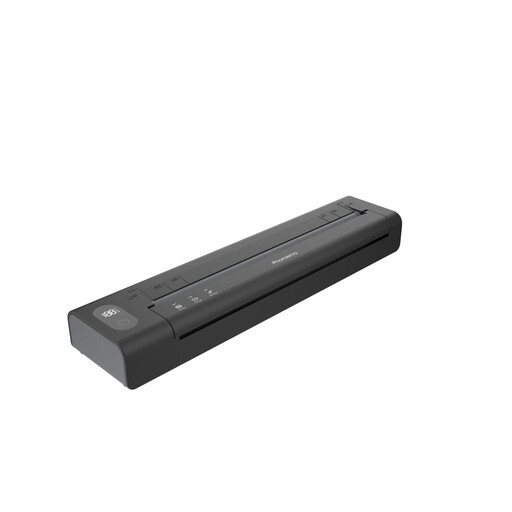 No image available
For mobile image printing, the description lists a Bluetooth connection via the Phomemo app.
The description lists a rechargeable battery and up to 150 sheets per charge. Check that the app and your smartphone are compatible.
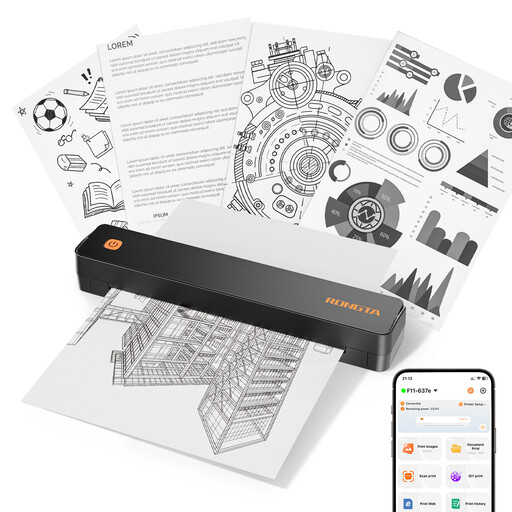 No image available
The title lists A4 support; the product description mentions image printing and Bluetooth and USB connections.
The title lists 203 DPI and 16 mm/s, as well as A4, A5 and B5 sizes. Before buying, check whether the printer can produce colour food photos.
 No image available
If small stickers are enough for your project page, the description lists ZINK photo paper measuring 50 × 76 mm.
Bluetooth and the Xiaomi Home app are listed as connection options. The small size is no substitute for an A4 project page; check that the app is compatible with your smartphone.
 No image available
The description lists black-and-white printing and Bluetooth for iOS or Android smartphones.
According to the product description, this printer is not suitable for colour food photos. Before buying, check whether black-and-white prints will work for your project.
Not with the Canon SELPHY CP1500: Canon Germany lists postcard-size media measuring 100 × 148 mm among its options, but no A4 print size. If you want a photo and a longer caption on the same A4 sheet, choose a printer that specifically supports A4.
Check that the printer connects to your computer or mobile device, and find out which media work with your chosen model. The Canon SELPHY CP1500 uses paper and an ink cassette as a set; for the PIXMA TS7750i, check the recommended cartridges and compatible paper. Select the size and type of paper you’ve loaded in the print dialogue.
No. According to consumer information from the European Union, when you buy from a trader as a consumer, you’re entitled to a legal guarantee of at least two years from the date you receive the goods. An additional manufacturer’s guarantee does not replace these rights; the seller is responsible for the legal guarantee.
No. The German Environment Agency advises that old electrical equipment must not go in household rubbish and needs to be collected separately. Find out about local collection points and the return options available.