Joybuy printer selection
This Joybuy selection includes all-in-one printers, as well as mobile thermal and ZINK models. For your animal pictures, pay particular attention to the format you need, colour output and compatible paper.
 No image available
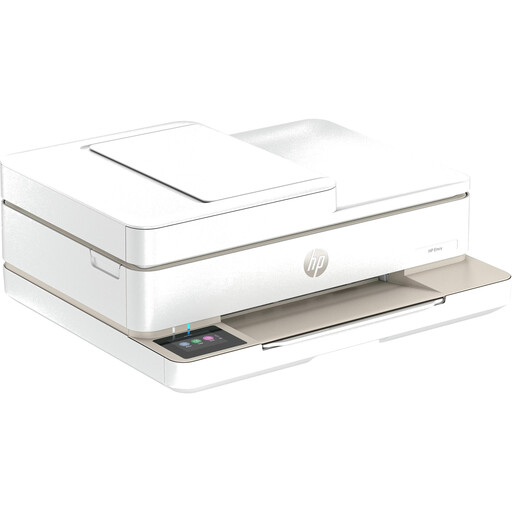
HP Envy 6520 all-in-one wireless inkjet printer
If you also need to print other things or use all-in-one functions alongside your photo project, an all-in-one model could be worth considering. For detailed animal photos, check the media types it supports and the print results it produces.
View at Joybuy
 No image available
Portable mini thermal printer with Bluetooth and ten rolls of thermal paper
A portable thermal printer could be an option for mobile notes and small printouts. The product description says it prints in black and white, so it’s not an obvious choice for colour animal photos. It also notes that prints may turn black if rubbed.
View at Joybuy
 No image available
Portable mini thermal printer with Bluetooth for photos, stickers and labels
If you’re looking for small prints on the go for a creative school project, check first that the format and print quality will work for your animal pictures. The product information lists Bluetooth printing from a smartphone, as well as an app and compatible paper.
View at Joybuy
 No image available
Xiaomi Portable Photo Printer 1S
This mobile ZINK model could be an option for small, self-adhesive pictures from your smartphone. Its stated 50 × 76 mm format won’t replace a large A4 photo.
View at Joybuy
 No image available
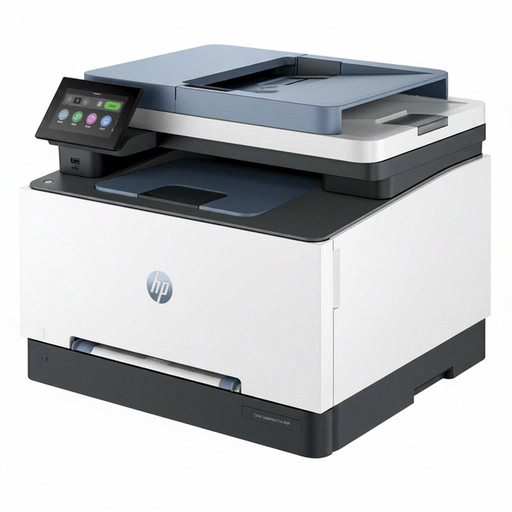
HP Color LaserJet Pro MFP 3302sdwg all-in-one colour laser printer
If documents and all-in-one functions matter alongside your school project, a colour laser printer could be an option. Check first whether the paper and colour reproduction will suit your animal photos.
View at Joybuy
Frequently asked questions
How do I set up printing for my project folder?
First decide what size your pictures need to be, and only use a paper size supported by your specific printer. Canon Germany lists postcard paper and Wi-Fi printing from mobile devices for the SELPHY CP1500, while Epson Germany lists separate feeds for A4 and photo paper on the XP-8700.
What can I do if there are streaks or missing colours?
If you have an affected Epson inkjet printer, Epson recommends running a nozzle check first and cleaning the print head only if the results indicate that it’s needed. Follow the instructions for your exact model.
Which consumables do I need, and who is responsible if there’s a fault?
Depending on the printer, you’ll need compatible photo paper, ink ribbon sets, cartridges or refill ink. For a consumer purchase in Germany, the seller is generally responsible for statutory liability for defects; the Verbraucherzentrale (German consumer advice centre) specifies a period of two years from delivery. This is separate from a manufacturer’s voluntary guarantee.
Can I simply use a photo of someone else’s wild animal from the internet for my school project?
Not necessarily. Under certain conditions, § 60a UrhG allows works to be used to illustrate non-commercial teaching at educational institutions, and treats illustrations separately. This doesn’t grant general permission for every use or public sharing. Check the licence and how you plan to share the specific photo.
What should I do with a printer that’s no longer needed?
In Germany, old electrical appliances are collected separately and mustn’t be disposed of with ordinary household rubbish. The Umweltbundesamt (German Environment Agency) explains the separate collection system; check where your local drop-off point is.


