For occasional sample photos in postcard size, a compact printer such as the Canon SELPHY CP1500 could be a good fit. Canon specifies a size of 100 × 148 mm, although the documented model does not include a battery. For small pictures to share or stick in, consider a mobile printing option; an A4 photo printer is a better choice if you regularly print larger photos or documents too. Whichever option you choose, factor in the right consumables and check that the print area, power supply and connection suit your day-to-day needs.
Who are these devices suitable for?
Students who want postcard-sized photos
If you want to print individual sample photos to display and then put the printer away, consider the usable image size and how much space the printer takes up. Canon UK specifies postcard paper measuring 100 × 148 mm for the SELPHY CP1500.
Students who print photos regularly
If you regularly need several sample photos or A4 prints as well, weigh up the format, footprint and suitable consumables together. Canon UK describes the PIXMA G650 as an A4 photo printer with six dye-based inks; Epson specifies six inks and refillable tanks for the EcoTank ET-8500.
Students who want to share small pictures
If you want to share or stick in pictures straight from your smartphone, the print area matters more than A4. Fujifilm specifies an image area of 62 × 46 mm for the instax mini Link 3; film is required separately.
What should you consider when buying?
Compact postcard-sized printing
A good fit if: You want to print individual sample photos at around postcard size and put the device away afterwards. Canon UK specifies a size of 100 × 148 mm for the SELPHY CP1500.
Bear in mind: The right paper and ink cassette need to be used together; the documented device does not include a battery.
Mobile printers for small pictures
A good fit if: You want small pictures from your smartphone to share or stick in. Fujifilm specifies an image area of 62 × 46 mm for the instax mini Link 3; Canon says the SELPHY QX20 has a built-in battery.
Bear in mind: Media varies by model; film is required separately for the instax mini Link 3.
A4 photo printing with refillable tanks
A good fit if: You want to print larger sample photos regularly or print documents too. Canon and Epson offer specific A4 models with refillable ink tanks.
Bear in mind: Allow for space, paper feed, photo paper and ink. A manufacturer’s stated yield does not automatically tell you how much your own photos will cost to print.
| Priority |
What to check when buying |
Who it matters most to |
| Image size and format |
The visible image area and the media supported by the specific model. |
If your sample photos need to show detail, the image area must suit their purpose. Around 40% of consumers say image size is their top priority. |
| Consumables |
Which media, ink or ink cassette sets are used with the printer and whether they suit the number of prints you plan to make. |
If you regularly print several sample photos, consider what you’ll need in addition to the device. Around 30% of consumers put running costs first. |
| Space and power supply |
Dimensions, the space required and whether a battery is built in. |
If you share a desk or want to put the device away after printing, consider whether its footprint and power supply will work for you. Around 20% of consumers prioritise space or portability. |
| Connection to a smartphone or computer |
App and operating system compatibility, as well as the connection options available on the specific model. |
If you want to print sample photos from a particular smartphone, computer or memory card, check that your chosen transfer method is supported. Around 10% of consumers make device connectivity their main priority. |
Common selection mistakes
-
Confusing paper size with the visible image area
The dimensions of the media don’t automatically tell you how large the photo will appear on it. For example, Fujifilm specifies an image area of 62 × 46 mm for the instax mini Link 3.
First decide what visible size you need for your sample photos, then compare the image and media specifications for the model you’re considering.
-
Considering only the price of the device
The printing options described use different consumables, which are not interchangeable.
Compare the printer and compatible media for the same planned number and size of photos. A manufacturer’s stated yield does not automatically give you the cost of printing each of your own photos.
-
Assuming portable means ready to use without accessories
The documented SELPHY CP1500 does not include a battery; the QX20 has a built-in battery but prints on smaller media.
Check the power supply, what’s included and your preferred print format together.
Brands and specific product ranges to consider
Canon
The product ranges mentioned cover compact postcard-sized prints, smaller mobile media and A4 photo printing.
- Canon UK specifies postcard-size 100 × 148 mm media for the SELPHY CP1500 and refillable ink tanks for the PIXMA G650.
- The CP1500 needs compatible paper and ink cassette sets; the PIXMA G650 needs space and photo paper.
Fujifilm
The instax mini Link 3 is a specific range for small instant prints from a smartphone.
- Fujifilm specifies a built-in battery and an image area of 62 × 46 mm.
- instax mini film is required separately; also check that the app is compatible with your smartphone.
Epson
The EcoTank ET-8500 is a documented A4 option for photos and documents, with refillable tanks.
- Epson specifies six inks, as well as scanning and copying capabilities.
- Allow for the footprint, paper feed and photo paper. A manufacturer’s stated photo yield is not a personalised estimate of printing costs.
HP
The Sprocket Select is a specific range for small, self-adhesive ZINK prints from a smartphone.
- HP specifies Bluetooth, the Sprocket app and self-adhesive ZINK paper.
- Check that the connection method you plan to use works with your devices; HP does not specify macOS compatibility for this model.
Joybuy products on this topic
Here you’ll find compact printers for smartphone photos, as well as a mobile photo printer. Before buying, check that the image size, printing method and required media are right for your sample photos.
 No image available
Portable mini thermal printer for smartphone photos
For smartphone photos, if a portable device and thermal printing suit your needs. The product title describes this model as an inkless thermal printer.
View at Joybuy
 No image available
Mobile Bluetooth thermal printer, black and white, 1200 mAh
The product title lists photos as a printing application and describes black-and-white prints. It also specifies Bluetooth and a 1200-mAh battery; check whether black and white will work for your sample photos.
View at Joybuy
 No image available
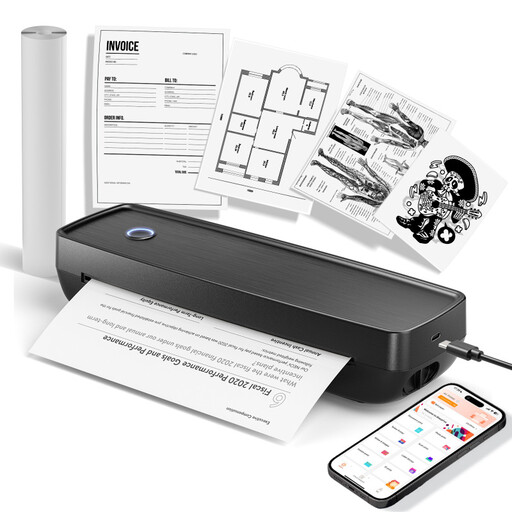
Portable wireless printer for US Letter and Legal
The product description lists photos as a possible print output; check whether this printing method is right for your sample photos. The product title specifies US Letter and Legal sizes, as well as compatibility with iOS, Android and laptops.
View at Joybuy
 No image available
Portable mini Bluetooth thermal printer
For mobile photo prints, if a portable thermal printer suits your needs. The product title specifies Bluetooth and printing applications such as photos, notes, stickers and labels.
View at Joybuy
 No image available
Xiaomi Portable Photo Printer 1S
A mobile option for small photo prints from your smartphone. Compare the stated image and media sizes with the format you need for your sample photos.
View at Joybuy
Frequently asked questions
Can I print sample photos straight from my smartphone?
Yes, as long as your smartphone is compatible with the printer app or connection method. Canon specifies Wi-Fi and the SELPHY Photo Layout app for compatible mobile devices for the SELPHY CP1500; Fujifilm lists Bluetooth and the instax mini Link app for the instax mini Link 3. Check that it’s currently compatible with your operating system.
What can I do if my inkjet prints are faded or patchy?
For affected EcoTank or Expression printers, Epson recommends running a nozzle check first, followed by printhead cleaning via the maintenance function if needed. Follow the instructions for your specific model; this advice does not apply to every printing method.
What are my rights if a printer bought online is faulty?
If a product is faulty, statutory consumer rights are separate from any voluntary guarantee. The Verbraucherzentrale says that online orders generally come with a 14-day right to cancel, starting from the date you receive the goods; statutory exceptions should also be taken into account.
Can I put an old photo printer in my household rubbish?
No. In its guidance dated 13 December 2023, the German Environment Agency advises that waste electrical equipment should be collected separately, for example at suitable local authority collection points or through retailer take-back schemes. Removable batteries should be taken out and disposed of separately before you hand the device in.


