Developers with a specific target platform
If you want to develop natively for Apple platforms using Xcode, check which Mac and macOS version are right for your project. Apple Developer sets out the requirements for each version of Xcode.


If you’re developing natively for Apple platforms, you’ll need a Mac that meets the requirements of your intended Xcode version. For other development environments, a Windows laptop may be suitable, provided its operating system and specifications are compatible with your tools. Then allow for enough RAM and SSD storage for your IDE, tests, photos and offline documentation. A manufacturer’s specifications alone don’t tell you how well your particular app will perform.
If you want to develop natively for Apple platforms using Xcode, check which Mac and macOS version are right for your project. Apple Developer sets out the requirements for each version of Xcode.
If you’ll be running an IDE, emulator and other local tools at the same time, base your RAM choice on their specific system requirements. Android Developers, for example, distinguishes between running Android Studio on its own and running it with an emulator.
If you need test images and documentation to be available without an internet connection, allow for local storage and a separate backup. DevDocs describes an offline mode, while Microsoft Support explains how to back up files to an external drive or network location.
A good fit if: You want to develop and test natively for Apple platforms using Xcode.
Bear in mind: You may need adapters for existing USB-A devices or HDMI monitors. Apple lists two Thunderbolt 4/USB-C ports on the 13-inch MacBook Air with M5.
A good fit if: Your development and testing tools run on Windows, and the configuration you choose meets their requirements.
Bear in mind: RAM, SSD storage and ports vary between configurations within the same laptop range.
| Buying criterion | What to check before buying | Who is it most important to? |
|---|---|---|
| Platform compatibility | Target platform, required IDE and supported operating system; for Xcode, also check the requirements of the version you plan to use. | If I want to develop natively for Apple platforms, my laptop needs to run Xcode and the right version of macOS. Around 31% of consumers prioritise compatibility with their development platform. |
| RAM for running several tools at once | System requirements for the IDE, emulators and other tools you’ll actually use at the same time. | If I want to run my IDE and tests side by side, I’ll base my RAM choice on their specific requirements. Around 25% of consumers prioritise RAM for running development and testing tools at the same time. |
| Local storage and backup | How much space you’ll need for test photos, projects and downloaded documentation, plus a separate backup option. | If I want photos, project files and documentation available offline, I’ll allow for SSD space and a separate backup. Around 25% of consumers prioritise local storage for these files. |
| Display and portability | Display specifications for the exact configuration, the ports you need and the laptop’s weight. | If I move between workspaces, the screen size needs to suit both portability and the connections I need. Around 19% of consumers place particular importance on screen size and portability. |
The fact that your app is about photo tagging doesn’t determine which operating system or development tools you need. Native Apple development is subject to the requirements of the Xcode and macOS versions you plan to use.
First decide on your target platform and tools, then check that the laptop meets their requirements.
Native Apple development may require a compatible Mac; otherwise, you’ll need to adapt your workflow.
The documentation pages you need must actually be available offline before you start work. An internal SSD also doesn’t replace a separate backup of your photos and project files.
Choose the documentation pages you need in advance, test them offline and check that your backup includes your project folders.
A separate backup may require an additional drive or a suitable network storage location.
RAM, SSD storage, display and ports can vary between configurations. ASUS explicitly notes that there are different variants in the Vivobook 16 range.
Compare the full model name and specifications in the listing with the manufacturer’s details.
A relevant option if you need a Mac to develop natively for Apple platforms using Xcode.
The ThinkPad E14 Gen 7 AMD is a compact Windows option. The documented configuration has model number 21T0003NGE.
The ProBook 4 G1i 14 is a compact Windows range. The details here refer to AD2N3ET#ABD.
The Vivobook 16 X1607CA is a Windows option with a larger built-in display.
The Joybuy products below are Windows laptops for local development files, test photos and documentation. If you’re developing natively for Apple platforms using Xcode, still check whether you need a Mac for your target platform.
 No image available
Could suit a Windows workflow if you need local storage and a larger laptop workspace.
Windows 11 Home, 16-inch WUXGA display, 32 GB DDR5 and 1 TB SSD. The listed weight is 2.44 kg, which is worth bearing in mind if you’ll be carrying it often.
 No image available
A Windows configuration with a 16-inch display and local storage for development tools and project files.
Windows 11 Home, 16-inch WUXGA display, 16 GB DDR5 and 512 GB SSD. The product title specifies a US keyboard. The listed weight is 2.44 kg.
 No image available
Could be a good fit if you need a 16-inch display and ports for local devices in a Windows workflow.
Windows 11 Pro, Ryzen 5 220, 32 GB RAM and 1 TB SSD. Listed connections include USB4-C, USB-A, HDMI and RJ45. It weighs 1.7 kg.
 No image available
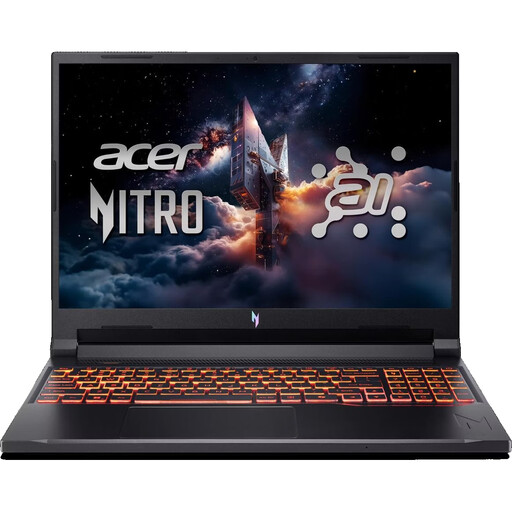
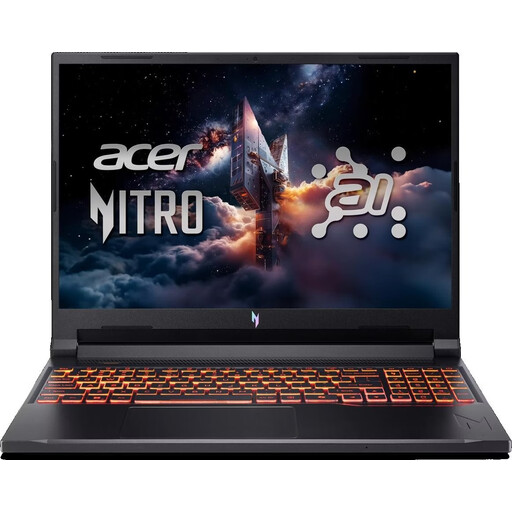
A Windows option with a 16-inch display and local storage for project and photo files.
Windows 11 Home, Ryzen 9 8940HX, 24 GB RAM and 1 TB SSD. The listed weight is 2.43 kg, which may matter if you’ll be carrying it often.
 No image available
Could be worth considering for a Windows workflow if you need plenty of RAM and SSD storage for local tools and files.
Windows 11 Pro, Core Ultra 7 265H, 64 GB RAM, 2 TB SSD and a 16-inch WUXGA display. The listed weight is 1.72 kg.
No, not just because of the app’s subject. To develop natively for Apple platforms using Xcode, you’ll need a Mac that meets the requirements of the Xcode version you plan to use. Apple Developer specifies macOS Sequoia 15.6 or later for Xcode 26. For other target platforms, base your choice on the tools you’ll actually be using.
Choose the documentation pages you need and download them in advance. The DevDocs project describes an offline mode. While you still have an internet connection, check that you can open the pages you need on your device when offline.
On Windows, you can set up File History to back up files and libraries to an external drive or network location, as described by Microsoft Support. Check that your chosen backup actually includes your project folders; the internal SSD alone isn’t a separate backup.
No. Your statutory rights are against the seller, while a guarantee is an additional voluntary promise whose scope depends on its terms. The Verbraucherzentrale clearly distinguishes between the two.
For an online order in Germany, consumers generally have 14 days from receiving the goods to notify the seller that they’re cancelling, as explained by the Verbraucherzentrale. This is different from the process for dealing with faulty goods.