Uploading photos from a room with poor signal
If you regularly upload photos from a room separated from the router by thick internal walls, the key is to improve the connection between that room and your router.


First, check whether your broadband connection itself has enough upload capacity, then check the Wi-Fi signal in the room where you take your photos. If your connection is fast enough, a wired access point or mesh node can bypass the wireless link through thick walls. If you don't have an Ethernet cable, consider a suitably positioned wireless repeater or mesh node, provided its backhaul connection is stable.
If you regularly upload photos from a room separated from the router by thick internal walls, the key is to improve the connection between that room and your router.
If an Ethernet cable reaches beyond the walls, you can connect an additional Wi-Fi access point there without relying on a wireless link back to the router.
If you're not sure whether your broadband connection or the Wi-Fi in the room is slowing things down, check each separately before replacing any equipment.
Measure your broadband upload speed, then check the connection where you plan to use the device. Only then can you decide whether moving your existing equipment will do the job or whether you need an additional unit with a wireless, Ethernet or Powerline backhaul.
A good fit if: the Wi-Fi in the room where you take photos is already usable, or you can improve the signal by moving the router.
The trade-off: You avoid replacing equipment too soon, but this may not solve a wireless link that is consistently blocked by walls.
A good fit if: you don't have an Ethernet cable and can place an additional node somewhere with a usable signal.
The trade-off: You can extend your network without installing new cables, but the connection between the units still needs to be strong enough.
A good fit if: you have, or can install, an Ethernet cable running to the room where you take photos.
The trade-off: A wired backhaul bypasses the wireless link between units. The cable, connections and operating mode must all be compatible with your home network.
A good fit if: you can't install an Ethernet cable and a connection over your existing mains wiring works where you need it.
The trade-off: The connection can be affected by the sockets you use and electrical interference. Some VDSL set-ups can also experience interference between Powerline and the broadband connection.
A good fit if: you want to replace your existing broadband device and the model you choose is compatible with your type of connection.
The trade-off: A router with a built-in DSL modem, a router without a modem and a device for fibre broadband all serve different purposes. A high stated Wi-Fi speed won't guarantee faster uploads through walls.
| Buying priority | What to check | Who is it most relevant to? |
|---|---|---|
| Connection through thick walls | Location and backhaul of the planned node; any existing Ethernet cabling. | If I need to reach my photo room despite thick walls, a reliable connection between the units matters most. Around 31% of consumers put the connection through walls and the backhaul first. |
| Broadband upload speed | Compare the upload speed in your contract and the measured speed at the broadband connection with the upload speed at the more distant Wi-Fi location. | If the upload is already slow next to the router, I want to check the broadband connection first rather than replace Wi-Fi equipment. Around 25% of consumers prioritise their broadband upload speed. |
| Connection compatibility | DSL, cable or fibre; existing modem and intended router or access point mode. | If I want to replace my broadband router, the new device needs to work with my type of connection and existing modem. Around 19% of consumers put connection compatibility first. |
| Equipment and installation effort | Existing equipment and cables, the number of units needed and suitable power sockets. | If I want to improve my connection, I want to weigh up the effort of buying and installing additional equipment against the cables and sockets I already have. Around 13% of consumers prioritise the cost and effort of buying and expanding their set-up. |
| Security and updates | Security and update information for the exact model; compliance information for the specific product listing. | If a router is going to be running all the time, I want to check its security and update information without assuming that CE marking means good Wi-Fi coverage. Around 12% of consumers put security and ongoing support first. |
Uploads depend on both your broadband connection's upload speed and the link between your router and the room where you take photos. A high stated Wi-Fi speed alone won't tell you which part of your home is slowing things down.
Check your broadband connection first, then compare the signal next to the router with the connection where you actually upload your photos.
A repeater relays the Wi-Fi signal it receives. If its own connection to the router is already weak, it won't fix that bottleneck.
Choose a location where the repeater still has a usable connection to the router or another node.
Connections over your mains wiring depend on the electrical installation and any sources of interference. With some VDSL profiles, Powerline can interfere with your broadband connection, and vice versa.
Test the connection using the wall sockets you plan to use, and keep an eye on your VDSL connection's stability too.
A device without a built-in modem won't automatically replace a DSL, cable or fibre router.
Before replacing your equipment, check your connection type, existing modem and the router features you need.
FRITZ! offers DSL and other broadband routers, as well as repeaters for extending an existing Wi-Fi network.
The Deco mesh range includes models with a Powerline backhaul, including the Deco PX50.
ASUS offers ZenWiFi and AiMesh systems that can be expanded with additional Wi-Fi nodes.
The products below are mesh systems and wired access points for extending your Wi-Fi. They won't automatically replace every DSL, cable or fibre router. Before buying, also check the compliance information for the specific product listing, along with the connection and power requirements.
 No image available
A good choice if you want a mesh system with two units and, if your network set-up allows, want to keep using your existing router in access point mode.
Wi-Fi 7, dual-band and Gigabit Ethernet; router and access point modes are listed.
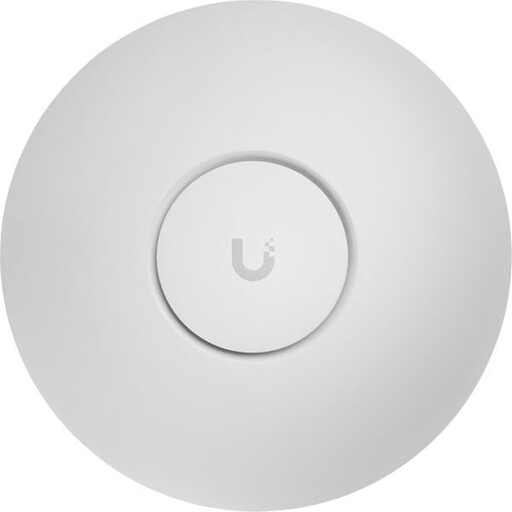 No image available
An option if you need a wired Wi-Fi access point at your chosen location and have Ethernet and a suitable PoE+ power supply.
Tri-band, 2.5 GbE and PoE+ according to 802.3at. An Ethernet connection and a compatible PoE+ switch or injector are required.
 No image available
A good choice if you can connect an additional access point to Ethernet at the required location and your set-up supports the PoE power supply it needs.
Dual-band, 2.5 GbE and PoE support according to 802.3af; an Ethernet connection and PoE power supply are required.
 No image available
An option for an additional Wi-Fi access point if an Ethernet cable reaches the place where you want to install it.
Described as a mesh-enabled access point with a 2.5 GbE Ethernet uplink and PoE; an Ethernet connection with PoE is required.
 No image available
A good choice if you want to cover several rooms with three mesh units and, if your set-up allows, keep using your existing router in access point mode.
Dual-band, Gigabit LAN/WAN ports and roaming between nodes are listed.
Measure your broadband connection using the German Federal Network Agency's broadband measurement tool, then compare the result with the connection in the room where you take photos. Measuring the broadband connection alone won't assess the wireless signal through your internal walls.
Don't simply put it in a room with no usable signal, as the repeater itself needs a connection to your existing router. Check the backhaul at the planned location; FRITZ! offers app-based help with positioning its devices.
No, not necessarily. Depending on the device and your network set-up, a mesh system can work with your existing router in access point mode. Check whether this operating mode is available on the model you've chosen.
Test the connection using the sockets you actually plan to use. Devolo warns about possible sources of electrical interference and recommends plugging its adapters directly into a wall socket rather than a power strip. Some VDSL profiles can also experience interference between Powerline and the broadband connection.
The German Federal Network Agency confirms that you can choose your own end device at the network termination point, including on passive fibre networks and the VDSL and cable networks mentioned. That doesn't mean every router will work with every connection: check your connection type and set-up requirements.