First, check whether uploads are already slow near your router or whether the Wi-Fi signal is only weak on more distant floors. If your internet connection is the bottleneck, replacing your router won’t automatically fix the problem. In areas with poor coverage, well-placed mesh nodes can help, and existing wired LAN connections can link them between floors.
Which solution is right for you?
Homes with Wi-Fi dead spots between floors
If you’re uploading your album from a location far from the router, both the connection to your device and the link to any additional access points matter. The 2024 devolo home network survey identifies walls and ceilings as potential sources of interference.
Homes with a slow internet upload speed
If uploads are slow even near your router, you should assess your internet connection and Wi-Fi separately. Germany’s Federal Network Agency recommends comparing your broadband connection’s actual data transfer rate with the rate agreed in your contract.
Homes considering a router replacement
Your existing connection and potential mesh extensions are key considerations. FRITZ! describes the FRITZ!Box 5690 Pro as suitable for DSL or fibre broadband; Telekom lists DSL and fibre broadband with an external fibre modem for the Speedport Smart 4.
What to look for when buying
For uploading photo albums across several floors, the key question is whether the bottleneck is your internet connection or the Wi-Fi signal in a more distant location.
| Priority |
What to look for when buying |
Who it matters most to |
| Wi-Fi coverage |
Compare upload speeds at the intended location with those near the router; check where nodes could go and whether the system can be expanded. |
If I upload my album on another floor, I need a reliable connection there and a node with a good link to the rest of the network. That’s why around 33% of consumers prioritise Wi-Fi coverage. |
| Internet upload speed |
Test your internet connection and Wi-Fi separately under comparable conditions; compare your connection speed with the details in your contract. |
If uploads are already slow next to the router, I want to distinguish between my internet connection and the wireless link before replacing any equipment. Around 27% of consumers prioritise the internet upload speed available to them. |
| Connection and expandability |
Find out whether you have DSL, cable or fibre broadband and check whether you have a modem; make sure your planned mesh extension is compatible with your existing device. |
If I’m replacing my router, I need to know which type of connection it’s compatible with and whether I need a modem. Connection compatibility is the top priority for around 20% of consumers. |
| Ease of set-up |
Check for existing LAN sockets and possible locations for nodes; test Powerline at the intended location. |
If I want coverage on every floor without extensive cabling, I’ll check for LAN sockets and suitable locations first. Around 20% of consumers pay particular attention to how easy a system is to set up. |
Common misconceptions
-
Confusing the advertised Wi-Fi speed with your internet upload speed
The Wi-Fi radio data rate doesn’t tell you what upload speed your internet connection can achieve. Germany’s Federal Network Agency recommends comparing your connection’s actual speed with the rate agreed in your contract.
First, measure your upload speed near the router, then test it at your usual upload location, using comparable conditions wherever possible.
-
Focusing only on the advertised mesh coverage area
Ceilings and the placement of your equipment affect the connection in your home. The 2024 devolo home network survey identifies walls and ceilings as potential sources of interference, so a coverage figure can’t replace testing at your intended location.
Before choosing a system, work out where the nodes could go and whether there’s a LAN connection between floors.
-
Assuming Powerline is a guaranteed fast alternative to cabling
devolo points out that transfer speeds can be low at individual sockets and that electrical appliances can cause interference.
Test the connection at the sockets you plan to use before relying on Powerline as your solution.
-
Assuming Access Point mode and Router mode are the same
According to TP-Link, some of the Deco app’s advanced router features aren’t available when the Deco system is in Access Point mode.
Before setting things up, decide which device will handle the router functions and check that your chosen operating mode is suitable.
Brands and product ranges to consider
FRITZ!
FRITZ! offers routers for different connection types, as well as mesh extensions. According to the manufacturer, the FRITZ!Box 5690 Pro is designed for DSL or fibre broadband.
- FRITZ! lists built-in connection options and 6 GHz Wi-Fi for the 5690 Pro.
- That doesn’t tell you whether the signal will reach through the floors of your home; connections vary by model.
TP-Link
The Deco X50 product family is designed to extend mesh coverage with additional Wi-Fi units.
- TP-Link describes optional Ethernet backhaul for the Deco X50. According to the manufacturer, a Deco system can also run behind an existing router in Access Point mode.
- Some of the Deco app’s advanced features aren’t available in Access Point mode. The manufacturer’s coverage figures aren’t a measurement for your home.
ASUS
The ZenWiFi XD5 is an AiMesh-compatible multi-node system. Ethernet backhaul is an option if you have a LAN connection between floors.
- ASUS describes using Ethernet backhaul via existing wall sockets.
- Compatible devices are required to use Wi-Fi 6 features. ASUS also notes that the 160 MHz bandwidth may be restricted in some regions.
Telekom
The Speedport Smart 4 is a router option for compatible Telekom connections, with Wi-Fi mesh that can be expanded.
- Telekom lists DSL support and fibre broadband operation with an external fibre modem, as well as compatible mesh extensions.
- An advertised Wi-Fi data rate doesn’t guarantee a particular upload speed on another floor.
devolo
Magic 2 WiFi 6 next is a Powerline option with Wi-Fi for homes without LAN or a reliable wireless connection between floors.
- devolo offers kits with multiple adapters.
- According to the manufacturer, transfer speeds can be low at individual sockets, and electrical appliances can interfere with the connection. Powerline doesn’t remove the need to check your internet connection.
Joybuy products for extending your Wi-Fi
The Joybuy products below are for extending your Wi-Fi with mesh systems or access points. Whether you also need an additional router still depends on your connection and the device you already have.
 No image available
TP-Link Deco BE22, Wi-Fi 7, dual-band (2-pack)
An option if you want to extend Wi-Fi coverage to several locations with a mesh system.
Wi-Fi 7, dual-band and Gigabit Ethernet, according to the product name.
View at Joybuy
 No image available
TP-Link Deco M4, AC1200, dual-band (3-pack)
An option if you’re planning to use several mesh units to extend your Wi-Fi coverage.
AC1200, dual-band and Gigabit ports, according to the product name.
View at Joybuy
 No image available
MERCUSYS Halo H1200G, AC1200, dual-band (2-pack)
An option if you’re looking for a two-unit mesh system to cover several Wi-Fi locations.
AC1200, dual-band and Gigabit ports, according to the product name.
View at Joybuy
 No image available
MERCUSYS Halo H25BE, Wi-Fi 7 BE3600 (2-pack)
An option for extending your mesh coverage if two units suit your planned set-up.
Wi-Fi 7 BE3600, dual-band and 3 × Gigabit ports per unit, according to the product name.
View at Joybuy
 No image available
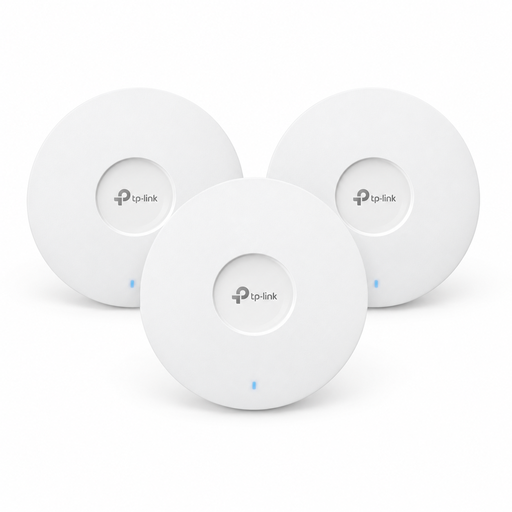
TP-Link Omada EAP653 AX3000, Wi-Fi 6 (3-pack)
An option if you’re planning to add Wi-Fi access points and have checked the power supply requirements in advance.
Wi-Fi 6, ceiling-mounted design and three devices in the pack, according to the product name. A suitable PoE+ power supply or separately available 12 V adapter is required.
View at Joybuy
Frequently asked questions
Will Wi-Fi 7 automatically make uploading photo albums faster?
No, not automatically. First, compare the results of a test on your internet connection with the connection at the actual upload location. The Wi-Fi radio data rate doesn’t tell you the internet upload speed you’re getting there, or the speed set out in your contract.
Can I use a mesh system with my existing router?
According to TP-Link, the Deco system has an Access Point mode. In this mode, your existing router continues to handle router functions, and some of the Deco app’s advanced features aren’t available.
Where should I place a mesh node that connects wirelessly?
The node needs a reliable connection to the rest of your network, so don’t place it right in an area with no signal. Check the connection where you plan to put it, and take into account any obstacles between the router, the node and your device.
Can I connect my own compatible router in Germany?
Germany’s Federal Network Agency explains that you’re free to choose a compatible router and that providers must supply the access details you need. You’ll still need to check separately that the device works with your DSL, cable or fibre broadband connection.
What should I look for in the CE marking on a Wi-Fi device?
In Germany, the required EU conformity assessment, including CE marking, applies to radio equipment that must carry the relevant marking. The Federal Network Agency explains that manufacturers declare conformity under their own responsibility, so check the marking on the specific product version.


