Photographers with an existing camera
You want to find a release method that suits your exact camera model, rather than relying on the brand name or connector shape alone.


If your camera can be triggered without touching it, using the self-timer or a compatible app, while mounted securely, you may not need a separate device. The right choice depends on your camera model and where you’ll be working: a compatible wired remote is useful when working beside the tripod, Bluetooth gives you more distance, while infrared is only an option if your camera supports it and you can use it from a suitable position. A remote release won’t replace checking the alignment, focus and lighting.
You want to find a release method that suits your exact camera model, rather than relying on the brand name or connector shape alone.
You carefully align the camera and etching, and want to take the photo without moving the camera when you press the shutter.
You check or adjust the position of the print between shots and may want to trigger the shutter from beside the artwork. A compatible app could mean you don’t need an extra device.
Suitable if: once everything is set up, you only need to trigger the shutter without touching the camera and its existing features are enough.
Bear in mind: App features and supported camera models vary, and you may need to set up a connection.
Suitable if: you work beside a tripod that’s already in position and your camera has the right remote release socket.
Bear in mind: The cable length and how it’s routed limit how far you can move; some set-ups also require an adapter.
Suitable if: you repeatedly step away from the tripod to check or reposition the etching, and your camera supports the specific remote model.
Bear in mind: The camera and remote must be compatible; depending on the model, you may need to pair them.
Suitable if: your camera supports a compatible infrared remote and you can trigger it from the recommended position.
Bear in mind: Where you can operate it depends on the model. A stated range doesn’t mean every position will work.
| Buying priority | What to look for when buying | Who particularly values this? |
|---|---|---|
| Compatibility with your camera | Check the full camera model name and the manufacturer’s compatibility list. For wired remotes, check the connector and whether an adapter is needed; for wireless options, check that your camera supports the specific remote. | I want to avoid buying a remote that doesn’t fit my camera model or connector. That’s why around 36% of consumers prioritise compatibility with the camera they already own. |
| Triggering the shutter without touching the camera on a tripod | Check whether the built-in self-timer is enough; if not, use a compatible remote and make sure your set-up is stable and properly aligned. | Once my tripod is set up, I want to take the photo without moving the camera when I press the shutter. That’s why around 29% of consumers put touch-free shutter release first. |
| Triggering the shutter from a distance | Compare your working distance with the cable length or the manufacturer’s specifications for the model, and check which wireless method it supports. | If I need to go back and forth to the artwork while working, I want to be able to take the photo from there too. That’s why around 21% of consumers prioritise being able to trigger the shutter away from the tripod. |
| Avoiding unnecessary accessories | Try the camera’s existing shutter release features and check what’s included with the specific model, as well as whether you’ll need any adapters. | Before buying, I want to know whether my camera can already do the job or if I need extra accessories. That’s why around 14% of consumers prioritise avoiding unnecessary extra purchases. |
Compatibility depends on the full camera model and the connector or wireless method. For the Fujifilm RR-100, certain listed models also require an adapter.
Before buying, compare the full camera model name with the manufacturer’s compatibility list, and check the connector and any accessories you may need.
The wireless method and your position can affect how you operate the remote. For example, Canon specifies that the RC-6 should be used from in front of the camera.
Think about where you’ll be standing as you position the etching, and check the requirements for the specific model.
A touch-free shutter release only stops you from touching the camera when you press the button. It won’t correct a crooked alignment, focus or lighting.
Check the image geometry, focus and lighting separately, then decide whether you also need a remote shutter release.
Wired, Bluetooth and infrared options for compatible Canon cameras.
The MC-DC2 is a wired option for certain cameras; the ML-L7 and SnapBridge may be suitable as wireless or app options for supported models.
The RR-100 is a wired option for the X and GFX cameras listed by Fujifilm.
The RMT-P1BT is a Bluetooth remote for compatible Sony cameras; an app may also be an option, depending on the model.
The DMW-RS2E is a wired remote in the LUMIX accessories range.
The products below combine a smartphone remote with a tripod or phone holder. They’re described for smartphone photography, not as compatible remote shutter releases for cameras with their own accessory socket.
 No image available
Designed for touch-free smartphone photography with a tripod and remote control.
The product name mentions a zoom remote and a floor tripod.
Designed for smartphone photography; make sure your phone is securely attached and the tripod is stable.
 No image available
For smartphone photography with a detachable Bluetooth remote.
Features a 360° rotating phone holder and a 1/4-inch tripod thread.
You’ll need a compatible tripod to mount it using the thread.
 No image available
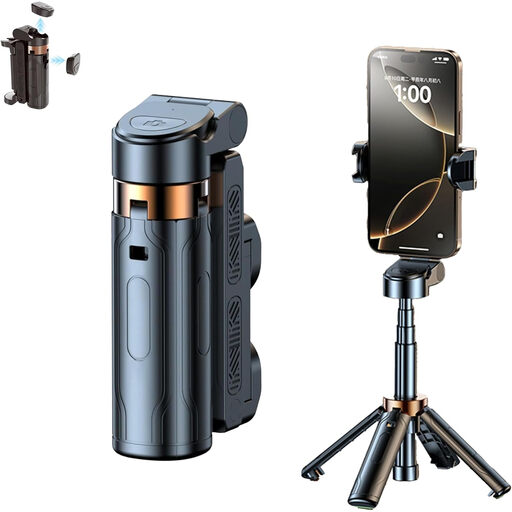
Designed for hands-free smartphone photography, with a grip, tripod function and remote control.
Features a detachable grip and a 1/4-inch tripod thread.
Make sure your phone is held securely and place the product on a stable surface.
 No image available
Designed for hands-free smartphone photography with a Bluetooth remote.
The product name describes a foldable, height-adjustable tripod.
Designed for smartphone photography.
 No image available
Designed for smartphone photography with a remote control you can use from the tripod.
The product name mentions an extendable mini tripod and two cold-shoe mounts.
Designed for smartphone photography.
If your camera is stable and parallel to the artwork, and you simply want to trigger the shutter without touching it, try the self-timer first. A compatible camera app may offer additional remote control, but the features available depend on the camera model. You’ll still need to check the lighting and alignment yourself.
Compare the full camera model name with the manufacturer’s compatibility list. For wired remotes, check the exact connector and whether you need an adapter; for Bluetooth, the camera and remote must support each other. If you’re using an app, also check which one is recommended for your camera model and firmware.
No. A remote shutter release helps you avoid touching the camera when you take the photo, but it won’t correct a crooked alignment, focus or lighting. The guidance from Museen Brandenburg treats prints as objects for reproduction; align your camera and etching separately, and check the image before taking the photo.
The Joybuy products listed here are described for smartphone photography, not as compatible remote shutter releases for mirrorless cameras. If your camera has its own accessory socket, check its full model name and the manufacturer’s compatibility list for the right remote.