
Lieferung heute & morgen

Qualitätsgarantie

Willkommens-Angebote freischalten: KOSTENLOSE Lieferung | Bis zu 80 % RABATT | Kostenlose 30-Tage-JoyPlus-Testphase
App herunterladen
A glossy colour gradient can make a model stand out considerably more. However, PLA Silk Rainbow 3D printer filament does not automatically produce smooth surfaces or clearly visible colour transitions. Anyone choosing solely by colour names or product images will often overlook important details such as filament diameter, temperature range, storage conditions and the length of individual colour sections.
This buying guide from the Joybuy Product Recommendation Officer explains what German hobby users, makers, cosplayers, model builders and creative users should consider before buying.
Rainbow filament, gradient filament and tri-colour filament can have different transition lengths. With small figures, you may only see one or two colours, while larger vases, statues or cosplay pieces may display several colour areas.
Product images are therefore only a guide. The specified colour arrangement and the size of the planned print object are what really matter. A four-colour filament may look visually different on a small model than on a long print.
Silk filament is generally designed to produce a glossy, light-reflecting surface. This appearance can be affected by excessive printing speed, an unsuitable temperature or damp material. Typical consequences include visible lines, stringing, bubbles or a rough surface.
Glossy filament should therefore not be chosen solely by its colour name. Compatibility with your own 3D printer filament system and the recommended printing parameters are equally important.
PLA absorbs moisture when stored for long periods in a damp environment. According to the CaiLab user guide provided, this can lead to unstable extrusion, bubbles, stringing, a rough surface and weaker layer adhesion, among other issues.
After opening, the spool should be stored in a sealed bag with desiccant. This also applies if the filament initially prints without any problems.
Before buying, check which diameter your printer supports. PLA filament 1.75 mm is common in many desktop FDM printers, but not every device uses this standard. The diameter must be compatible with the feed unit, nozzle and printer software.
The following points are also important:
If the specifications are unclear, compare the relevant product page with your printer’s manual.
For the CaiLab PLA Silk filament listed in the product description, a nozzle temperature of 195 to 220 °C is specified. For the print bed, 60 °C is stated for an open setup and 45 to 60 °C for an enclosed setup. These values are starting points, not a guarantee for every printer model.
In practice, the following approach is recommended:
A slightly reduced printing speed can help produce a more even Silk surface. The optimum setting depends, among other things, on the nozzle, extruder, part cooling and slicer profile.
The user guide lists glass and PEI print plates as suitable printing surfaces. A PEI plate often does not require adhesive; a suitable product can be used if needed. Solid adhesive is recommended for glass.
A clean print plate is more important than using the highest possible bed temperature. Oil, dust or residue can worsen first-layer adhesion. For larger parts, you should also ensure sufficient brim clearance and even levelling.
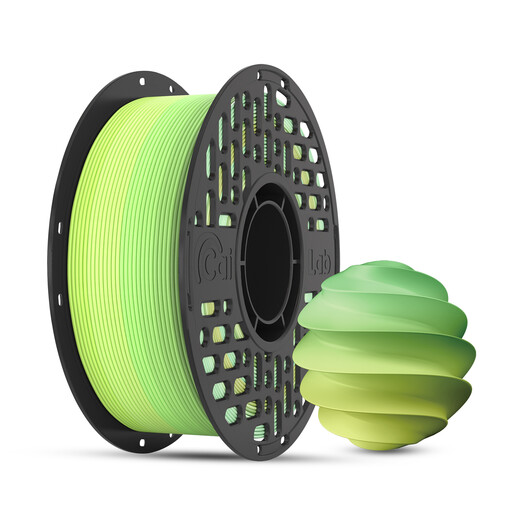
Why this product suits this profile: The Rainbow version provides a multicoloured gradient for decorative starter projects, without the need to combine several individual filament spools.
The product name clearly indicates a colour gradient. Even so, check the diameter and recommended printing settings on the product page before buying.
Multicoloured designs from a single spool; suitable for decorative models and visible colour changes.
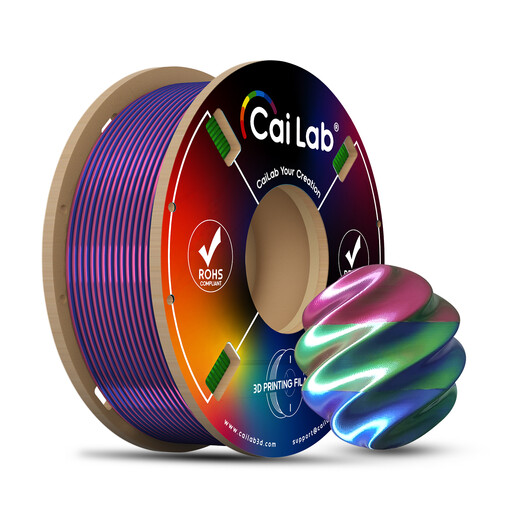
Why this product suits this profile: This tri-colour filament combines a PLA Silk finish with a clearly specified colour combination, making it suitable for display pieces, figures and gifts.
The instructions specify starting values of 195–220 °C for the nozzle and 45–60 °C for the print bed. This makes step-by-step setup easier.
Specified PLA Silk parameters; glass and PEI print plates are listed as suitable surfaces.
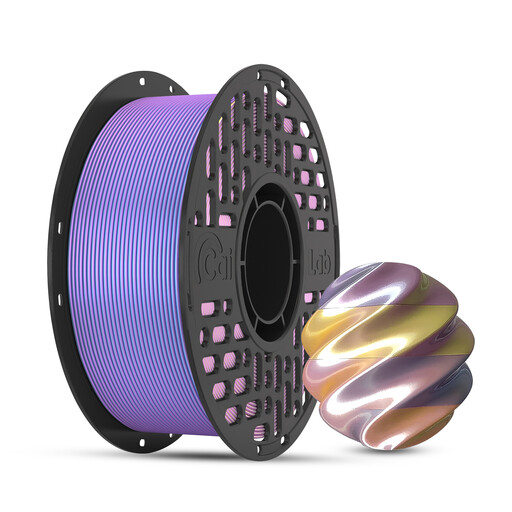
Why this product suits this profile: The Quad-Color version is aimed at users who want to use several colour areas from one spool for larger decorative prints.
The name specifies four colour areas. To assess the transitions realistically, compare the spool view with the planned model size.
Four-colour concept; Silk finish for decorative models, display pieces and creative projects.
For moisture-related problems, the CaiLab instructions specify drying at 50 °C for six to eight hours. A high-temperature oven should not be used directly for this purpose. After drying, the spool should be placed back in a sealed bag with desiccant.
Not every filament spool needs to be dried before every print. However, the following signs may indicate that drying is necessary:
The material’s lifespan depends primarily on moisture, heat, UV light and how airtight the packaging is. Storing it in a dry, protected environment reduces unnecessary material waste.
As a starting point, 195 to 220 °C is specified for the CaiLab PLA Silk filament listed above. As printers, nozzles and speeds vary, you should begin with a small temperature test. A lower temperature may help with stringing, while a careful increase may improve poor layer adhesion.
For the CaiLab Silk version mentioned above, a print bed temperature of 45 to 60 °C is specified. Glass and PEI plates are listed as suitable printing surfaces. The actual setting should be adjusted to suit your printer, plate and model size.
This depends on the spool weight, fill percentage, model volume, infill, wall thickness and support material. A small decorative object uses considerably less material than a large cosplay piece. For realistic planning, the slicer’s material consumption display and an adequate amount remaining on the spool are key.