Readers of lengthy texts
If you want to read several essays without an internet connection, a comfortable size and plenty of battery charge matter. Save your texts before you fly, then try opening them offline in your reading app.


A compact tablet is a good choice if you want adjustable text and longer reading sessions in your hand. For PDFs with a fixed page layout and handwritten margin notes, the larger screen of a tablet with a stylus may be more important. An E Ink device is worth considering if reading and compatible documents are your priority, and your files work with its note-taking features. Before you buy, check your files, how you’ll import them and whether you can access them offline. Don’t rely on screen or battery specifications alone to work out how long a device will last on a flight.
If you want to read several essays without an internet connection, a comfortable size and plenty of battery charge matter. Save your texts before you fly, then try opening them offline in your reading app.
If you want to highlight arguments or write notes in the margins, check the PDF format, import method and stylus function with a document of your own. According to Rakuten Kobo, stylus notes in PDFs are supported for unprotected files.
If you want to hold your device for a long time in your seat, a more compact size can be useful. However, a full PDF page may be harder to view clearly on a smaller screen.
A good fit if: You mainly read standard text and want a device that’s easy to hold in your seat.
The trade-off: A smaller screen may mean zooming in more often on PDFs with a fixed page layout.
A good fit if: You want to view PDF pages at a larger size and regularly make handwritten notes.
The trade-off: Check how much space it takes up in your seat, and whether the stylus you want is actually included with each offer.
A good fit if: Reading and taking notes in supported files matter more to you than having a versatile tablet.
The trade-off: Check how it handles protected PDFs and whether it suits your workflow, as not every document is suitable for stylus notes.
| What matters | What to look for when buying | Who is it important to? |
|---|---|---|
| Offline reading and battery life | Save your essay and a sample PDF locally in advance, then open them without a connection; test battery life with your own reading app. | If I want my texts available throughout the flight, I test my files and app offline beforehand. Around 40% of consumers put offline access and available battery charge first. |
| Annotating PDFs | Test importing, highlighting and stylus notes with a file of your own; PDFs must be unprotected for notes on Kobo. | If I want to record my thoughts directly on a PDF page, I test the stylus function with my own document. Around 30% of consumers prioritise easy-to-read PDFs and handwritten annotations. |
| Comfort in your seat | Compare the dimensions and weight of the exact model, including its case, and view a typical PDF page at a suitable font size. | If I want to hold the device for longer and take up little space in my seat, I pay particular attention to its size. Around 20% of consumers prioritise portability. |
| Device and accessories | Check whether the exact version includes a stylus, case and, if applicable, replacement tips; compare like-for-like bundles only. | If I need a complete reading and note-taking set-up, I want to know in advance which parts are included. Around 10% of consumers put the accessories they need first. |
According to Rakuten Kobo, stylus notes in PDFs are supported for unprotected files. A protected seminar text may therefore require a different workflow.
Test one of your own files, including importing it, using the stylus and finding your notes again later.
Joybuy Germany listed an iPad mini with A17 Pro, while Apple Germany’s current German product page describes an iPad mini with A20 Pro. Similar names aren’t enough to confirm that the generation and version are the same.
Check the full model name and key specifications against the manufacturer’s information.
The Lenovo Tab M11 is available with different pen and folio options. Rakuten Kobo says that the Stylus 2 is included with the Elipsa 2E, but the SleepCover is sold separately.
Check whether the specific item includes a stylus and case, and which accessories you actually need.
The iPad mini is a compact tablet option for reading standard text and using other apps.
The Galaxy Tab S10 FE is a larger Android option for viewing PDF pages and taking notes with a stylus.
The Tab M11 is an 11-inch Android option where the exact pen or folio version matters.
The Elipsa 2E is a large-format E Ink e-reader for suitable texts and PDFs.
This selection includes tablets and E Ink devices for essays, PDF reading and handwritten notes. Check that each model’s size and accessories suit your workflow.
 No image available
The 11-inch size is worth considering if you want a larger working area than a compact e-reader offers.
Wi-Fi model with 128GB of storage.
 No image available
The 12.1-inch size is an option if a larger screen for reading matters to you.
Wi-Fi model with 256GB of storage.
 No image available
The E Ink format is designed for readers looking for a device for reading and taking notes.
The listing specifies a 10.65-inch E Ink screen.
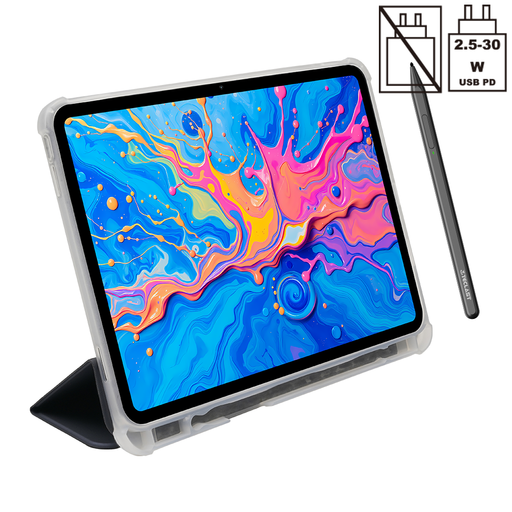 No image available
The larger size is one option if you want to read PDF pages on a bigger screen.
The listing says a T-Pen and protective case are included.
 No image available
The 8.8-inch size is a compact option for readers who want to take up little space in their seat.
Android 14; according to the product description, a power adapter is not included.
Yes, as long as the files are saved locally beforehand and your reading app can open them without a connection. Try opening the specific essays in aeroplane mode before you fly, and check whether any notes you need are available too.
No, it depends on the file format and the device. Rakuten Kobo lists unprotected PDFs as a supported format for notes with the Stylus 2. So check your own file and the complete import and note-taking process before you buy.
The rules of the relevant airline apply. Lufthansa allows personal tablets in the cabin under the conditions it specifies, and sets a limit of no more than 100 Wh for devices with lithium-ion batteries, subject to separately regulated exceptions. Lufthansa recommends carrying them in your hand luggage; check the rules of the airline operating your flight.
Yes. The European Union Aviation Safety Agency treats power banks as spare batteries: they must not be placed in checked baggage and must each be protected against short circuits. Also check your airline’s rules on capacity and use.
When you buy from a trader in the EU, the statutory guarantee period is generally at least two years, as explained by the Council of the European Union. This is different from a manufacturer’s voluntary warranty. If your tablet is faulty, contact the seller.