If someone is sleeping or needs peace and quiet nearby, first look for an explicit claim that the buttons on the specific model are quiet: the label ‘gaming mouse’ says nothing about how loud its clicks are. For frequent placing and navigating, easy-to-reach controls matter. Cable routing, charging needs and fit all help determine which mouse will work well at a shared desk. Manufacturer claims are no substitute for comparing noise levels or checking that the shape and buttons suit your hand.
Which mouse is right for you?
Considerate night-time gamer
If you build while someone else in the room is asleep or needs peace and quiet, buttons explicitly described as quiet may matter more than extra gaming controls. CHERRY describes the GENTIX Silent’s buttons as making no distracting clicking noise.
Detail-focused park builder
If you often place and edit objects, check whether the scroll wheel and buttons are easy to reach for the actions you repeat. The Planet Coaster 2 controls overview includes actions for placing and editing objects, among others.
Player sharing a desk
If you regularly rearrange your mouse space, weigh the freedom of a wireless setup against the power needs of a wireless mouse. For the CHERRY XTRFY M50 Wireless, the manufacturer lists wireless, Bluetooth and wired connection options.
What should you look for when buying?
For Planet Coaster 2, Frontier Developments’ controls overview lists mouse and keyboard actions for placing objects, using the camera and editing. Choose your controls based on the actions you actually use most often.
| Consideration |
What to look for when buying |
Who is this most important to? |
| Click noise |
Look for an explicit claim about the buttons on the specific model, then check that it has the controls you need. |
If someone is sleeping next to me, I want to keep repeated clicks as unobtrusive as possible. Around 33% of consumers are likely to consider quiet clicks their top buying priority. |
| Placing and navigating |
Check that the scroll wheel and buttons are easy to reach, and that you can assign the actions you want in the game you play. |
If I want to carry out building and navigation actions comfortably, easy-to-reach controls matter more to me than simply having lots of buttons. Around 27% of consumers are likely to consider ease of use their top buying priority. |
| Shape and grip |
Try the grip and button reach for yourself if possible; the right shape depends on your hand and grip. |
During longer building sessions, I want to be able to hold the mouse and comfortably reach the buttons I need. Around 20% of consumers are likely to consider handling their top buying priority. |
| Cable and power |
For wireless models, check the connection type and charging method; for wired models, allow space for the cable. |
If I often rearrange our shared desk, having a flexible mouse space is essential for me. Around 20% of consumers are likely to consider desk flexibility their top buying priority. |
Avoid common misconceptions
-
Assuming ‘gaming’ means quiet clicks
A gaming label, lots of buttons or lighting won’t tell you how loud the clicks are in a bedroom.
Look for an explicit claim about the buttons on the specific model, and consider whether its controls suit the actions you perform in the game.
-
Confusing similarly named G502 models
The G502 HERO and G502 Lightspeed are different models. The details given here for the HERO shouldn’t be applied to other versions.
Check the full model name and connection type before relying on a version’s features or accessories.
-
Considering wireless freedom without factoring in power
A wireless model needs a suitable charging method or batteries; a wired mouse needs space for its cable instead.
Check the power supply, connection and available space at your shared desk for the exact version you’re choosing.
Notable brands and models
CHERRY
CHERRY’s GENTIX Silent is an office mouse with buttons explicitly described as quiet, while the XTRFY M50 Wireless is a gaming mouse with several connection options.
- CHERRY describes the GENTIX Silent as having three buttons, with special switches that make no distracting clicking noise.
- The GENTIX Silent has no thumb buttons. The M50 Wireless’s connection options and the manufacturer’s battery-life claim don’t prove that its clicks are quiet; the stated battery life of up to 100 hours is not a promise of actual usage time.
Logitech G
The wired G502 HERO may appeal to buyers who want programmable controls and adjustable weights.
- Logitech G lists 11 programmable buttons and adjustable weights for the G502 HERO.
- These details apply to the G502 HERO, not to every G502 version. They don’t prove that its clicks are quiet.
Razer
The wired Basilisk V3 35K is aimed at buyers who value configurable controls and different scroll wheel modes.
- Razer describes a configurable four-way scroll wheel with tactile and free-spin modes.
- The details about the scroll wheel modes say nothing about how loud the model’s clicks are.
SteelSeries
The Rival 3 Wireless is a wireless gaming option for buyers who want a choice of wireless connections.
- SteelSeries lists two wireless connection types for the Rival 3 Wireless.
- A manufacturer’s battery-life claim doesn’t prove how long the mouse will actually last or that its clicks are quiet.
Joybuy mice for building a park on PC
The Joybuy mice below cover clicks explicitly described as quiet, a range of controls, and both wired and wireless use.
 No image available
HOFOTEK M311 2.4G+BT Silent Office Mouse
If you’re mindful of click noise in a shared room, this option, explicitly described as a silent mouse, could work well at a flexible desk.
The product title lists 2.4 GHz wireless, Bluetooth, several adjustable DPI settings and one AA battery; the mouse is finished in white and grey.
View at Joybuy
 No image available
AJAZZ AJ200 AI MC Wireless Gaming Mouse with Charging Dock
If you’re looking for a gaming mouse for building and want the choice of wireless or wired use, this model could be a suitable option.
The product title lists a PAW3311 sensor, 24000 DPI, a weight of 63 g and three connection types: BT, 2.4G and USB-C.
View at Joybuy
 No image available
Logitech MX Master 3S Bluetooth Edition
If click noise and frequent navigation matter to you, this model is worth considering thanks to the Quiet Clicks and MagSpeed scroll wheel listed in its product name; this is no substitute for comparing noise levels.
The name also lists 8K DPI and Multi-Device. According to the product description, it is designed for right-handed users.
View at Joybuy
 No image available
Logitech G G502 Hero
If you want to assign recurring building or navigation commands to mouse buttons, this gaming model is a wired option.
The mouse connects via USB cable, so you’ll need to plan the cable route at your shared desk.
View at Joybuy
 No image available
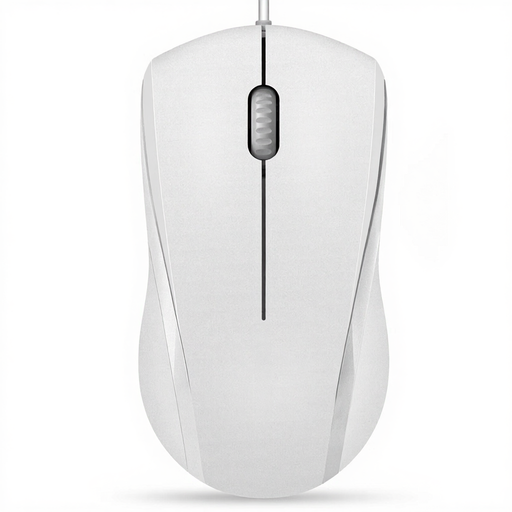
RAPOO N1600 Wired Mouse
It’s only a limited option for a quiet room: the product name advertises quiet buttons, but according to the product description, the middle click isn’t quiet.
The product title lists 1000 DPI, three buttons, wired USB connectivity and suitability for both left- and right-handed users.
View at Joybuy
Frequently asked questions
Do I need a mouse with lots of buttons for Planet Coaster 2?
No, not necessarily: Frontier Developments’ controls overview lists mouse and keyboard actions for selection, camera controls and editing. Extra buttons can be useful for frequent actions; check that they’re easy to reach and that you can assign the commands you want in the game.
How can I keep my mouse ready to use in a shared room?
For a wireless mouse, plan for the specific model’s connection type and charging method; for a wired mouse, it’s the cable route you’ll need to consider. CHERRY lists wireless, Bluetooth and wired connection options for the XTRFY M50 Wireless.
What if I’m unhappy with my purchase or the product develops a fault after buying online?
The Verbraucherzentrale explains that consumers generally have a 14-day right of withdrawal for standard online purchases; you must notify the seller that you wish to withdraw. This is separate from your statutory rights against the seller if the product is faulty, and from any voluntary guarantee that may be offered. Check the terms of your specific purchase.
Can I put an old mouse in household rubbish in Germany?
No. The German Environment Agency explains that waste electrical and electronic equipment should be collected separately. Take the mouse to a suitable collection or take-back point.


