What should you consider when buying?
First, decide how much desk space the monitor can take up and how easily you can read the game menus from your usual seating position. Then match the resolution and connections to your PC. If you’re considering OLED, weigh the specific model’s characteristics against the conditions of use.
Compact Full HD LCD
A good fit if: Desk space or PC performance is your priority and the menus are easy to read on a smaller screen.
Consider: Full HD has fewer pixels than QHD; a high stated refresh rate is no substitute for checking readability.
27-inch QHD LCD
A good fit if: Your screen and stand fit on your desk and you’d like more room for the game view and control panels.
Consider: QHD places greater demands on your PC and desk space than a compact Full HD monitor. Resolution alone guarantees neither clearly readable text nor a particular refresh rate.
QHD OLED
A good fit if: OLED’s picture characteristics matter particularly to you and you’re happy to take the specific model’s care and warranty terms into account.
Consider: There is still a risk of burn-in when game or work interfaces remain unchanged for long periods, even if protective features are included.
| What you’re looking for |
What to check before buying |
Who it matters most to |
| Zoo view and menus |
Check the screen size, native resolution, viewing distance and menu readability in your own game. |
If I want to keep both the game world and control panels in view, readability from where I sit matters most. Around 33% of shoppers prioritise an overview of their zoo and readable menus. |
| Space and positioning |
Check the dimensions of the screen and stand against the available desk space, and check whether the height can be adjusted. |
If I need to fit work equipment on the desk alongside my monitor, the space it takes up is crucial. Around 25% of shoppers prioritise desk space and screen positioning. |
| PC and connections |
Check your PC’s output, the monitor’s input, the cables and the supported resolution and refresh-rate combination. |
If I want to connect a work PC and a gaming PC, I need connections that suit both devices. Around 25% of shoppers prioritise compatibility with their devices. |
| Display technology and usage |
Check the energy information for the specific model and, for OLED, its care and warranty terms. |
If display technology matters to me and the monitor stays on for long periods, I also consider how it handles static content. Around 17% of shoppers put display technology and day-to-day use first. |
Joybuy monitors for zoo gaming and home working
This selection includes 27-inch QHD LCDs, QHD OLED models and a more compact Full HD option for gaming and working at the same desk.
 No image available
Z-Edge AGEX 27-inch QHD gaming monitor
A QHD option with a height-adjustable stand for a workspace where you want to adjust the screen position.
27 inches, 1440p, 144 Hz, Fast IPS, 1 ms MPRT, DP and HDMI; the title mentions a height-adjustable stand.
View at Joybuy
 No image available
MSI MAG 272QPDE QD-OLED X24
A QHD OLED option if you’re specifically looking for this display technology and are mindful of how you use the screen with static content for long periods.
27 inches, 2560 × 1440, 240 Hz, Adaptive-Sync and USB-C.
View at Joybuy
 No image available
INNOCN 2751S PLUS 27-inch Mini LED QHD gaming monitor
A 27-inch QHD option if you’re looking for a larger screen for the game view and menus.
QHD, 275 Hz, IPS display and 1152 zones; the title mentions a height-adjustable stand.
View at Joybuy
 No image available
KTC H27D9 27-inch QHD monitor
A QHD option for gaming and work, provided your PC and the monitor connection you need are compatible.
2560 × 1440, 120 Hz, IPS panel, Adaptive Sync, HDMI, DisplayPort and VESA mount.
View at Joybuy
 No image available
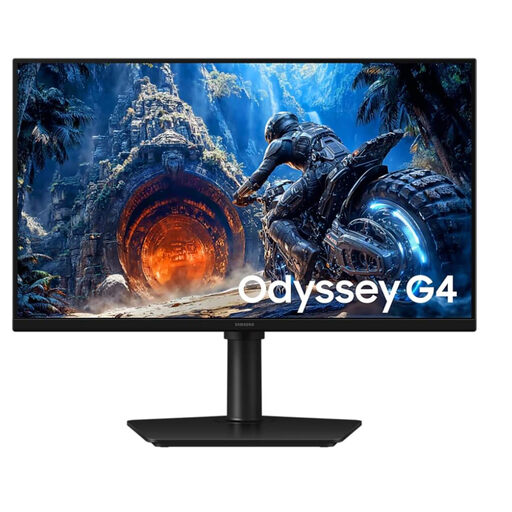
Samsung Odyssey G4 LS25HG402EUXEN 25-inch Full HD monitor
A more compact Full HD option if desk space or PC performance matters more to you than extra pixels.
25 inches, Full HD, 300 Hz and IPS.
View at Joybuy
Frequently asked questions
Do I definitely need 180 Hz for Planet Zoo?
No, there’s no evidence of a game-specific minimum requirement of 180 Hz. TÜV SÜD notes that high refresh rates require a sufficiently powerful PC. Start by choosing a resolution that makes the menus easy for you to read, then check which connection you can actually use.
How should I set up my monitor for work and gaming?
Check your desk space against the stand’s dimensions and position the screen to suit where you sit. The supplied stand for the ASUS TUF Gaming VG27AQ3A isn’t height-adjustable, so you may want to consider a separate mount. The BAuA ASR A6 regulation applies to workplaces and teleworking; it doesn’t apply to a privately used gaming space at home simply by default.
What should I bear in mind when using the monitor for long periods or if it develops a fault?
Compare the energy information for the specific model and, for OLED, follow the care instructions. If a product is faulty, your statutory rights are against the seller; a manufacturer’s warranty is separate. According to the Verbraucherzentrale, goods ordered online can generally be returned within 14 days of receipt, although the circumstances of each case should be taken into account.
Does Germany require a particular refresh rate or panel technology?
EU requirements for electronic displays cover areas such as ecodesign and energy labelling; they don’t set a general requirement for private buyers to choose a particular refresh rate or LCD rather than OLED. The BAuA’s ASR A6 has a specific scope covering workplaces and teleworking.


