Planners working with lots of templates
If you want to keep your bed plan, planting list and research windows open at the same time, the usable space for side-by-side windows is an important factor when choosing a monitor.


For a planting plan with several templates open at once, an ultrawide monitor makes sense if you have enough desk space for its width. A 27-inch 4K monitor has more pixels for fine details than a 27-inch QHD model, but text size and scaling also affect how much content remains easy to read. If you draw on a laptop, check that your laptop, cable and monitor all support video output and the charging power you need.
If you want to keep your bed plan, planting list and research windows open at the same time, the usable space for side-by-side windows is an important factor when choosing a monitor.
If you need to check fine lines, labels or image details, consider resolution and text size alongside your preferred scaling setting.
For laptop use, you’ll need to consider video output, suitable charging power and how the monitor will be set up.
A good fit if: You often need your plan, planting list and several sources visible at once, and have enough desk width.
The trade-off: The wide display takes up more desk space. If you use smaller text, check how it looks with your preferred scaling setting.
A good fit if: Fine plan lines and labels are your priority, and you can arrange your windows at a comfortable scaling setting.
The trade-off: A higher pixel count doesn’t guarantee that multiple windows will be easy to read at once, or that colours will match a later printout.
A good fit if: Desk space or connectivity matters more to you than the extra resolution of a 4K monitor.
The trade-off: With a second screen, you’ll also need to check the space available, the connections and whether your computer supports it.
| What to look for | What to check | Who will find this most important? |
|---|---|---|
| Reading plans and references side by side | Arrange windows side by side using your usual text size and scaling setting; measure the width of your available desk space. | If I want to keep my bed plan, planting list and sources open, usable width matters to me. Around 33% of consumers prioritise this side-by-side view. |
| Seeing fine details | Compare plan lines and labels using your preferred scaling setting and intended viewing distance. | When I check fine lines and labels, I want to see the details clearly without making the text too small to read. Around 27% of consumers put plan details first. |
| Connecting a laptop | Check your laptop’s video output, the monitor connection, the cable and the charging power you need. | When I plan on a laptop, I want video and power to work with my device. Around 20% of consumers prioritise laptop connectivity. |
| Setting up your monitor and comparing energy use | Check the desk space, stand and adjustment range; for specific EU models, compare the EU energy label or EPREL entry. | If my desk space is limited, I want to position the monitor comfortably and compare energy information for specific models. Around 20% of consumers prioritise setup and running costs. |
Higher resolution can help you see details, while increased scaling can make text easier to read but show less content at once. Screen width also matters when you want to arrange templates side by side.
Set up your plan and references in your usual layout and measure the space available before comparing 27-inch 4K and ultrawide monitors.
Check video output and power delivery separately. DisplayPort Alt Mode, Power Delivery and your laptop’s requirements all need to be compatible.
Compare the specifications for your laptop, monitor and cable, including the charging power you need.
Depending on the combination, you may need an extra cable or adapter, or you may have to keep using your laptop’s power supply.
A guarantee is a voluntary offer from the manufacturer; your statutory rights generally apply to the seller. The Verbraucherzentrale explicitly distinguishes between the two.
Keep your proof of purchase and model details, and check your statutory rights separately from the terms of any additional guarantee.
The documented UltraWide models 346E2CUAE/01 and 346B1C/00 are examples of monitors offering a wide working area.
The documented DesignVue PD2706U model combines a 27-inch 4K display with an adjustable stand and USB-C.
The UltraSharp U2724DE is a documented QHD hub model; the Pro P2725QE is a separate 4K hub option.
The UltraFine 27UP850K-W is a documented 27-inch 4K model with USB-C and an adjustable stand.
This selection includes wide ultrawide displays for viewing plans and references side by side, as well as a 27-inch 4K monitor for fine details.
 No image available
The very wide display can accommodate several planning windows side by side. Measure your available desk width before buying.
49 inches; DQHD 5,120 × 1,440 pixels; 32:9; 1500R curvature; 165 Hz; height-adjustable stand.
 No image available
The 21:9 format is a good option if you want to see your plan and several references at the same time.
34 inches; 3,440 × 1,440 pixels; 21:9; height-adjustable stand; PIP/PBP modes.
 No image available
The wide format and listed resolution make this an option for viewing a plan, planting list and references side by side.
40 inches; 5,120 × 2,160 pixels; 21:9; IPS; USB-C with 65 W Power Delivery; PIP/PBP; height-adjustable stand.
 No image available
A 27-inch 4K option if you value fine plan lines and labels more than extra screen width.
27 inches; 4K; Mini-LED; Type-C with 65 W; KVM; height-adjustable stand.
The stated charging power alone doesn’t confirm that it will be enough for every laptop.
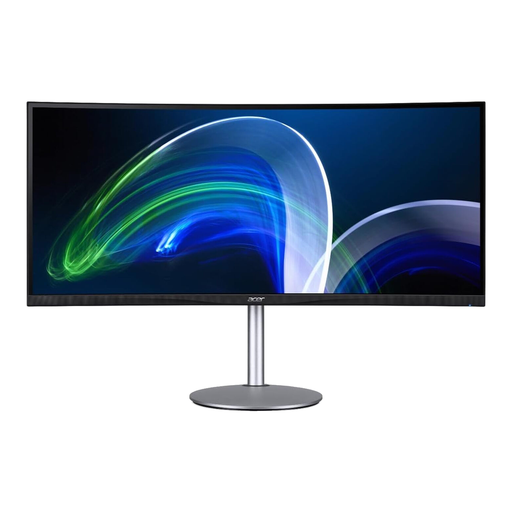 No image available
The 21:9 format gives you a wide view for several planning windows. Check that the display will fit on your desk before buying.
37.5 inches (95.3 cm); 21:9; 3,840 × 1,600 pixels; 75 Hz.
It depends on whether you value a clear window layout or extra resolution for fine details more. A documented 27-inch 4K model has more pixels than the documented 27-inch QHD model, but the scaling still needs to keep text easy to read.
This will only work if your laptop, monitor connection and cable support the required video output. For simultaneous charging, the Power Delivery output needs to meet your laptop’s requirements. BenQ lists DisplayPort Alt Mode and 90 W for the PD2706U.
Measure the available space before setting up your monitor, and check the stand and adjustment range of the specific model. Follow the instructions for your monitor when cleaning and caring for it, rather than assuming that one product is suitable for every display surface.
Compare the EU energy label or EPREL entry for the monitor in question. Your individual electricity costs will also depend on how long you use it and your tariff. If there’s a fault, distinguish your statutory rights from a voluntary guarantee; the Verbraucherzentrale explains the rights that apply in each case.
Not in every case: ASR A6 applies to screen-based workstations within its defined scope of workplaces and teleworking spaces. Private screen use outside these settings is exempt.