Platform-game players who rely on the D-pad
You want to make directional changes and jump using a button and D-pad layout that’s easy for your hands to reach. Compare the layouts and see which feels right for you.


For platform games in a dimly lit room, first make sure the controller works with your console and the specific game. Then consider whether the D-pad is easy to reach and whether the connection suits your setup. Nintendo confirms that the older Switch Pro Controller can be used wirelessly with Switch 2, but the Switch 2 Pro Controller cannot be used with the original Switch. The eight RGB zones on the Afterglow Wave Wireless refer to lighting on the controller body; they don’t mean the gameplay buttons are illuminated.
You want to make directional changes and jump using a button and D-pad layout that’s easy for your hands to reach. Compare the layouts and see which feels right for you.
You play on a specific Switch, Xbox or PlayStation platform. First, check that the controller and the game you want to play are supported.
You may want lighting on your controller to help you find your way around, or as little distracting light as possible. Check controller-body lighting and illuminated buttons separately.
First check compatibility with your console and game. Then compare the D-pad, lighting and power options to suit your gaming setup.
| What matters | What to check before buying | Who it matters most to |
|---|---|---|
| Compatibility | Console model and game support; required system version and connection type. | If I want to avoid finding that my controller and game don’t work together, I check they’re compatible before considering extra features. Compatibility is the top priority for around 31% of consumers. |
| D-pad and button layout | D-pad shape and how easy the jump buttons are to reach; a control layout that suits your hands. | If I often use the D-pad for directional changes and jumps, an easy-to-reach layout matters to me. Around 25% of consumers share this priority. |
| Lighting in a dark room | Where the lights are and whether they can be adjusted; don’t assume lighting zones on the controller body mean the buttons are illuminated. | If I want light to help me find my way around, or want to avoid distractions, I check where it’s positioned on the controller. Lighting is the main consideration for around 25% of consumers. |
| Connection and power | Cable length or supported wireless connection; battery, batteries and charging options. | If I need freedom of movement in my gaming space, I check the connection and power supply. Around 19% of consumers prioritise being able to sit where they like and having practical battery replacement or charging options. |
Requirements vary depending on the controller, console and game. For example, Nintendo does not support using the Switch 2 Pro Controller with the original Switch.
For the Afterglow Wave Wireless for Switch 2, Turtle Beach lists eight RGB zones. This doesn’t mean that the individual buttons are illuminated. Microsoft’s Xbox Night mode includes a setting for the light on the controller’s power button, not for all the gameplay buttons.
The eight RGB zones on the Afterglow Wave Wireless for Switch 2 refer to lighting on the controller body. They don’t confirm that you’ll be able to see the symbols on the action buttons in a dark room.
If being able to see the button symbols matters to you, check that this feature is explicitly listed for the exact version you’re considering.
Nintendo confirms that the older Switch Pro Controller works wirelessly with Switch 2. The Switch 2 Pro Controller, on the other hand, doesn’t work with the original Switch.
Check the full model name against your console and the game’s requirements.
Microsoft specifies AA batteries or a compatible rechargeable battery solution for the Xbox Wireless Controller. Rechargeable AA batteries cannot be charged inside the controller.
Before buying, check what power source is included and how you’ll charge or replace it.
A model that uses AA batteries may mean extra costs for batteries or a separate rechargeable battery solution.
The Pro 2 is worth considering if you want to compare a traditional D-pad and switchable input modes for supported platforms.
The Afterglow Wave range is worth considering if you want customisable RGB lighting on the controller body for supported Switch models.
The older Switch Pro Controller suits players who prefer a single Plus-shaped D-pad and want to play wirelessly on Switch 2 too. The newer model adds controls for Switch 2.
The Xbox Wireless Controller is designed for Xbox consoles and supported Windows PCs, and features a hybrid D-pad.
The DualSense is an option for PS5 players, as well as for compatible games and devices outside the console.
The T4 Kaleid is a wired alternative with LED strips, with documented connections for PC and Switch.
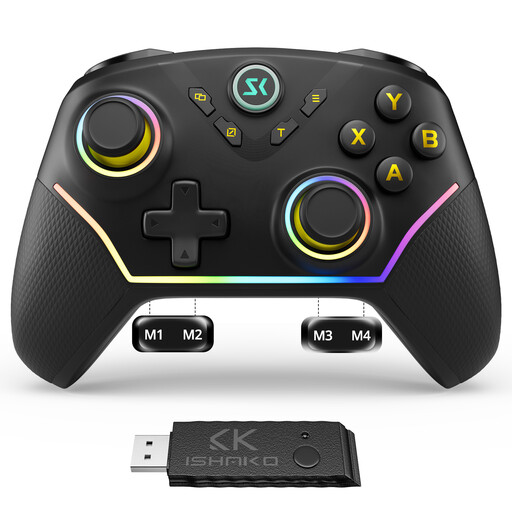
Here you’ll find Joybuy controllers with RGB lighting for use with PC or Nintendo Switch. Two models are listed as all-button or leverless controllers, so check whether their layouts suit platform games.
 No image available
If you play on PC/Windows or Nintendo Switch and want RGB lighting, the product title lists both platforms.
The title also mentions four rear buttons, plus Hall Effect joysticks and triggers.
 No image available
The product title lists PC, Nintendo Switch and RGB lighting. The all-button Hitbox layout is described for fighting games, so check whether this style of control suits platform games.
This version is described as wired.
 No image available
If you’re looking for an RGB controller for PC or Nintendo Switch, the product title lists both uses.
The all-button layout is described as a Hitbox controller, making it different from a traditional gamepad with a D-pad. The title lists Switch 2, Switch, PC, iOS and Android, as well as Bluetooth, 2.4G and wired connections.
Not necessarily. Check whether the specific version has illuminated button symbols or just lighting zones on the controller body. Turtle Beach lists eight RGB zones for the Afterglow Wave Wireless for Switch 2; this doesn’t confirm that individual action buttons are illuminated.
According to GameSir, go to the Switch system settings and enable “Pro Controller Wired Connection”, place the console in its dock, then connect the controller to it with a USB-C cable. These instructions describe a wired connection.
Yes. Nintendo confirms that the older Switch Pro Controller can connect wirelessly to Switch 2. The Switch 2 Pro Controller, however, doesn’t work with the original Switch, according to Nintendo. Check your game’s requirements too.
For the Xbox Wireless Controller, Microsoft specifies AA batteries or a compatible rechargeable battery solution. Rechargeable AA batteries cannot be charged inside the controller. If the controller has a built-in battery, check how you can charge it too.
According to the German Environment Agency, old electrical equipment must not go in household waste. Take your controller to a designated collection or return point. Remove batteries or rechargeable batteries before handing it in, if you can do so easily, and take them separately to a battery collection point.