Podcasters with a growing episode archive
If you store published episodes, raw recordings or project files at home, compare the space you actually need and how much you expect it to grow with the capacity of the specific drive model.


For completed podcast episodes that are stored mainly at a fixed workstation, a suitably spacious external HDD is a sensible place to start. If you often edit project files directly from the drive or copy large folders, an SSD may be worth considering. Work out how much space you need, including raw recordings and versions, check the connection and file system, and keep important files on a separate medium too. Make sure you test that you can restore them.
If you store published episodes, raw recordings or project files at home, compare the space you actually need and how much you expect it to grow with the capacity of the specific drive model.
If you want to be able to recover episodes and project files after a fault or accidental deletion, plan to keep a separate backup. The German Federal Office for Information Security recommends allowing enough storage for backup copies; you should also be able to test a restore.
If you regularly edit projects directly on an external drive or copy files frequently, check that the drive, computer and cable support the connection you need. Maximum transfer speed matters less for completed episodes that you only open occasionally.
First decide whether the drive will mainly store completed episodes or also serve as an active workspace for project files. Then check that its capacity, backup arrangements, connection and file system are right for your computer.
| What you need | What to check before buying | Who should pay particular attention? |
|---|---|---|
| Space for episodes and project files | Check the storage used by the folders you want to keep, including versions, and compare it with the capacity of the specific model. | I want to keep all my episodes, raw material and project versions without underestimating how much space I need. Around 34% of consumers put capacity first. |
| A backup you can restore | Decide which files to copy to a separate medium, then test restoring selected files. | If I don’t want to lose recordings or project files, a single archive drive isn’t enough as a backup. Around 33% of consumers prioritise recoverability. |
| Speed when working on files | Consider whether you’re only storing completed episodes or often copying and editing files directly from the drive. If you choose an SSD, check your computer and cable too. | I regularly copy or edit large project folders and want a drive that suits my workflow. For around 20% of consumers, working speed is the main priority. |
| Compatibility and privacy | Check the connection, file system and write access on the operating system you plan to use. For confidential files, consider encryption and how you’ll store the key. | If I need to use the drive with specific devices or protect confidential recordings, I check compatibility and access protection before adding files. Around 13% of consumers focus on these points first. |
Even a drive with plenty of storage won’t protect your files if the drive itself fails. The German Federal Office for Information Security points out that the lifespan of storage media can’t be predicted precisely.
Keep important episodes and original files on a separate medium too, and test that you can restore selected files from it.
Plan for a second backup medium, as well as time for regular backups and restore tests.
The connector shape alone doesn’t tell you which interface the drive, computer and cable support. The maximum speeds quoted for SSDs also depend on the manufacturer’s stated conditions.
Compare the interfaces supported by the drive, computer and cable rather than looking only at the connector type.
According to the manufacturer, the Toshiba Canvio Basics USB-C is formatted as NTFS for Windows and needs to be reformatted for the macOS versions listed.
Before adding files for the first time, check which computers need write access. Back up any existing files before reformatting a drive.
Reformatting may mean extra setup and require you to back up any files already stored on the drive first.
Expansion Desktop is a range of desktop HDDs designed for a fixed archive location. Seagate’s data sheet lists an 8 TB EMEA model.
Canvio Basics USB-C is a range of USB-powered portable HDDs for files you occasionally archive or take with you.
My Passport is a range of portable HDDs. Western Digital’s data sheet lists, among other models, a black 4 TB version.
The T7 Shield is a range of external SSDs for frequent file transfers or working on the move.
XS1000 is a range of compact external SSDs, with 1 TB and 2 TB models for frequent file access.
This selection includes portable and desktop HDDs for storing a podcast archive in your home office.
 No image available
A portable HDD for podcast files and extra storage, provided its capacity suits the size of your archive.
5 TB; USB-C; USB 3.2 Gen 1.
No image available
A portable HDD for a podcast archive, if 4 TB is enough for the episodes and project files you want to keep.
4 TB; USB-C; USB 3.2 Gen 1.
 No image available
A USB-powered portable HDD for a smaller archive, if 2 TB gives you the space you need.
2 TB; USB-C; USB 3.2 Gen 1; 2.5-inch; exFAT.
 No image available
A desktop HDD for a large archive at a fixed workstation, provided you have access to a power socket.
8 TB; 3.5-inch; USB 3.0; external power adapter required.
 No image available
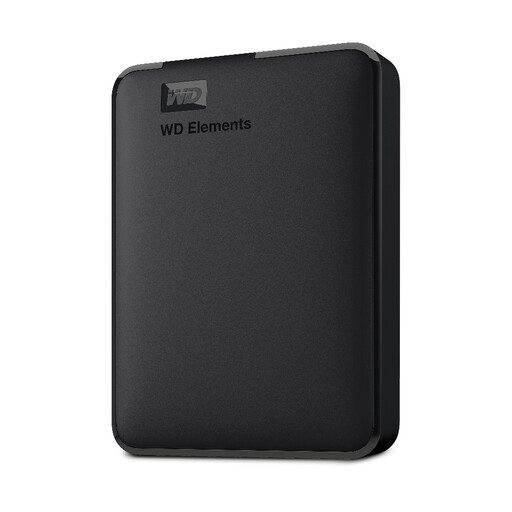
A portable, USB-powered HDD for extra storage, if 1 TB is enough for the files you’ve selected.
1 TB; USB 3.0; 2.5-inch; pre-formatted as NTFS. According to the product description, it needs to be reformatted for macOS.
Decide which episodes, raw recordings and project files you want to copy as well. The German Federal Office for Information Security describes external hard drives as possible backup media and stresses that you need to be able to restore the data. Test this with selected files.
Not always. Toshiba lists NTFS as the file system for the Canvio Basics USB-C and says the drive needs to be reformatted for the macOS versions specified. Back up any existing files before reformatting the drive for your computer.
Allow for a possible second backup medium and, with desktop models, the need for a power connection. Check the terms for the specific model: Seagate notes in its data sheet that the data recovery services listed there aren’t available in every country.
You can’t work out which obligations apply from your choice of drive alone. They depend on factors including the content, the rights to third-party material and the purpose of processing. For personal data, the German Federal Commissioner for Data Protection and Freedom of Information describes encryption as a protective measure, particularly when transporting portable storage media. This doesn’t give you permission to copy or publish other people’s recordings.