For completed episodes and older project versions, a portable HDD is an obvious choice if you mainly need plenty of archive storage. If you often move project folders or use them directly from a mobile workstation, a portable SSD may be a better fit. In either case, check the connection on the computer you’ll actually be using, and plan a separate backup that you’ve tested restoring from.
Which option is right for you?
Podcast archivists with lots of project versions
If you keep raw recordings, finished episodes and older edits, plan your drive capacity alongside a separate backup. The Federal Office for Information Security stresses that data backup should also include the ability to restore files.
Mobile podcast editors
If you regularly change workstations or transfer project folders, check the connection, cable and how the drive works with the computer you actually use. A portable SSD may be a good option for frequent transfers or working directly from the drive.
Those managing confidential recordings
For unpublished or personal recordings, consider access protection and recoverability together. The Federal Commissioner for Data Protection and Freedom of Information points out that encryption does not offer the same protection when a device is switched on or unlocked.
What should you look for when buying?
Portable HDD
A good fit if: Your archive mainly consists of completed recordings, exported episodes and older project versions.
The trade-off: If you transfer files frequently, pay particular attention to the connection and your actual workflow.
Portable SSD
A good fit if: You often move or transfer project folders, or work directly from the external drive.
The trade-off: Advertised maximum speeds aren’t guaranteed on every workstation; check the host connection and cable.
First decide whether archive capacity or frequent transfers on the go matter more to your day-to-day work. Then compare the specific connection and backup requirements.
| Buying consideration |
What to check before buying |
Who should consider this? |
| Recoverability |
Plan a separate copy and test whether you can restore a selected episode along with the project files you need. |
If I need to carry on working after a fault or an accidental change, having a tested recovery process is essential. Around 31% of consumers make recoverability their top priority. |
| Room for episodes and versions |
Compare the size of your existing folders and expected growth with the capacity of the specific model. |
If I want to keep raw material, exports and older edits at the same time, I need enough room for everything I actually have. Around 25% of consumers prioritise archive capacity. |
| Transfers on the go |
Check your workstation’s connection, the cable supplied, and whether you’ll often transfer files or work directly from the drive. |
If I often switch workstations or edit project folders directly from the drive, the right connection for my workflow matters. Around 19% of consumers put mobile transfers first. |
| Compatibility |
Check that the port, cable and file system work with all the computers involved. Toshiba says the documented Canvio Advance needs to be reformatted for macOS. |
If I use the drive with several computers, I want to know before copying files whether the connection and file system are suitable. Around 13% of consumers prioritise compatibility with their workstation. |
| Confidential files |
Check the protection features of the specific model and plan how to keep the unlock key safe. |
If I’m transporting unpublished or personal recordings, I want to know who can access a locked drive. Around 12% of consumers make protecting confidential files their top priority. |
Common buying and usage mistakes
-
Keeping the only copy of your archive on the new drive
A single drive won’t automatically make files recoverable after a fault or an accidental change. The Federal Office for Information Security recommends considering how you’ll restore your data, too.
Decide where to keep a separate copy, then test restoring an episode along with the project files you need.
Allow extra storage space and time for separate backups and recovery tests.
-
Assuming the connector type guarantees the advertised maximum speed
For the Kingston XS1000, Kingston specifies a USB 3.2 Gen 2 host for optimum speeds; actual performance also depends on the hardware, software and usage.
Check the host specification and cable for the specific drive, rather than assuming the connector type alone determines transfer speed.
-
Using a pre-formatted drive between operating systems without checking it
Toshiba says the documented Canvio Advance is pre-formatted as NTFS and needs to be reformatted for macOS.
Before copying files, check which file system works with all the computers involved. Back up any existing files before reformatting a drive.
Reformatting may take extra setup time and require you to make a temporary copy of your existing files.
-
Assuming password protection fully protects your recordings
The Federal Commissioner for Data Protection and Freedom of Information points out that full-disk encryption does not offer the same protection when a device is switched on or unlocked.
Set up access protection carefully, keep the unlock key safe and maintain a separate copy that you can restore from.
Key brands at a glance
Toshiba
The Canvio Advance is a bus-powered portable HDD for larger archives; Toshiba lists models with capacities of up to 4 TB.
- For the product range described, Toshiba lists USB 3.2 Gen 1, along with backup and password software.
- The documented Canvio Advance is pre-formatted as NTFS; Toshiba says it needs to be reformatted for macOS. The software alone won’t set up a backup.
Western Digital
My Passport is a portable HDD range with models up to 6 TB and a password feature described by the manufacturer.
- The data sheet lists hardware encryption and USB 3.2 Gen 1 for the documented range.
- Check compatibility and features against the model number of the specific version.
Samsung
The T7 Shield is a portable SSD designed for frequent transport and file transfers; the version documented here is the MU-PE2T0S/EU with 2 TB.
- For this version, Samsung lists IP65, USB-C and USB-A connections supplied in the box, and sequential maximum speeds of 1.050 MB/s read and 1.000 MB/s write.
- These are manufacturer figures, not guaranteed speeds on every workstation. IP65 and password protection are no substitute for a second copy.
Kingston
The XS1000 is a compact portable SSD range with documented capacities of 1 TB and 2 TB.
- Kingston lists USB 3.2 Gen 2 and speeds of up to 1.050 MB/s read and 1.000 MB/s write.
- According to the data sheet, speeds depend on the host, software and usage. Check that your adapters and cables work with your workstation.
Crucial
The X9 is a portable USB-C SSD range for accessing files on the go; the manufacturer page documented here relates to the 2-TB model CT2000X9SSD9.
- Crucial lists read speeds of up to 1.050 MB/s for the X9.
- This is a manufacturer figure. Check that the connection and specific model are compatible with your devices.
Joybuy products for podcast archives
This selection from Joybuy includes portable HDDs for podcast archives where capacity and mobile use are the main priorities.
 No image available
WD Elements Portable 5TB USB-C
The stated capacity of 5 TB makes this a useful option for a large episode archive.
5 TB; USB-C; USB 3.2 Gen 1. A single drive is no substitute for a separate backup; test that you can restore the files you need.
View at Joybuy
No image available
WD Elements Portable 6TB USB-C
If you want to store lots of episodes and project versions, this model offers a stated capacity of 6 TB.
6 TB; USB-C; USB 3.2 Gen 1. Plan a separate backup and check that you can restore the files you need from it.
View at Joybuy
No image available
WD Elements Portable 4TB USB-C
With a stated capacity of 4 TB, this model could suit a podcast archive with matching storage needs.
4 TB; USB-C; USB 3.2 Gen 1. Remember to allow for the extra storage space needed for a separate backup.
View at Joybuy
 No image available
WD Elements 2TB Portable External Hard Drive, USB-C, USB 3.2 Gen 1, 2.5", exFAT, Black
This portable model is designed for storing episodes and project files that fit within its stated capacity.
2 TB; USB-C; USB 3.2 Gen 1; exFAT; 2.5 inches. You’ll still need a separate backup if you want to restore files after a drive failure.
View at Joybuy
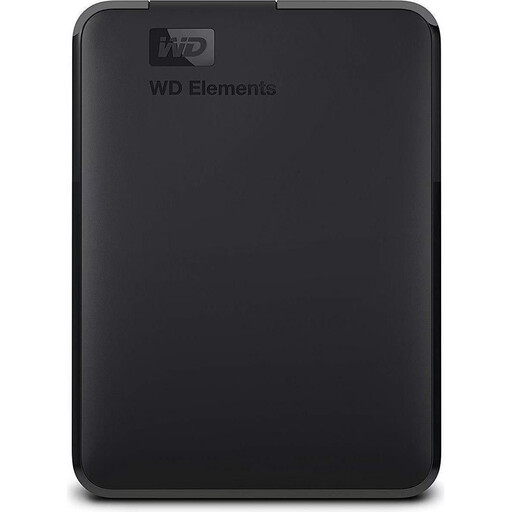 No image available
WD 2TB Elements Portable External Hard Drive, USB 3.0, Formatted for PC and Mac, Black
If 2 TB is enough for your episodes and project files, this portable model could be a suitable archive option.
2 TB; USB 3.0; USB-powered; 2.5 inches. Keep a separate backup for recovery.
View at Joybuy
Frequently asked questions
Is one external hard drive enough for a podcast archive and backup?
No, not if you need to be able to restore episodes after a drive failure. Keep a separate backup and test that you can read the files you need. The Federal Office for Information Security points out that the storage medium is only one part of data backup.
What should I bear in mind when connecting it to Windows and Mac?
Check the port, cable and file system of the specific model. Toshiba says the documented Canvio Advance is pre-formatted as NTFS and needs to be reformatted for macOS. Back up any existing files before reformatting a drive.
What happens to statutory rights and the manufacturer’s warranty if a drive fails?
Your statutory rights against the seller are separate from a voluntary manufacturer’s or retailer’s warranty. The consumer advice centre explains the difference; also check the warranty terms for the specific model and keep an independent copy of your data.
Do podcast archives in Germany always have to be stored on an encrypted hard drive?
The data protection information covered here does not establish a blanket requirement to buy a particular type of hard drive. If you process personal recordings, you’ll need to assess the requirements for your specific use. The Federal Commissioner for Data Protection and Freedom of Information describes encryption as a protective measure for stored data and notes its limitations when devices are unlocked. For recording telephone conversations, the Data Protection Conference sets out separate consent requirements; this is not a blanket rule for every podcast recording.


