What should you look for when buying?
First, decide whether the drive will mainly be used as an archive or for frequent file transfers. Plan a separate backup regardless.
For a shared podcast studio, the priorities will depend on your workflow: ease of recovery, archive space, system compatibility or transferring files on the move.
| Priority |
What to check before buying |
Who should pay particular attention? |
| Recoverability |
Plan a separate backup and a restore test. |
If I need to carry on working after accidentally deleting files or a drive failure, I plan a separate backup and a test restore. Around 36% of consumers put recoverability first. |
| Archive capacity |
Allow for your existing files, expected growth and space for a backup. |
With a growing episode archive, I want to allow for both my existing files and the extra space needed for a separate backup. Around 29% of consumers prioritise archive capacity. |
| System compatibility |
Check the connections and file systems on all studio computers. |
If different computer systems need to access the archive, I check the connection and format before formatting a drive. Around 21% of consumers prioritise system compatibility. |
| File transfer |
Check how often you transfer large files, as well as the computer connection and cable. |
If I regularly move large project files between workstations, I check the whole connection, from the drive and cable through to the computer. Around 14% of consumers prioritise transferring files on the move. |
Joybuy products for a podcast archive
The following Joybuy models are external HDDs for storing an episode archive. The selection includes portable and desktop options with a range of stated capacities.
 No image available
WD Elements Portable 5 TB USB-C
For a portable archive, provided the stated capacity suits your files and their expected growth.
- Capacity: 5 TB
- Connection: USB-C
View at Joybuy
No image available
WD Elements Portable 6 TB USB-C
For a portable archive, if the capacity can accommodate your storage needs, including expected growth.
- Capacity: 6 TB
- Connection: USB-C
View at Joybuy
No image available
WD Elements Portable 4 TB USB-C
For a portable archive, if 4 TB is enough for your existing files and expected growth.
- Capacity: 4 TB
- Connection: USB-C
View at Joybuy
 No image available
WD Elements 2 TB Portable External Hard Drive
For a portable archive, if the stated capacity is enough for the files you plan to store.
- Capacity: 2 TB
- Connection: USB-C, USB 3.2 Gen 1
- File system: exFAT
- Form factor: 2.5-inch
View at Joybuy
 No image available
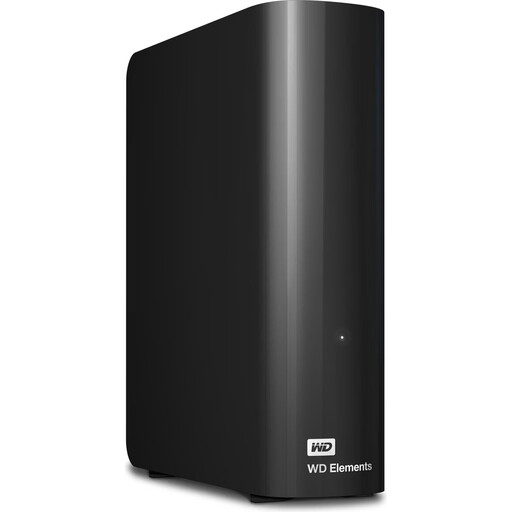
WD Elements 24 TB Desktop Hard Drive
For a large archive at a fixed studio workstation, if the stated capacity suits your collection.
- Capacity: 24 TB
- Connection: USB 3.2 Gen 1
- Form factor: 3.5-inch
View at Joybuy
Frequently asked questions
Is the archive drive itself enough as a backup?
No, not if it contains your only remaining copy. The BSI recommends keeping a separate backup, disconnecting it from other systems after the backup process and testing that you can restore your files. This does not mean that one particular type of drive is always the right choice.
Can a Windows-formatted HDD be used straight away as a Time Machine destination?
Not according to Apple Support. Apple specifies APFS or APFS (Encrypted) for new Time Machine volumes; reformatting an existing volume will erase its data. Back up your files first, and decide whether the drive should instead be used to share podcast files.
Will an external SSD reach its advertised speed on every studio computer?
No, peak speeds are not guaranteed on every device. For the T7 Shield’s stated speeds, Samsung requires, among other things, USB 3.2 Gen 2 on both the host and cable, as well as UASP. Crucial also notes that performance can vary depending on the device.
Is consent always required to archive podcast recordings in Germany?
No, it does not follow that consent is required for every archived file. Where personal data is processed, a legal basis under Article 6 of the GDPR is required; the Federal Commissioner for Data Protection and Freedom of Information lists consent as one possible legal basis. The applicable basis for specific recordings depends on how they are processed, not on whether you choose an HDD or SSD.
Is a data recovery service the same as having a second backup?
No. A Rescue service listed for a Seagate Expansion Portable does not replace a planned, separate backup or a restore test. Check the scope and terms for the specific version you choose.


