
Lieferung heute & morgen

Qualitätsgarantie

Willkommens-Angebote freischalten: KOSTENLOSE Lieferung | Bis zu 80 % RABATT | Kostenlose 30-Tage-JoyPlus-Testphase
App herunterladen
Installing devices like IP cameras, Wi-Fi access points, or VoIP phones often presents a challenge: each device needs not only a network connection but also its own power source. This leads to unsightly cable clutter and the need to install outlets in often hard-to-reach places. A PoE switch solves this problem by transmitting both data and power over a single network cable.
This guide serves as an objective resource. It explains the essential criteria to consider when choosing a PoE switch and showcases several models with different features to help you make an informed decision.
Choosing the right model depends on your specific requirements. Three key factors are crucial: the PoE budget, management features, and operating noise.
The PoE budget is the total power (in watts) that the switch can deliver simultaneously across all its PoE ports. To determine your needs, add up the maximum power consumption of all the devices you plan to connect.
Plan for a buffer of about 20% to handle power spikes. For example, if you're running two IP cameras at 7 watts each and one access point at 10 watts, you'll need a PoE budget of at least (7 + 7 + 10) * 1.2 = 28.8 watts. The number of ports—for instance, on an 8-port PoE switch—determines how many total devices you can connect, both with and without power.
The choice between an unmanaged and a managed switch depends on how much control you need over your network.
A fanless switch operates in complete silence because it is passively cooled. This is a crucial advantage if the device will be placed in a living or working area. While models with fans can often provide a higher total PoE budget, they generate constant operating noise that can be disruptive in quiet environments.
Here is a selection of PoE switches designed for various use cases in home and small office settings.
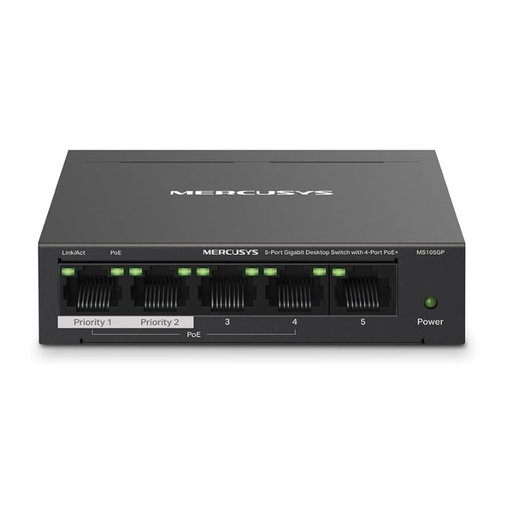
Why It Stands Out: The MS105GP is a compact and efficient solution for smaller installations. With a solid PoE budget of 65 watts across four PoE+ ports, it can reliably power multiple devices. Special features include an Extend Mode, which increases PoE range up to 250 metres (at 10 Mbps), and a Port Isolation Mode to enhance network security.
Pros:
Best For: Users who need a simple and reliable power source for up to four PoE devices, such as IP cameras or phones, in a home network or small office.
View Details for the MERCUSYS MS105GP
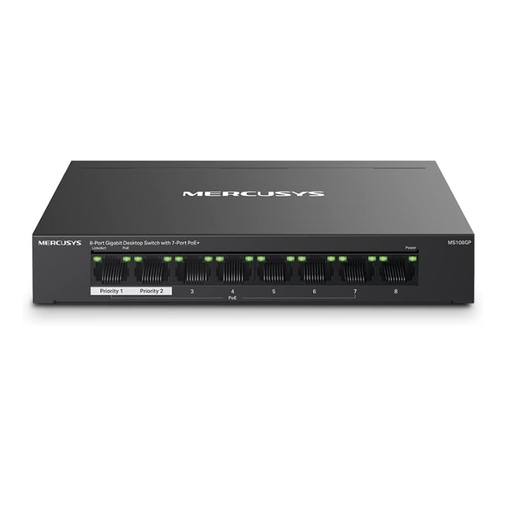
Why It Stands Out: This 8-port PoE switch offers significantly more flexibility for growing networks with its seven PoE+-enabled ports. Despite the higher port count, the PoE budget remains at 65 watts, which is sufficient for installations with many low- to medium-power devices. This model also features the practical Extend and Isolation modes.
Pros:
Best For: Users looking to build a larger IP camera switch system or a combination of cameras, access points, and VoIP phones in a SOHO (Small Office/Home Office) environment.
View Details for the MERCUSYS MS108GP
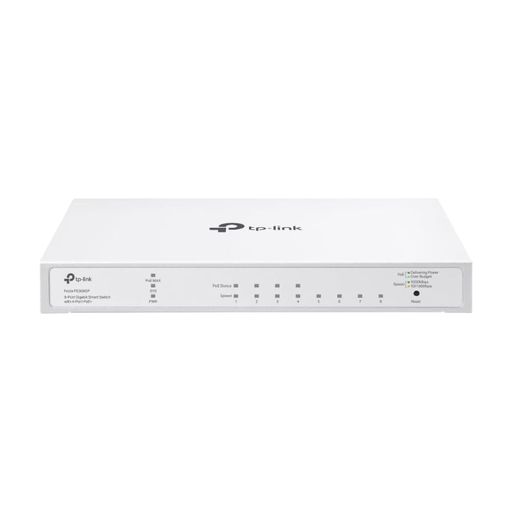
Why It Stands Out: The Festa FS308GP stands out with its cloud management capabilities. Through the TP-Link Festa app or a web interface, the switch can be centrally managed and monitored without needing on-site IT expertise. With four PoE+ ports and a PoE budget of 62 watts, it also offers business-grade features like VLAN and ACL for network segmentation and security.
Pros:
Best For: Tech-savvy users and small businesses who want more control, security, and the ability to remotely manage their network.
View Details for the TP-Link Festa FS308GP
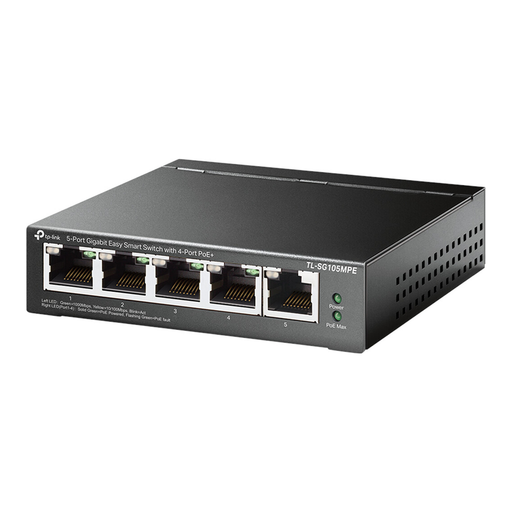
Why It Stands Out: This model is a powerhouse in a compact form factor. It offers an exceptionally high PoE budget of 120 watts on four PoE+ ports. As a managed PoE switch, it includes features like QoS to prioritise traffic and PoE Auto Recovery, which automatically reboots unresponsive PoE devices to enhance network stability.
Pros:
Best For: Users who operate power-intensive PoE+ devices like PTZ surveillance cameras or high-power Wi-Fi access points and require advanced management and automation features.
View Details for the TP-Link TL-SG105MPE
The models featured here cover common scenarios. However, if you need a different port count, a higher PoE budget, or specific features, you can find more options in our broad selection.
? Discover All Network Port Switches Here
The main difference is the maximum power provided. The PoE (IEEE 802.3af) standard delivers up to 15.4 watts per port. The newer PoE+ (IEEE 802.3at) standard can deliver up to 30 watts per port. This is important for devices with higher energy demands, such as pan-tilt-zoom (PTZ) cameras or access points with multiple antennas.
Yes, absolutely. A PoE switch performs a check (a "handshake") before delivering power. If it detects that the connected device does not support PoE, it will only establish a data connection and will not apply any voltage. Therefore, your laptop, printer, or other non-PoE device can be safely operated on a PoE port.
Power consumption varies widely depending on the camera model. A simple, stationary indoor IP camera often requires only 4 to 7 watts. A weatherproof outdoor camera with infrared night vision might need 10 to 15 watts. A high-performance PTZ (Pan-Tilt-Zoom) camera can even require over 20 watts (PoE+). Always check the camera's datasheet to determine its exact power requirements.