
Lieferung heute & morgen

Qualitätsgarantie

Willkommens-Angebote freischalten: KOSTENLOSE Lieferung | Bis zu 80 % RABATT | Kostenlose 30-Tage-JoyPlus-Testphase
App herunterladen
As a Joybuy Product Recommendation Officer, I regularly analyze the network technology market to provide you with clear, objective guidance. This guide is designed to help you select the right PoE Switch for your specific needs, whether for home video surveillance, equipping a small office, or expanding an existing corporate network. We will focus on the technical facts relevant to making an informed decision.
A PoE Switch (Power over Ethernet) is a core component of modern networks. It not only distributes data but also supplies power to compatible devices like IP cameras, Wi-Fi access points, or VoIP phones over the same Ethernet cable. This significantly simplifies installation, as it eliminates the need for separate power adapters and outlets at the device's location.
The right choice depends on three key criteria. A careful review of these points will ensure the switch meets your current and future needs.
The total PoE budget, measured in watts (W), defines the maximum power the switch can deliver across all PoE ports simultaneously. Add up the power consumption of all the devices you plan to connect. Be sure to include a buffer of about 20% to handle power peaks and accommodate future expansions.
Also, pay attention to the PoE standard:
The number of ports determines how many devices you can connect. An 8-port PoE switch is a common size for small to medium-sized installations. Keep in mind that one port is typically needed for the connection to the router (uplink).
PoE switches are divided into three main categories, which differ in their feature sets and configurability:
A Gigabit switch with PoE offers a data transfer rate of 1,000 Mbps (1 Gbps) per port. This has become the established standard and is essential to avoid network bottlenecks. A Gigabit connection is necessary to ensure full performance, especially when using data-intensive applications like a switch for IP cameras with 4K resolution or when connecting Wi-Fi 6 access points.
Based on the criteria above, we have compiled a selection of models that cover different use cases.
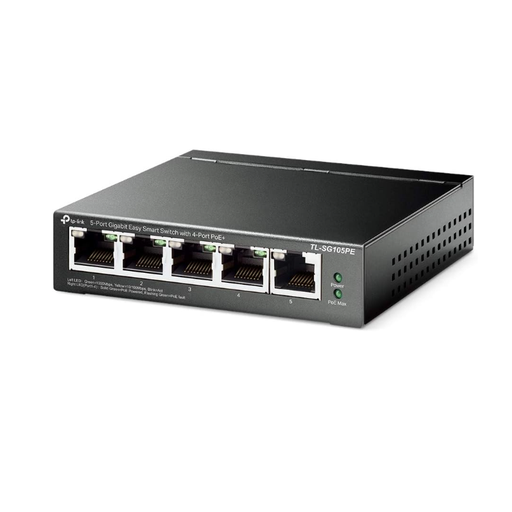
What sets it apart: The TL-SG105PE is a compact Smart Managed Switch that combines essential network management features in a durable metal casing. With four PoE+ ports and a solid total budget of 65 W, it is a flexible solution for small yet demanding environments.
Benefits:
Who is it for? For tech-savvy home users or small offices looking to specifically optimize their network and reliably power devices like IP cameras or access points.
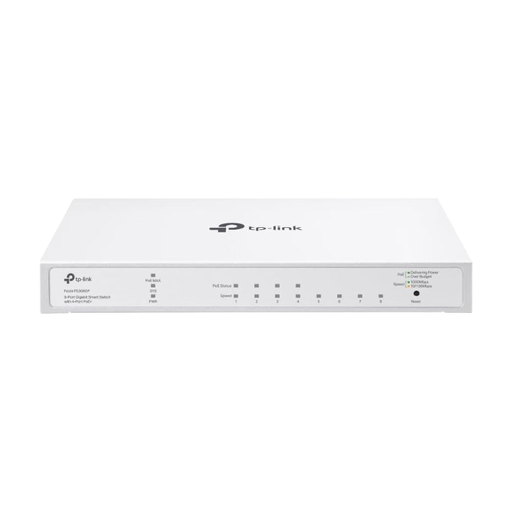
What sets it apart: This model from the Festa series by TP-Link offers free cloud management, a standout feature in this price range. The switch can be fully set up and monitored via an app or a web portal, which greatly simplifies administration.
Benefits:
Who is it for? Ideal for small business owners (SMBs) and IT service providers who need to manage multiple networks remotely and want to benefit from professional features without needing to be on-site.
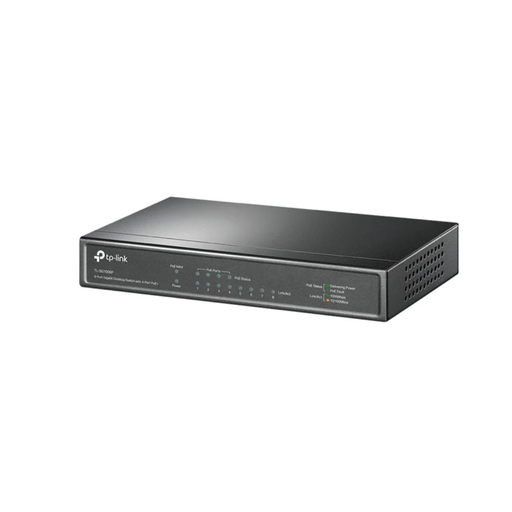
What sets it apart: The TL-SG1008P is a classic Unmanaged PoE Switch. Its strength is its simplicity: just plug and play. It offers eight Gigabit ports, four of which support the PoE standard (802.3af), and is housed in a durable metal casing.
Benefits:
Who is it for? Perfect for home users and small offices seeking a straightforward and reliable solution to expand their network and power standard PoE devices like basic IP cameras or VoIP phones.
If our selection doesn't include the perfect model for your specific needs, you can find a wider range in our Ethernet Network Switches category. There, you can compare models with different port counts, higher PoE budgets, and other specialized features.
The main difference is the maximum power delivered per port. The PoE standard (IEEE 802.3af) provides up to 15.4 watts, while the PoE+ standard (IEEE 802.3at) supplies up to 30 watts. PoE+ is necessary for devices with higher power demands, such as pan-tilt cameras or high-performance Wi-Fi access points.
Yes, you can do this without any issues. A PoE network switch automatically detects whether the connected device is PoE-capable. If it is not, no power is sent over the line, and the port functions as a standard Ethernet port for data transmission only. There is no risk to your non-PoE devices.
To determine the required PoE budget, add up the maximum power consumption of all the PoE devices you plan to connect. You can find this information in the datasheet of each device (e.g., an IP camera). It is recommended to plan for a power reserve of at least 20% to ensure stable operation during peak loads and to be prepared for future expansions.