
Lieferung heute & morgen

Qualitätsgarantie

Willkommens-Angebote freischalten: KOSTENLOSE Lieferung | Bis zu 80 % RABATT | Kostenlose 30-Tage-JoyPlus-Testphase
App herunterladen
A PoE switch transmits network data and power through the same Ethernet cable. This simplifies the installation of IP cameras, Wi-Fi access points, VoIP phones and other compatible devices. However, models vary considerably in terms of port count, speed, power budget and configuration options.
Focusing only on the number of ports or terms such as “Gigabit” can lead you to buy a switch that does not meet your actual requirements. Three common pitfalls are particularly important:
First, check which PoE standard your end devices require. IEEE 802.3af provides up to approximately 15.4 watts per port. IEEE 802.3at, often referred to as a PoE+ switch, enables up to approximately 30 watts per port. The power actually available for use may be lower due to cable quality, cable length and the switch’s own power consumption.
The total PoE budget is also crucial. A switch with a total budget of 65 watts cannot necessarily power four devices requiring 30 watts each at the same time. Add up the power consumption of all cameras, access points or phones and allow some spare capacity.
A 5-port PoE switch is suitable for a router, several end devices and a small expansion. With multiple IP cameras, workstations or access points, an 8-port PoE switch offers greater flexibility. For businesses, 24 PoE ports or additional SFP interfaces may be useful.
A Gigabit PoE switch is recommended for modern home networks, NAS systems and high-performance Wi-Fi access points. Fast Ethernet models with 10/100 Mbit/s may be sufficient for basic cameras, but can become a bottleneck with larger data volumes or several simultaneous connections. 2.5-Gigabit models are also available for particularly fast workstations.
An unmanaged PoE switch generally operates on a plug-and-play basis. This is convenient when VLANs, prioritisation or detailed monitoring are not required. A managed PoE switch, on the other hand, provides access to features such as:
Pay attention to cooling as well. A fanless PoE switch usually operates more quietly in homes and offices. The compact desktop design is practical for small networks, while rack mounting and SFP ports are more commonly used in structured installations.
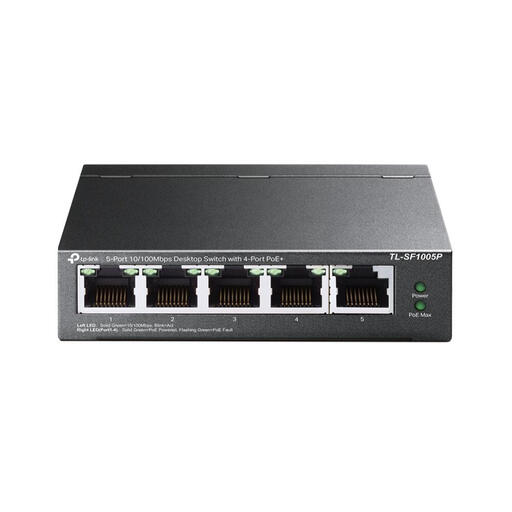
Why this product suits the profile: Five Fast Ethernet ports and four PoE ports are available for a small camera system or a basic home network. Installation requires no configuration.
The stated 57 W PoE budget makes the available total power clear. However, the 10/100 Mbit/s ports should match the requirements of your cameras or network.
Four IEEE 802.3af PoE ports, plug-and-play operation and a fanless desktop housing.
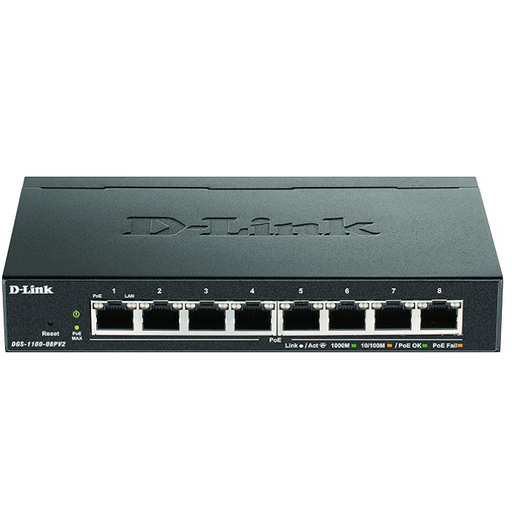
Why this product suits the profile: This model combines eight Gigabit ports with web-based management, making it suitable for small offices and structured home networks.
The 64 W PoE budget is clearly specified. VLAN, trunking, IGMP Snooping and Storm Control help to create a controlled network structure.
Eight Gigabit ports, a metal housing, web interface and fanless operation.
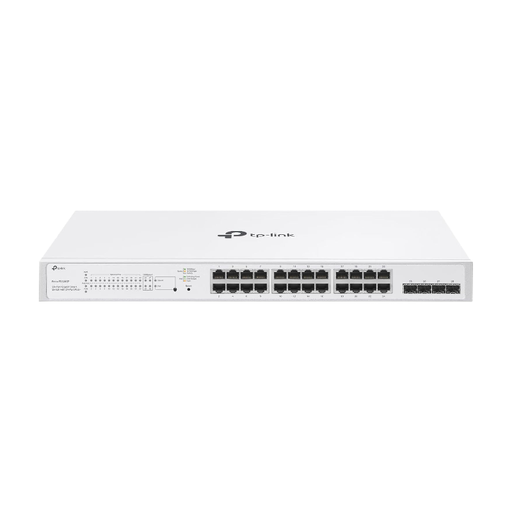
Why this product suits the profile: Installations with many cameras, access points or VoIP devices benefit from 24 PoE+ ports and four SFP slots.
The total budget of 250 W and up to 30 W per port are specified separately. This makes it easier to plan the requirements of multiple devices.
24 Gigabit PoE+ ports, four SFP slots, cloud management, VLAN, ACL and rack mounting.
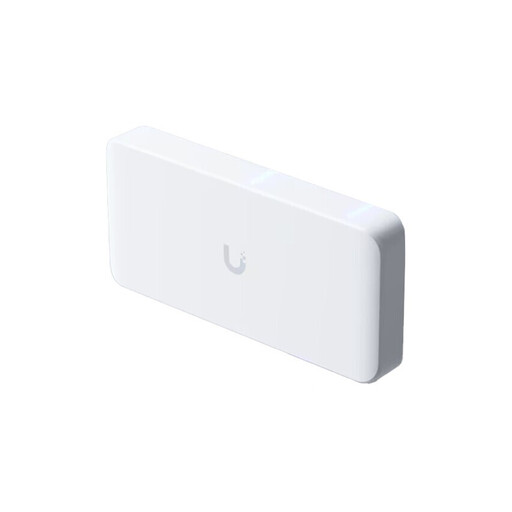
Why this product suits the profile: Suitable for users with 2.5-Gigabit workstations, modern access points or NAS connections who need centralised Layer 2 management.
PoE availability depends on the power source: up to 76 W is specified via PoE+++ or up to 196 W with an optional 210 W power supply. The power supply is not included.
Eight 2.5 GbE PoE++ ports, 10 GbE uplink, VLAN support and flexible mounting options.
We have put together a complete, regularly updated list of products that fully meet these strict selection criteria and the safety regulations applicable in the EU.
For Gigabit and PoE+ connections, use suitable, undamaged Ethernet cables, generally at least Cat5e. For long cable runs, take cable quality and voltage drop into account. The maximum cable length for conventional Ethernet operation is usually 100 metres, although the PoE device, cable and surrounding environment must be considered together.
Place the switch in a dry, low-dust and well-ventilated location. Even a fanless model requires clearance from heat sources. After connecting the devices, check that each one supports the expected PoE standard and that total power consumption remains within the budget.
This depends on the number of PoE ports, the standard and the total power budget. An 8-port model can connect eight network devices, for example, but it cannot necessarily supply all eight devices with maximum PoE power at the same time. The decisive factor is the total power consumption.
Yes, as soon as connected devices are powered via PoE. The switch’s own power consumption is added to that of the cameras, access points or phones. An unmanaged PoE switch requires little administration, but for ongoing costs, the main factor is the actual load of the connected devices.
No. For a small number of devices without separate networks, an unmanaged PoE switch is often sufficient. VLANs, access control, port monitoring or deliberately separating security cameras from private devices are reasons to choose a managed PoE switch instead. The key question is whether these features are needed in your own network and can be configured correctly.