For reading poetry in the evening, a compact tablet makes sense if it’s comfortable to hold and your books are easy to read on the smaller display. A larger screen can give you more room for PDFs with fixed layouts, but it’s less handy to use in bed. If you mainly read and want to use an Android reading app, an E Ink tablet could also be an option. In all cases, check a sample and consider the lighting in your room.
Which tablet is right for you?
Evening readers sharing a room
If someone else is already resting, adjustable screen brightness and quiet or disabled notifications are important things to check. Device settings alone won’t tell you whether the light will be disruptive in your own room. Apple describes Night Shift as a colour temperature setting, while BOOX lists an adjustable front light.
Readers with poetry books in fixed layouts
With PDFs and other pages in a fixed layout, line breaks and page design can make all the difference. DAISY explains that content in a fixed layout doesn’t adapt to the screen size; Onleihe notes that PDF e-books may not be well suited to smaller mobile devices.
Readers with books from different sources
If you want to read purchased and borrowed books on one device, check the apps and access available for the titles you have in mind. Onleihe offers an app for iOS and Android tablets; whether a particular book is available and how you can open it depends on the service and the way you access it.
What should you look for when buying?
Compact LCD tablet
A good fit if: You often hold your device in one hand in bed and can comfortably read your poetry books on a smaller screen. The Samsung Galaxy Tab A11 is one example, with an 8.7-inch display.
The trade-off: There’s less screen space for books with fixed layouts, so check the font size and line breaks in a sample.
Larger LCD tablet
A good fit if: You’d rather view PDFs or other poetry pages in a fixed layout on a larger screen. The Galaxy Tab A11+ and iPad (A16) are examples with 11-inch displays.
The trade-off: More screen space means a larger device to hold in bed; a PDF won’t become reflowable text just because the screen is bigger.
E Ink tablet with Android apps
A good fit if: Reading, and possibly taking notes, are your priorities, and the Android reading app you need is available on the specific device. BOOX lists a 10.3-inch E Paper display, Android 15 and an adjustable front light for the Note Air5 C.
The trade-off: Check that your specific app and the books you want to read work, including any copy protection. Manufacturer specifications don’t replace testing your own reading set-up.
First decide what matters most to you: adjustable lighting, how your book pages are displayed, ease of use or access to specific titles.
| What matters |
What to look for |
Who is it important to? |
| Adjustable lighting |
Try the brightness in a dark room; check the light and notification settings in the app you use. |
When I read while someone is resting beside me, I want to be able to adjust the light without compromising readability. Around 36% of consumers put this first. |
| Verse lines and page layout |
Try a sample of the specific book; don’t treat PDFs and reflowable EPUBs as the same thing. |
If line breaks and page layout matter to me, I want to check long verses and page turns on the actual display. Around 29% of consumers prioritise seeing their poetry books in their original layout. |
| Ease of use in bed |
Try your preferred reading position; when comparing weights, check the exact model and version. |
If I read in bed for longer periods, I want a device that’s comfortable to hold or prop up. Around 21% of consumers prioritise ease of use. |
| Access to books |
Check the title, app, format and borrowing method you want with the relevant service. |
If I want to read library books as well as books I’ve bought, the specific way I access them needs to work for me. Around 14% of consumers put access to their books first. |
Common misconceptions to avoid
-
Every poetry book needs a larger display
Pages in a fixed layout can benefit from more screen space. For books displayed differently, a larger device won’t automatically make reading better and may be less handy in bed.
First check the format of your edition and try a sample. Then decide whether a compact design or more room for the page matters more to you.
-
Night mode automatically means you can read without disturbing anyone
Apple describes Night Shift as a feature that changes the colour temperature. That doesn’t tell you how bright the display will look in your own room or whether someone else will find it disruptive.
Test the brightness in a dark room and adjust your notifications separately.
-
App or EPUB support is enough for every borrowed book
For library books, the specific reading method and copy protection can determine whether a title will open in the app you want to use.
Try a specific title with the app and type of device you plan to use before settling on a particular way to read it.
A guide to relevant brands
Samsung
The Galaxy Tab A11 range offers compact and larger LCD options, making it easy to compare handling and screen space.
- Samsung lists an 8.7-inch display and a 3.5 mm headphone jack for the Galaxy Tab A11; a headphone jack is also listed for the Galaxy Tab A11+.
- The A11+’s larger display doesn’t prove that it will be less disruptive in a shared bedroom or display poetry better.
Apple
The iPad (A16) is an 11-inch option for reading apps and larger pages.
- Apple lists the Wi-Fi version as weighing 477 g and provides details of Night Shift for supported iPads.
- Night Shift changes the colours. That doesn’t tell you how disruptive the light might be for someone else.
BOOX
The Note Air5 C is an E Ink alternative with Android if reading, and perhaps taking notes, is your main focus.
- BOOX lists a 10.3-inch E Paper display, Android 15 and an adjustable front light.
- The manufacturer’s specifications don’t independently prove a particular level of eye comfort or that every reading app will work. Check the app and title on the specific device.
Lenovo
The Tab M11 is a tablet range where the specific configuration matters when comparing models.
- Lenovo’s product reference lists a 3.5 mm port.
- Configurations may vary, so check the features of the model you choose that matter for the way you read.
Tablets for reading poetry collections
These Joybuy tablet options come with different screen sizes and features for reading poetry collections. If your books have fixed layouts, it’s worth trying a sample on the device you’re considering; a larger model may be less handy in bed.
 No image available
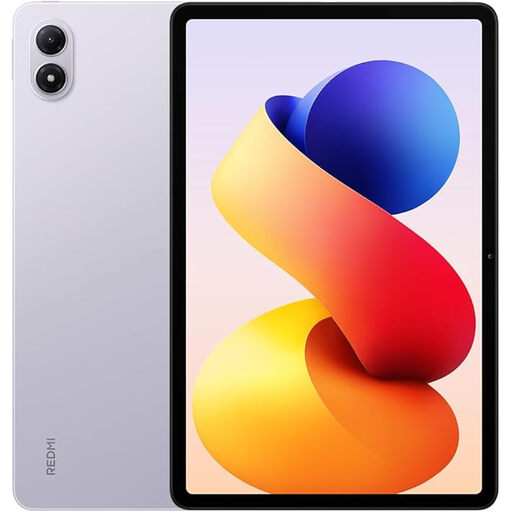
Redmi Pad 2 Pro, Lavender Purple, 6 GB RAM, 128 GB ROM
A tablet option for reading poetry collections. Try a sample to check whether your books are easy for you to read on the display.
6 GB RAM and 128 GB ROM, according to the product name.
View at Joybuy
 No image available
Honor Pad X8a Wi-Fi, 11 inches, 4 GB RAM, 128 GB storage
The 11-inch format gives you more screen space for book pages. Check that the device is comfortable to use in your preferred reading position.
11-inch display, 90 Hz, 4 GB RAM and 128 GB storage, according to the product name.
View at Joybuy
 No image available
TECLAST P50TCase, 11 inches, Android 16
A larger display option for poetry pages. Try a sample and bear in mind that a larger tablet may be less handy in bed.
11-inch IPS display with 90 Hz, 3 GB RAM plus 13 GB virtual RAM, 128 GB ROM and a 3.5 mm headphone jack, according to the product name.
View at Joybuy
 No image available
UXD 13.4-inch Android 16 tablet
The large display may suit pages in a fixed layout, but the stated screen size could make the tablet less handy to hold in bed.
13.4-inch FHD IPS display with 1920 × 1200 pixels; the product name lists 20 GB RAM (8 GB plus 12 GB virtual) and 128 GB or 256 GB ROM. Check which storage option you’ve selected.
View at Joybuy
 No image available
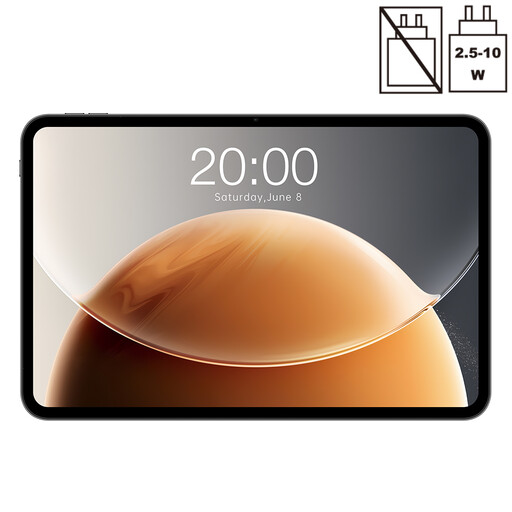
TECLAST T65, 13.4 inches, 120 Hz, Android
The 13.4-inch format gives you plenty of room for book pages, but may be less handy to use in bed than a smaller device.
13.4-inch display with 120 Hz, 128 GB storage and 20 GB RAM (6 GB plus 14 GB virtual), according to the product name.
View at Joybuy
Frequently asked questions
Is night mode enough to stop the other person being disturbed?
You can’t tell from that alone. Apple describes Night Shift as changing the colour temperature; you can adjust it under ‘Display & Brightness’. Also check the brightness and audible notifications in your actual bedroom setting.
Why should I check my poetry book on the display before buying?
According to DAISY, content in a fixed layout doesn’t adapt to the screen size like reflowable text; Onleihe highlights the drawbacks of smaller mobile devices, particularly for PDFs. So use a sample to check long verses, page turns and font size.
Can I read poetry books from Onleihe on a tablet?
Onleihe offers an app for iOS and Android tablets. Check your library’s catalogue to see whether the book you want is available and how the specific edition will read.
Does German book price fixing also apply to digital poetry books?
It applies if the specific electronic edition meets the requirements of the German Book Price Fixing Act. Under those conditions, Section 2 also covers electronic books that are permanently accessible; Section 3 concerns commercial sales to end customers in Germany and specifies an exception for second-hand books. This doesn’t determine which tablet you need to buy.


