If you mainly read maps, menus and text, compare screen size, resolution, desk space and connections before looking at the maximum refresh rate. A 27-inch QHD LCD is a worthwhile starting point; 4K, ultrawide and OLED are options if they suit your game, computer, desk and usage habits. How easy text and menus are to read also depends on the specific game, its scaling and how far you sit from the screen.
Who is this selection for?
Map and menu users
If you play simulation-heavy games, you’ll want to be able to take in maps, information and menus at a glance. Paradox Interactive describes Europa Universalis V as featuring, among other things, more detailed diplomacy and a more complex economic model. So check how readable everything is in the game itself, rather than looking only at the refresh rate.
Work-and-play users
If you use the same desk for work and gaming, positioning, connections and a suitable ergonomic setup all matter. The DGUV provides guidance on ergonomically designing screen-based workstations. Its advice doesn’t replace checking that the dimensions and adjustment options suit your workspace.
Users with limited desk space
If you’re using an existing desk, check the screen’s width and stand against the space available. LG Deutschland lists the 27GS75QX-B as having a 27-inch screen; for your chosen model, also check the full external dimensions, including the stand.
Which features matter when buying?
Start by comparing how the game looks and how the monitor will fit into your workspace. Then consider refresh rates for other games.
| What matters |
What to check before buying |
Who it matters most to |
| Maps, menus and text |
Resolution, screen size and font or UI scaling in the game you actually play. |
If I want to take in information on maps and in menus quickly, I check how it looks in the game rather than relying on the specifications alone. Around 36% of consumers put maps and text first. |
| A shared workspace for work and gaming |
Stand dimensions, adjustment options and suitable video connections; for a one-cable connection, check for USB-C video and sufficient Power Delivery. |
If I want my monitor to handle work and gaming at the same desk, I look at how it can be positioned and whether it has the right connections. Around 29% of consumers prioritise using a shared workspace. |
| How it fits on your desk |
Compare the available width and depth with the dimensions of the complete monitor, including its stand. |
If desk space is limited, the screen and stand need to fit into the workspace available. Around 21% of consumers put desk fit first. |
| Extra gaming features and picture quality |
The refresh rate available through your intended connection, along with the specific model’s OLED guidance and warranty terms. |
If I play other games as well as simulations, or specifically want OLED, I consider the benefits for those games and how to manage menus that stay on screen. Around 14% of consumers prioritise extra gaming features and picture quality. |
What should you check before buying?
-
Assuming a high refresh rate means more readable menus
A monitor’s maximum refresh rate doesn’t, by itself, tell you how large or well-scaled the in-game text will be. With some models, the maximum refresh rate also depends on the connection you use.
Start by checking the size, resolution and scaling in the game you play. Then compare the refresh rate available through the connection you actually plan to use.
-
Comparing screen diagonals alone
Monitors and stands take up different amounts of space. The screen diagonal alone won’t tell you whether the whole monitor will fit on your desk.
Measure the available width and depth, then compare them with the monitor’s dimensions, including the stand.
-
Assuming OLED protection features rule out burn-in
ASUS explains that OLED displays can be at risk of burn-in when static, high-contrast content is shown for long periods. Protection features don’t prove that this risk has been eliminated.
Read the care guidance and warranty terms for the specific model, especially if menus or other static elements will remain on screen for a long time.
Brands to consider
LG
The UltraGear 27GS75QX-B is an example of a 27-inch QHD IPS monitor.
- LG lists a resolution of 2560 × 1440 pixels, 180 Hz and DisplayPort 1.4 for this model.
- According to LG, this model has no built-in speakers, so check whether you’ll need a separate audio output.
Dell
The G2725D is another example of a QHD Fast IPS monitor.
- Dell lists refresh rates of up to 180 Hz at QHD over DisplayPort.
- According to Dell, QHD over HDMI supports up to 144 Hz. Take into account the connection you’ll actually use.
MSI
The MPG 271QRXDE QD-OLED is aimed at users who are also considering fast-paced games and OLED features.
- MSI lists WQHD, 360 Hz and OLED Care 2.0 for this model.
- Burn-in remains a consideration if static content stays on screen for long periods; protection features don’t prove that the risk has been eliminated.
LC-Power
The LC-M32UCO and LC-M49QCO offer different screen sizes and formats.
- LC-Power lists the LC-M32UCO as having 4K, USB-C video and 65 W Power Delivery; the LC-M49QCO is listed as a 49-inch model with a resolution of 5120 × 1440 pixels.
- Both models mentioned are QD-OLED. For the specific model you’re considering, check the space required, how games scale and whether it suits your use of content that stays on screen.
Samsung
The Odyssey OLED G81SF is a 27-inch 4K QD-OLED option.
- Samsung lists UHD, 240 Hz and anti-burn-in features for this model.
- Manufacturer features don’t guarantee risk-free use with static menus over long periods, or prove an advantage over LCD for your simulation game.
Joybuy monitors for your desk
The selection ranges from 27-inch QHD models and 4K to ultrawide and QD-OLED. For each format, check how games scale, how much space it needs and whether it suits your other uses.
 No image available
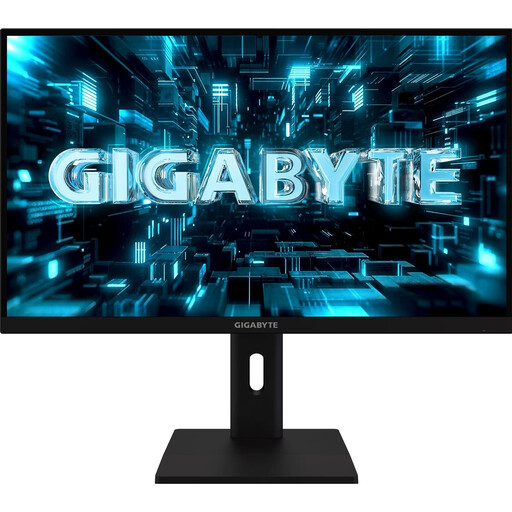
GIGABYTE G27Q3 27-inch QHD gaming monitor
Could be worth considering if you’re looking at a 27-inch QHD format for simulations and work.
Listed in the product name: 2560 × 1440 pixels, IPS and 320 Hz.
View at Joybuy
 No image available
INNOCN 2751S PLUS 27-inch QHD Mini-LED monitor
Could be an interesting option if you’re looking for a 27-inch QHD screen and are also considering Mini-LED.
Listed in the product name: 2560 × 1440 pixels, 1152 zones, 275 Hz and an IPS display.
View at Joybuy
 No image available
KTC M27P6 27-inch 4K Mini-LED monitor, White
Could be worth considering if you’re looking at 4K for a shared workspace for work and gaming.
Listed in the product name: 3840 × 2160 pixels, 4K at 160 Hz or FHD at 320 Hz, USB-C with 65 W Power Delivery and KVM.
View at Joybuy
 No image available
GIGABYTE GS34WQCA 34-inch ultrawide curved monitor
Could suit you if you’re specifically after a wide format and have room for it on your desk; check how it looks in the game you play.
Listed in the product name: UWQHD at 3440 × 1440 pixels, 120 Hz or 135 Hz overclocked, VA panel and 1500R.
View at Joybuy
 No image available
MSI MPG 322URXDE QD-OLED 32-inch 4K monitor
Could be worth considering if you want a large 4K OLED screen and are prepared to think carefully about using it with static menus.
Listed in the product name: 3840 × 2160 pixels, 240 Hz and USB-C with 98 W Power Delivery. ASUS describes burn-in as a potential risk when static, high-contrast images are displayed on OLED screens for long periods.
View at Joybuy
Frequently asked questions
Do I need the highest possible refresh rate for political simulations?
It shouldn’t be your first consideration: a high refresh rate doesn’t prove that maps or menus will be easier to read. First check how the game looks and how it scales, then compare refresh rates over your intended connection for other fast-paced games.
How should I set up a monitor on my home-working desk?
Check the dimensions, including the stand, and the adjustment options against your workspace. The DGUV offers guidance on ergonomically designing screen-based workstations. More specific health and safety rules for teleworking don’t automatically apply to every gaming setup at home just because it’s in your house.
What should I bear in mind when using an OLED monitor for long gaming sessions?
ASUS describes burn-in as a potential risk when static, high-contrast images are displayed on an OLED screen for long periods. Check the care guidance and warranty terms for the specific model; a protection feature doesn’t guarantee that burn-in is impossible.
What does the EU energy label tell me about a monitor?
The European Commission includes computer monitors among the electronic displays covered by energy labelling, with a scale from A to G. The label and EPREL entry help you compare the specific model and its energy consumption information.
What are my rights when buying online in Germany?
According to Verbraucherzentrale, consumers generally have a 14-day right to withdraw from a standard online purchase, starting from the day they receive the goods; you must notify the seller that you’re withdrawing. Your statutory rights against the seller are separate from any voluntary guarantee.


