Considerate night-time gamer
You play while someone else in the same room wants to sleep or relax. Keeping clicks to a minimum matters more to you than having as many gaming features as possible.


If your clicks might disturb someone else, a mouse whose main buttons are explicitly described as quiet is a sensible starting point. However, this does not prove that the scroll wheel and side buttons are quiet too. A gaming mouse with extra programmable buttons could be a good fit if direct access to in-game commands matters more and the noise is acceptable in the room.
You play while someone else in the same room wants to sleep or relax. Keeping clicks to a minimum matters more to you than having as many gaming features as possible.
For longer sessions, you want a mouse whose shape and button placement suit your hand and the space available on your desk.
You want to assign frequently used actions to extra mouse buttons. You also check that they’re easy to reach and that their clicking noise is acceptable in the room.
First decide whether quiet operation or direct access to in-game commands is your priority. Then check the fit and connection.
The percentages below relate to consumers choosing a mouse for political simulations in a shared bedroom.
| Priority | What to check before buying | Who it matters most to |
|---|---|---|
| Click noise | Check the noise information for the exact model. Assess the sound of the main buttons, scroll wheel and side buttons separately. | When I play while someone else in the same room is asleep, I want to keep disruptive clicks to a minimum. Around 36 % of consumers put quiet operation first. |
| Fit and space | Check the shape and button placement against your hand and grip; consider the clear desk space available and, for wired mice, the cable route. | For longer sessions, I want a shape that suits my hand and enough room for my mouse and arm. Around 29 % of consumers put fit and space first. |
| In-game commands | Check the number and accessibility of the buttons, whether you need assignment software, and which commands you use in your game. | When I frequently switch views and make decisions, I want important commands close at hand. Around 21 % of consumers prioritise access to commands. |
| Wireless operation | Check which connection or receiver you need and how the specific model is powered. | On a busy desk, I don’t want a cable in the way of my movement, and I can plan for the receiver and power supply. Around 14 % of consumers put wireless operation first. |
The manufacturer describes the sound profile of the main switches on the be quiet! DARK PERK ERGO as quiet. However, an independent review by PC Guide found the clicks clearly audible. Information about the main switches also doesn’t necessarily tell you anything about the scroll wheel or side buttons.
Where possible, assess all the controls you actually use under comparable conditions. If quiet operation is essential, don’t rely on a product label or information about the main switches alone.
Extra features are only useful if you use them and can reach the buttons comfortably. For computer work, the Federal Institute for Occupational Safety and Health (BAuA) highlights the importance of having enough space for a mouse and keyboard, as well as suitable support for your hand and arm.
Decide which commands you use most often and how much space you have. Then compare the shape and button placement, and, for a wired mouse, how the cable can be routed.
ASUS lists a Li-Ion battery for the ASUS ROG Harpe Ace Aim Lab Edition. However, a Joybuy Germany product page for the same model also lists a required AAA battery.
For a specific listing, check the model number and power information against the manufacturer’s details.
CHERRY’s range includes the GENTIX SILENT and STREAM MOUSE COMFORT work mice, with buttons the manufacturer describes as quiet.
Razer describes the Pro Click Mini as a compact productivity mouse with quiet switches, a switchable scroll wheel and programmable buttons.
The DARK PERK ERGO is a gaming mouse for right-handed users. The manufacturer describes the sound profile of its main switches as quiet.
The wired G502 HERO could be a good fit if lots of programmable buttons matter more than proven quiet operation.
The wired Rival 5 is a gaming alternative with several programmable buttons.
This selection includes gaming mice with programmable buttons, as well as mice whose product information highlights quiet clicks. When deciding whether the noise is suitable for a shared bedroom, consider all the controls you use.
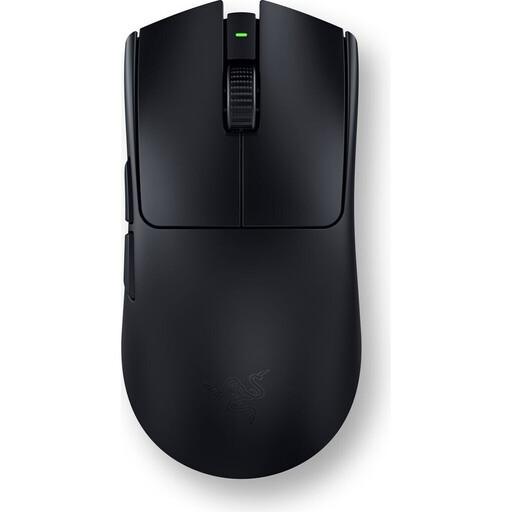 No image available
For gaming and extra assignable in-game commands: six programmable buttons are listed.
According to the product information, the mouse can be used wirelessly via 2.4 GHz or with a USB cable. Its shape is described as ambidextrous, and its listed weight is 54 g.
 No image available
For in-game commands you want to trigger directly from the mouse: five programmable buttons are listed.
Bluetooth, 2.4 GHz wireless and USB-C are listed as connection options. Check that the button positions suit your hand and that the connection is compatible with your device.
 No image available
If quiet clicks are your priority, the product description lists “Silent Touch” as a feature.
Specifications include four DPI settings from 800 to 1,600, a 2.4 GHz USB receiver and a weight of 55 g. Compatible systems listed are Windows, macOS and Android.
 No image available
If you want to keep click noise down and work without a cable, the product description lists quiet “Silent Touch” clicks.
Bluetooth and 2.4 GHz wireless are listed, along with connections to up to three devices. The product name indicates that the model requires an AA battery; its listed weight is 62 g.
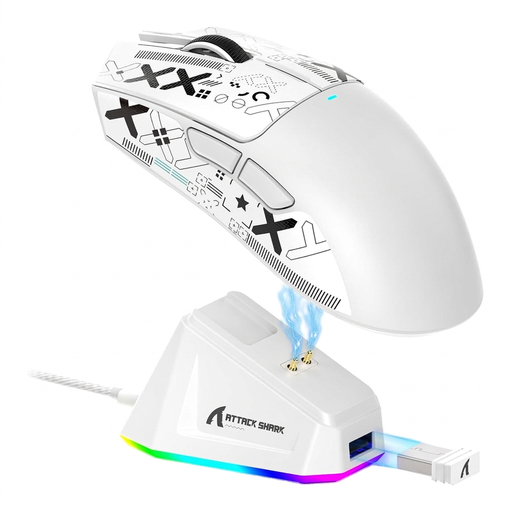
 No image available
For gaming with extra commands you can assign directly, six buttons and customisable macros are listed.
Bluetooth, 2.4 GHz wireless and USB-C are listed as connection options. The product name also mentions a charging dock. The shape is described as suitable for medium to large hands.
Not necessarily. Start by thinking about the commands you actually use, buttons you can reach easily and a pointer speed that feels right for you. The Democracy 4 interface, for example, displays different information such as popularity, finances and influence. The eleven programmable buttons listed by Logitech G for the G502 HERO don’t, in themselves, prove that it offers an advantage in this game.
Check that your device supports the connection or wireless mode you need, and find out how the mouse is powered. CHERRY lists a nano USB receiver and 2.4 GHz wireless for the STREAM MOUSE COMFORT; according to the manufacturer, the model is designed for right-handed users.
Make sure there’s enough room to position your mouse, keyboard and hand and arm support comfortably. The BAuA offers guidance on computer work, but it isn’t a legal requirement for gaming at home. Clean the scroll wheel and glide feet according to the instructions for your specific model.
According to the Verbraucherzentrale, online purchases generally come with a 14-day right of withdrawal; check when the period starts and whether any exceptions apply in your case. If a product is faulty, the seller is generally responsible for the statutory warranty. This is separate from a voluntary manufacturer’s guarantee.
No. The German Environment Agency says that old electrical equipment must be collected separately and must not go in household rubbish.