
Lieferung heute & morgen

Qualitätsgarantie

Willkommens-Angebote freischalten: KOSTENLOSE Lieferung | Bis zu 80 % RABATT | Kostenlose 30-Tage-JoyPlus-Testphase
App herunterladen
A portable 4K touchscreen monitor promises maximum productivity and premium entertainment on the go. Whether as a second screen for your laptop, a large display for your smartphone, or a mobile gaming monitor for the PS5, the applications are diverse. However, the market is flooded with devices making lofty claims that often don't hold up in practice. Before you make a purchasing decision, it's crucial to understand the most common pitfalls to avoid a poor investment.
This guide focuses on the objective criteria that truly matter, helping you find a model that meets your specific needs.
Many portable monitors entice customers with impressive specifications, but the devil is often in the details. Pay close attention to these three points to avoid disappointment:
To avoid the problems mentioned above, you should base your selection on a few non-negotiable technical parameters.
A true portable 4K screen must have a native resolution of 3840 x 2160 pixels. Also, look for an IPS (In-Plane Switching) panel. This technology ensures stable viewing angles and accurate colour reproduction, which is essential for photo editing, design, and enjoying high-resolution media. An HDR Display (High Dynamic Range) can expand the contrast and colour spectrum, but its impact heavily depends on the maximum brightness (measured in nits). Values of 400 nits or more offer a noticeable improvement here.
The critical factor for a functional single-cable solution is a USB-C port that supports DisplayPort Alternate Mode and Power Delivery (PD). Only when both the monitor and your laptop meet this standard is a stable transmission of video, audio, touch data, and power guaranteed. An additional HDMI port offers flexibility and is often the easiest way to connect a monitor for a PS5, Nintendo Switch, or older laptops. In this case, however, a separate power supply for the monitor is almost always required.
The screen diagonal is a trade-off between screen real estate and portability. A 17.3-inch portable monitor offers a generous display area, almost rivalling a desktop monitor, but is correspondingly heavier and bulkier. Smaller models at 14 or 15.6 inches are lighter and fit better into laptop bags, making them an ideal second screen for on-the-go use. Look for a sturdy yet lightweight chassis, for example, made of aluminium, and a low overall weight.
Based on the criteria above, we have identified a few models that represent a considered choice for specific user groups.
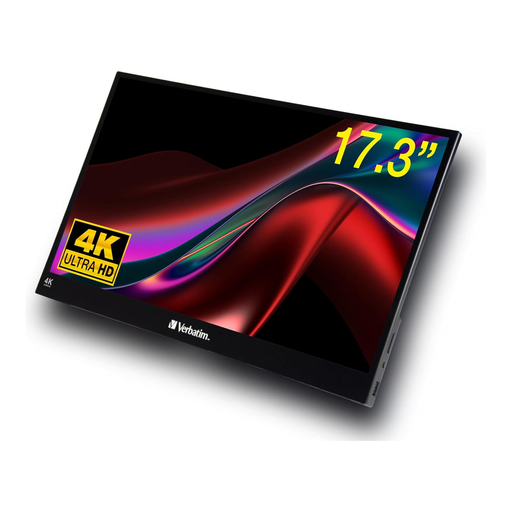
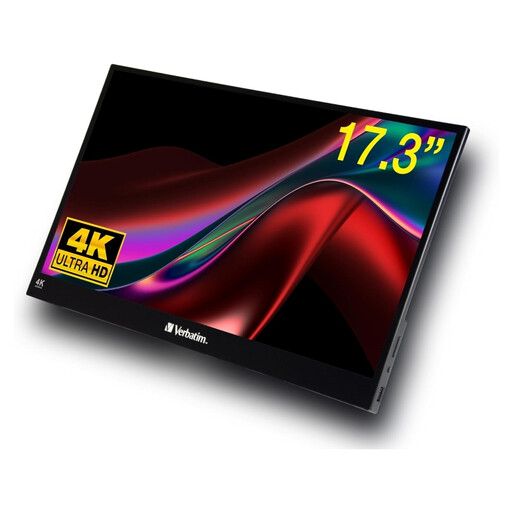
Why This Fits Their Persona: Ideal for users who refuse to compromise on image quality while on the move. The combination of a native 4K resolution, a large 17.3-inch display, and responsive touch functionality enables efficient multitasking, precise photo editing, and impressive presentations directly from a laptop.
This model from Verbatim offers a native 4K UHD resolution (3840 x 2160), bypassing the problem of upscaled, blurry images. The clear specifications for its ports (USB-C and HDMI) create transparency regarding connectivity.
The combination of a large 17.3-inch diagonal, true 4K resolution, and touch functionality in a portable form factor. The sturdy aluminium housing ensures durability.
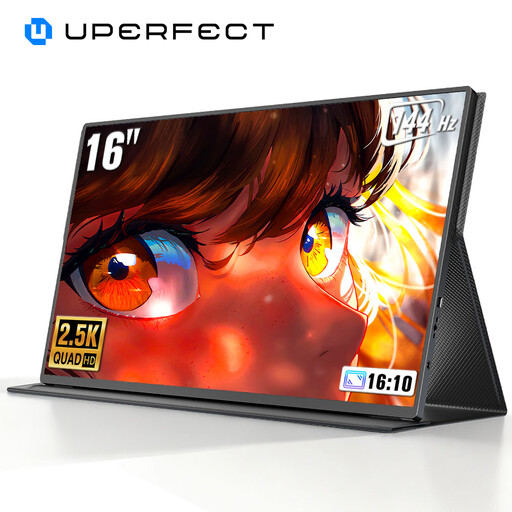
Why This Fits Their Persona: For gamers where reaction speed is paramount. This model focuses on an extremely high 144Hz refresh rate, which provides smoother visuals and a competitive edge in fast-paced games. It is a specialised **portable gaming monitor**.
This model avoids the trade-off between resolution and performance by deliberately forgoing 4K in favour of a gaming-optimised 2K resolution with a high refresh rate. It delivers exactly what it promises: fluid gameplay.
The 144Hz refresh rate is a rarity in this product category and allows for exceptionally smooth motion rendering. The 2K resolution (2560 x 1600) is a great middle ground between sharpness and performance.
Why This Fits Their Persona: A pragmatic choice for users who need a large, portable touchscreen for everyday tasks but don't necessarily require 4K resolution. Ideal for office applications, web browsing, and streaming in Full HD quality.
This model makes no false promises. It is clearly advertised as a Full HD monitor (1920 x 1080) and delivers solid performance within that specification. The touch function is designed for standard applications and offers real value for productivity.
Offers a very large 17.3-inch screen and touch functionality at a more accessible price point than 4K models. The sturdy metal housing and the included protective sleeve complete the package.
We've compiled a complete, real-time updated list of products that fully meet these strict selection criteria and all relevant safety regulations.
In most cases, yes. While some modern laptops with high-power USB-C ports (e.g., Thunderbolt 3 or 4) can theoretically supply enough power, 4K resolution and touch functions in particular consume a lot of energy. For stable performance, maximum brightness, and to preserve your laptop's battery, using the included power adapter is almost always the recommended and most reliable method.
Connection to game consoles is typically done via an HDMI cable. Most portable monitors have either a mini-HDMI or a full-size HDMI port, so you will need an appropriate cable (e.g., HDMI-to-HDMI). Additionally, the monitor must be powered by its own adapter, as the consoles themselves cannot supply power to the monitor. For the Nintendo Switch, the console must be in its dock to output a video signal via HDMI.
No, touch function compatibility is limited. It generally works most reliably with Windows systems via a USB-C connection, which also transmits the data signal for touch inputs. When connecting via HDMI, an additional USB-A to USB-C cable between the laptop and monitor is often required. Support for macOS is often limited or requires special drivers. Game consoles like the PS5 or Nintendo Switch generally do not support touch input from external monitors. Therefore, always check the manufacturer's specifications for compatibility.