
Lieferung heute & morgen

Qualitätsgarantie

Willkommens-Angebote freischalten: KOSTENLOSE Lieferung | Bis zu 80 % RABATT | Kostenlose 30-Tage-JoyPlus-Testphase
App herunterladen
A portable external SSD can transfer large video, photo and game files much faster than a traditional hard drive. But impressive speed claims and features such as MagSafe don’t automatically mean a drive is right for you. The key is making sure the SSD, cable and device you’re connecting it to are technically compatible.
Depending on the model, a USB 3.2 Gen 2x2 SSD can reach speeds of up to 2,000 MB/s. However, both your computer’s port and the cable you use must support this standard. Speeds may be significantly lower when connected to an older USB 3.2 Gen 2 port.
Macs and smartphones don’t necessarily support USB 3.2 Gen 2x2 either. Manufacturer figures should therefore be treated as maximum speeds. In practice, transfer speeds are affected by the connection, file size, temperature and write activity.
A MagSafe SSD, or magnetic SSD for iPhone, attaches using a magnetic ring or a compatible case. Data is still transferred via a cable. This also applies to models that attach directly to an iPhone 15 or iPhone 16.
When choosing a drive, also check whether your smartphone has a USB-C port and whether it supports the specific video resolution you need. A magnetic mount doesn’t replace a technical compatibility check.
A shock-resistant external SSD has no moving parts, making it generally less vulnerable to knocks and vibrations than a traditional HDD. However, claims such as ‘survives drops of up to 2 or 3 metres’ come from the product specifications and won’t apply to every real-world situation.
You should also keep important files backed up somewhere else. Don’t disconnect the SSD while it’s writing data, as this could damage files.
A 1TB external SSD is suitable for documents, photos, music, backups and shorter video projects. But for 4K video, RAW photos or large game libraries, available storage can quickly run low.
A 2TB external SSD gives you more room for professional workflows and large media collections. The usable capacity will be slightly lower than advertised because of formatting and system management. If you regularly transfer video footage, work out the file sizes involved in your workflow before buying.
These figures are especially relevant for current USB-C devices:
So a 2,000 MB/s model won’t necessarily be faster than a 1,000 MB/s SSD when connected to any USB-C port. Make sure the connection standard and included cable are compatible with your Mac, PC, camera or games console.
To record ProRes footage to an external SSD, your iPhone needs a compatible drive, a suitable USB-C connection and sufficiently fast write speeds. Support may vary depending on the iPhone model, resolution and frame rate.
If you’re looking for an SSD for iPhone 15 and 16, pay particular attention to these points:
For an SSD for Mac and PC, the file system and encryption software also matter. You may be able to reformat an SSD, but doing so will erase any data already on it. For PS5, an external SSD is suitable for storing and moving compatible games. To play PS5 games, you’ll generally need to move them to the internal storage or a compatible expansion drive.
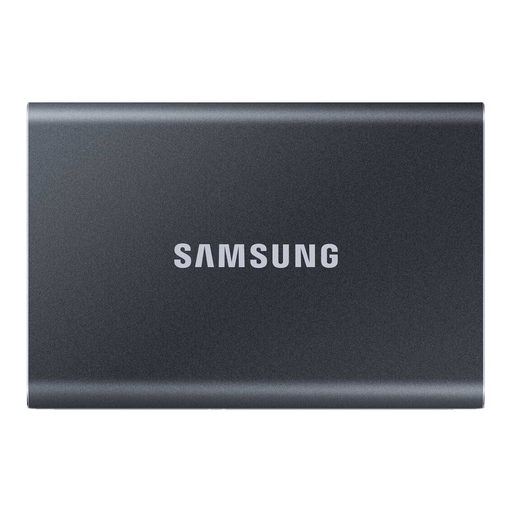
Why this product suits this profile: The 1TB version is designed for anyone looking for a compact SSD for documents, photos, backups and everyday file transfers.
Its rated speeds of up to 1,050 MB/s read and 1,000 MB/s write are suited to USB 3.2 Gen 2 and don’t require a Gen 2x2 interface.
1TB of storage, an aluminium casing, hardware encryption, and USB-C to USB-C and USB-C to USB-A cables.
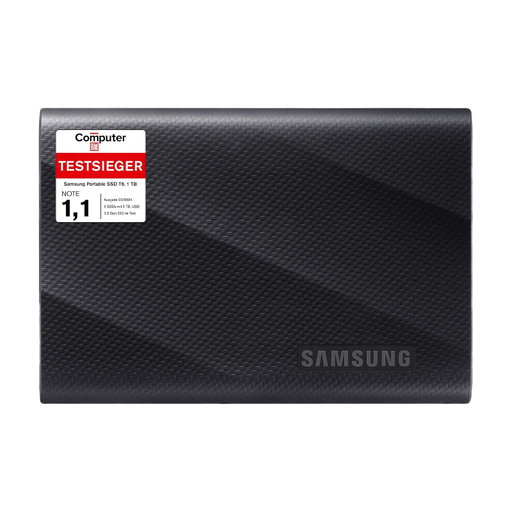
Why this product suits this profile: For users with a compatible USB 3.2 Gen 2x2 connection, the T9 is equipped for high-speed transfers.
To achieve the advertised speeds of up to 2,000 MB/s, you’ll need a compatible host connection and cable. Performance will be lower with slower ports.
USB 3.2 Gen 2x2, read and write speeds of up to 2,000 MB/s, and drop protection up to 3 metres according to the product specifications.
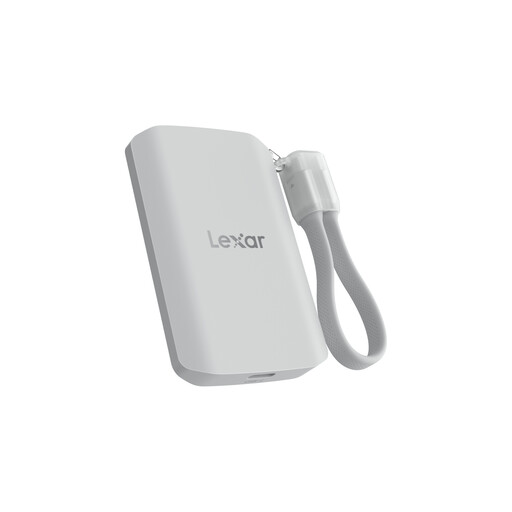
Why this product suits this profile: Its 2TB capacity and magnetic attachment make it suitable for mobile video workflows with compatible iPhones and other devices.
The product description mentions MagSafe attachment and ProRes support, while also noting that performance will be lower on systems without USB 3.2 Gen 2x2.
2TB, read and write speeds of up to 2,000 MB/s, IP65 protection against dust and water, and drop protection up to 3 metres.
We’ve put together a complete, regularly updated list of products that meet these strict selection criteria and the safety regulations in force in the EU.
Models with a USB-C connection are suitable for iPhone 15 and iPhone 16 devices with USB-C. For ProRes recording, the drive should be explicitly suitable for recording directly to external storage. With magnetic models, make sure the case, magnetic ring and cable connection are all compatible.
Lifespan depends on the amount of data written, temperature, usage and storage conditions. Keep your SSD dry and away from excessive heat, and don’t disconnect it while transferring data. It’s still a good idea to keep an additional backup of important files.
Power consumption is generally low compared with larger desktop drives, but power is supplied by the connected device. During longer recording sessions or high-speed transfers, your smartphone or laptop battery may drain more quickly. Using a suitable cable and connecting directly can help prevent unnecessary connection problems.