
Lieferung heute & morgen

Qualitätsgarantie

Willkommens-Angebote freischalten: KOSTENLOSE Lieferung | Bis zu 80 % RABATT | Kostenlose 30-Tage-JoyPlus-Testphase
App herunterladen
For gamers who refuse to compromise on a high-quality experience while on the go or in different environments, a portable gaming monitor is a valuable addition. Whether as an extension for a gaming laptop, a larger screen for a console in a hotel room, or a flexible second screen for enhanced productivity—the use cases are diverse. This article serves as a guide to help you understand the technical specifications and make an informed choice.
The right model for you depends on your individual needs. Three key criteria will help you narrow down your options.
For a smooth gaming experience, the refresh rate (measured in Hertz, Hz) is a crucial factor. While 60Hz is sufficient for many applications, gamers benefit significantly from higher values. A 144Hz or 120Hz portable monitor displays motion much more sharply and without motion blur, which makes a noticeable difference, especially in fast-paced games.
Resolution determines the level of detail in the image. Full HD (1920 x 1080 pixels) is an established standard. However, a 2K portable monitor (e.g., 2560 x 1440 or 2560 x 1600 pixels) offers a visibly higher pixel density and thus a sharper picture, which is advantageous for both gaming and working with text and graphics.
Modern portable monitors often rely on USB-C. A USB-C monitor can receive both the video signal and power through a single cable, provided the connected laptop or mobile device supports DisplayPort Alternate Mode and sufficient power delivery.
For compatibility with game consoles like the PlayStation or Xbox, an HDMI port (usually in the form of Mini-HDMI) is essential. This allows the screen to be used flexibly as a second monitor for PS5, a monitor for Xbox, or as a practical Switch accessory for a larger display.
Portability is determined by screen size and weight. A 16-inch monitor offers a great balance between usable screen real estate and ease of transport. Larger models, at 18 inches or more, enhance immersion but are naturally heavier and bulkier. Weight and a slim design are crucial if the on-the-go gaming screen will be frequently carried in a backpack.
Based on the criteria mentioned above, we have curated a selection of models that stand out for their technical features, suitable for various gaming scenarios.
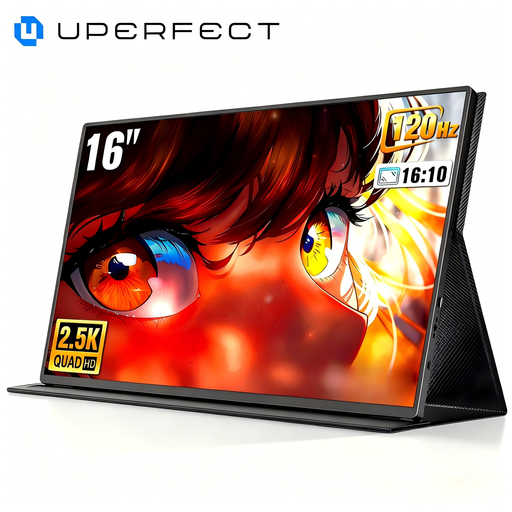
Why this model stands out This model combines a high 2K resolution (2560 x 1600 pixels) with a fast refresh rate of up to 144Hz. Its QLED panel ensures high colour accuracy and a 1200:1 contrast ratio, resulting in vibrant and detailed images. At 450 nits, the screen is also comparatively bright.
Advantages
Who is it for? Ideal for PC gamers and creative professionals who need a high-resolution, fast external screen for their laptop and don't want to compromise on image quality.
View Product: UPERFECT 16" 2K 144Hz Monitor
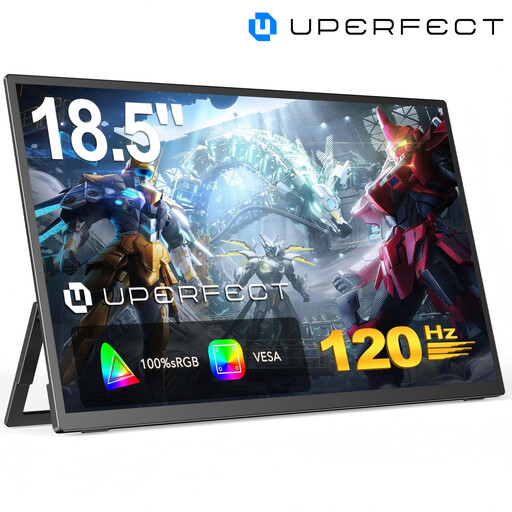
Why this model stands out With a screen size of 18.5 inches, this monitor offers an unusually large display area for a portable device. This enables a more immersive gaming experience that feels closer to a stationary desktop monitor. The matte IPS panel reduces distracting reflections.
Advantages
Who is it for? Suitable for console gamers and users who prefer the largest possible screen for use in various locations (e.g., a holiday home or hotel) and value a desktop-like feel.
View Product: UPERFECT 18.5" 120Hz Monitor
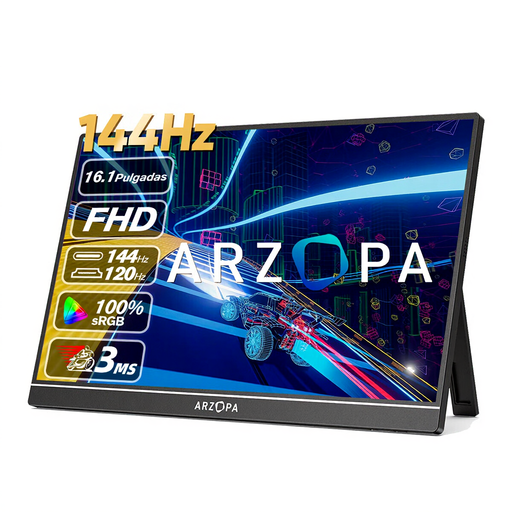
Why this model stands out The ARZOPA Z1FC focuses on a balanced combination of performance and extreme portability. Weighing just 780 grams and featuring a very slim design, it's an ideal on-the-go gaming screen. Despite this, it offers a high 144Hz refresh rate and good colour gamut coverage of 106% sRGB.
Advantages
Who is it for? Perfect for users who travel frequently and need a lightweight yet powerful monitor for competitive gaming on a laptop or as a high-quality Switch accessory.
View Product: ARZOPA Z1FC 16.1'' 144Hz Monitor
The selection presented here covers common user profiles. If you are looking for different sizes, resolutions, or specific features, you can find more models in our range.
Discover the full selection in our portable monitors category.
1. Does a portable gaming monitor need a separate power supply? Many models, especially a USB-C monitor, can draw power and receive a video signal through a single cable from a compatible device (like a laptop). However, when used with game consoles or to achieve maximum brightness, an external power source via an AC adapter or a power bank is often required. The exact requirements are listed in the product specifications for each monitor.
2. Can I use a portable monitor with any console? Most portable monitors with an HDMI port are compatible with consoles like the PS4, PS5, Xbox series, and the Nintendo Switch (in docked mode). It's important to check the available ports on both the monitor and the console before purchasing. For a direct connection to the Switch in handheld mode, a monitor with a USB-C video input (DisplayPort Alternate Mode) is required.