Commuters travelling light
You want to make a quick edit to your reading list while travelling, then stow your keyboard away neatly. A foldable design can help save space in your bag, but you’ll still need room beside your screen when it’s unfolded.


If you want to travel light, a foldable Bluetooth keyboard could be a good fit. Just check that it will fit beside your screen when unfolded. If you edit text frequently, easy-to-reach editing keys are important, while a keyboard with an integrated stand is only suitable for the iPad models it specifically supports. Deutsche Bahn says that fixed or folding tables are available at many, but not all, ICE seats.
You want to make a quick edit to your reading list while travelling, then stow your keyboard away neatly. A foldable design can help save space in your bag, but you’ll still need room beside your screen when it’s unfolded.
You edit entries on a mobile phone, tablet or laptop, and your main priorities are a suitable connection and easy switching between devices. The available connections depend on the model.
If you often reword entries, easy-to-reach editing keys and a practical screen position are important. With a separate keyboard, you’ll also need to work out how to prop up your screen.
Start by comparing how much space the keyboard takes up in your bag and when you’re typing, then check the connection and controls on your specific device. The power supply and screen setup should also suit your journeys.
A good fit if: you want to stow your keyboard compactly and use it with a Bluetooth-enabled mobile phone or tablet.
Bear in mind: folding it saves space in your bag, but not necessarily on the table. Check the layout when it’s unfolded, too.
A good fit if: you prefer a separate keyboard with a cover for transport, or want to switch between compatible devices.
Bear in mind: a separate keyboard won’t prop up your screen. In its test of the Logitech Keys-To-Go 2, PC-WELT also noted that the keys around the edges are small.
A good fit if: you have a specifically compatible iPad and want a keyboard, trackpad and screen stand all in one.
Bear in mind: the Magic Keyboard Folio is designed for specific models, so it isn’t a universal keyboard for any device.
| What matters to you | What to look for | Who it matters to |
|---|---|---|
| Folded size and space when in use | Check the dimensions when folded and unfolded, and consider where you’ll position the screen at your seat. | If I’m travelling light, I want a keyboard that stows away neatly and fits beside my screen when unfolded. Around 36% of consumers put size and space requirements first. |
| Connection and device compatibility | Check the operating system, connection and supported device switching for the specific version. | If I edit my reading list on a mobile phone, tablet or laptop, the keyboard needs to work with the device I’m using. Around 29% of consumers prioritise device compatibility. |
| Editing comfort | Check the edge, Enter, Shift and arrow keys on the specific layout, and plan how you’ll position the screen. | If I often reword entries, I want the keys I need to be easy to reach and the screen to be positioned comfortably. Around 21% of consumers focus mainly on editing comfort. |
| Power supply | Check the battery or rechargeable battery type, charging port and supported cable use. | If I don’t want to run out of charge or change batteries unexpectedly while travelling, the power supply is a key consideration. Around 14% of consumers put it first. |
A foldable keyboard still needs room beside your screen when you’re editing. Deutsche Bahn says fixed or folding tables are available at many ICE seats, but not all of them.
Compare the keyboard’s unfolded dimensions and your planned screen position with the space available at the seat you usually use.
A separate keyboard won’t automatically hold your mobile phone or tablet upright. In its test of the Logitech Keys-To-Go 2, PC-WELT found that it did not physically support a mobile phone or tablet.
If you need an integrated stand, check for a solution that fits your specific device or plan to use a separate stand.
Bluetooth, a USB receiver and wired use each require a compatible connection on your device. A keyboard that attaches to an iPad may also be designed for a specific iPad generation.
Check the full model name, connection type and, where relevant, the device manufacturer’s compatibility list.
Hama describes the foldable Travel 450 as a portable Bluetooth keyboard with a German QWERTZ layout.
The Keys-To-Go 2 is a slim, separate Bluetooth keyboard with an integrated key cover.
CHERRY describes the KW 9200 MINI as offering several connection options and coming with a carry case.
The Rapoo E9310M is a slim multi-device keyboard with Bluetooth and a 2.4 GHz receiver.
The Magic Keyboard Folio is designed specifically for iPad and features a detachable keyboard, trackpad and adjustable stand.
The Joybuy products below are foldable Bluetooth keyboards for typing on the go; some versions also list a touchpad or stand. If you’re planning to use one on the train, check that the keyboard and screen will fit together in the space available.
 No image available
The foldable design is a good fit if you want to carry a keyboard compactly.
QWERTZ layout, three Bluetooth channels and, according to the product name, compatibility with iPadOS, Android and Windows.
 No image available
The magnetic stand mentioned in the product name is designed for a mobile phone or tablet.
The product name also describes it as rechargeable and says it has an aluminium casing.
 No image available
This foldable Bluetooth keyboard is an option if you’re looking for a separate keyboard to use on the go.
The product name identifies this version as Green/Braided Green.
 No image available
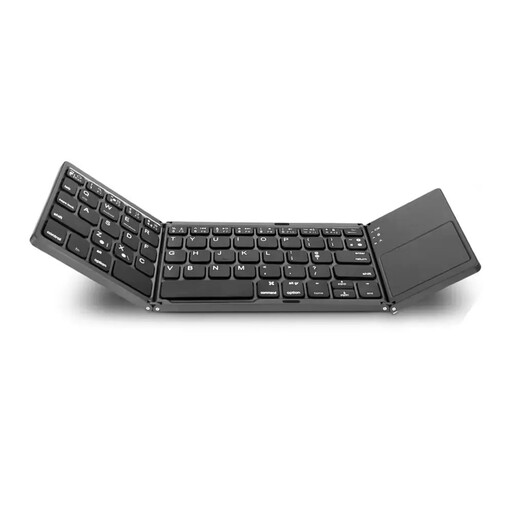
The product name lists an integrated touchpad, making this an option if you’re looking for a foldable keyboard with a touchpad.
The product name describes it as a full-size model and lists a silicone leather case.
 No image available
The set includes a foldable keyboard and an adjustable stand for positioning your device.
The product name also lists a mouse, number pad, carry case and QWERTZ layout. Check that the keyboard and accessories will fit in the space available at your seat.
Make sure you have a stable surface for your keyboard and screen. Deutsche Bahn says fixed or folding tables are available at many ICE seats, but not all, so take your usual train and seat into account.
First, check that your device supports Bluetooth and that the app accepts the keyboard inputs you need. A connection alone doesn’t guarantee that every editing command will work in the app you’re using.
Pair the keyboard with the device you plan to use and try editing entries in your reading list. Also check the battery or charge level, and think about how you’ll position the screen at your seat.
For a consumer purchase in the EU, your statutory rights are against the seller and generally apply for at least two years from the date you receive the goods. A voluntary manufacturer’s guarantee does not replace these rights; Your Europe explains this EU-wide rule.
Look for the CE marking, product and manufacturer details, a German instruction manual and the declaration of conformity. The Bundesnetzagentur lists these as things to check; the CE mark alone does not prove that a specific product listing has been officially inspected.