What should you look for when buying?
First, work out whether your lists need to be available without an internet connection. Then weigh up portability, readability and software compatibility based on how you plan to use your laptop.
| Priority |
What to check before buying |
Who should pay particular attention |
| Portability and battery life |
Check the weight and dimensions of the exact configuration, including the power adapter you’ll need; compare battery tests only when they use comparable conditions. |
If I want to carry less between appointments without constantly looking for a socket, weight and battery life both matter. Around 36% of consumers prioritise portability. |
| Offline access to lists |
Before setting off, open the actual learning app and file without an internet connection; check that they’ve synced and are available offline. |
If I can’t rely on Wi-Fi when I’m out and about, my specific list needs to work offline in the app I use. Around 29% of consumers prioritise offline access. |
| Text readability |
Check the screen size, resolution and whether the finish is matte or glossy; if possible, view your own list at your usual font size. |
During short study breaks, I want to read lists easily and have room for notes if I need it. Around 21% of consumers prioritise readability. |
| Software compatibility |
Check that the operating system, learning app and file formats are compatible; if you’ll be handling work information, also check your organisation’s requirements. |
I want to keep using my existing learning app and its files, rather than run into an operating-system limitation when I’m out and about. Around 14% of consumers prioritise software compatibility. |
Joybuy products for learning on the go
The options below include compact traditional laptops and a touchscreen convertible for short reading and study breaks on the go. Screen size, operating system and keyboard layout vary by model.
 No image available
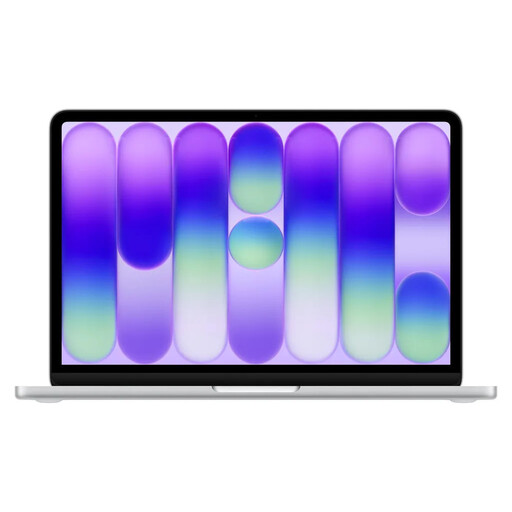
Apple MacBook Neo 13-inch (A18 Pro, 2026), 8 GB RAM, 256 GB SSD, Silver, English QWERTY keyboard layout
The 13-inch size and stated weight of 1.23 kg could suit short study breaks when you’re travelling light.
The product details list macOS Tahoe, a Liquid Retina display with 2408 × 1506 pixels and 500 cd/m², plus up to 11 hours of wireless browsing. Bear in mind that the English QWERTY keyboard layout may affect how you type.
A power adapter isn’t included; you’ll need a USB-C PD power source of at least 20 W.
View at Joybuy
 No image available
HP OmniBook Ultra Flip 14-fh0670ng, Core Ultra 7 258V, 32 GB RAM, 1 TB SSD
This convertible is a good fit if you’ll actually use the touchscreen or its different positions while reading.
The product details list a weight of 1.34 kg, a 14-inch OLED touchscreen with 2880 × 1800 pixels, and laptop, tablet, stand and tent modes.
Battery life is listed as up to 16.25 hours; this isn’t an independent test result.
View at Joybuy
 No image available
HONOR MagicBook X16 AMD 2025, Ryzen 5 6600H, 16 GB RAM, 512 GB SSD, Cloud Gray, German keyboard
The 16-inch screen and German keyboard may suit you if a larger display matters more than having a particularly compact device.
The product title lists an AMD Ryzen 5 6600H, 16 GB RAM and a 512 GB SSD. No specific device weight is given.
View at Joybuy
 No image available
Apple MacBook Air 13-inch (M5, 2026), 16 GB RAM, 512 GB SSD, German QWERTZ keyboard layout
The stated weight of 1.23 kg and German QWERTZ keyboard layout may be worth considering if you often work in different places and need to type on the go.
The product details list a 13.6-inch Liquid Retina display, a 10-core CPU and an 8-core GPU. Up to 18 hours of video streaming is a product claim, not a measured battery-life figure for vocabulary learning.
A power adapter isn’t included.
View at Joybuy
 No image available
ASUS Zenbook 14 UX3405CA-QD1303W, Core Ultra 7 255H, 16 GB RAM, 1 TB SSD
At 1.22 kg, this 14-inch laptop is an option if you’re looking for a compact device with touchscreen controls.
The product details list a glossy OLED touchscreen with 1920 × 1200 pixels and Windows 11 Home. If reflections could be an issue, consider the screen finish in the setting where you usually study.
View at Joybuy
Frequently asked questions
Can I open my vocabulary lists without Wi-Fi?
Yes, as long as the specific app and file have been made available offline or synchronised. Google explains how certain Drive files can be used offline on Chromebooks, while Microsoft explains offline access to synchronised OneDrive files. Test your list without an internet connection before an appointment.
How can I tell if my USB-C power adapter is powerful enough for my laptop?
Check the charging power required by the specific device and whether a power adapter is included; a USB-C connector alone doesn’t guarantee sufficient power. The European Commission lists common USB-C charging requirements for the laptops covered, which have applied since 28 April 2026. This doesn’t mean that every older individual device on sale must have been upgraded.
What are my rights if my laptop is faulty or I buy it online?
Your statutory rights against the seller are separate from a voluntary guarantee. Online purchases generally come with a right to cancel, usually within 14 days of receiving the goods; the terms of your specific purchase apply. The Verbraucherzentrale explains the difference.
Can I also store information from client appointments on my study laptop?
If you want to handle work information, first check your organisation’s requirements. The Federal Office for Information Security emphasises separating work and personal environments and taking appropriate steps to protect information when working on the move. This doesn’t amount to blanket approval for any particular operating system or cloud service.


