
Lieferung heute & morgen

Qualitätsgarantie

Willkommens-Angebote freischalten: KOSTENLOSE Lieferung | Bis zu 80 % RABATT | Kostenlose 30-Tage-JoyPlus-Testphase
App herunterladen
A big screen without a big TV—that's the core advantage of a mini projector. For anyone who values flexibility in their home or wants to host spontaneous movie nights in the garden, these compact devices are an exciting alternative. However, the market is crowded, and technical specifications can be confusing.
This article serves as your guide. We'll explain the key features to look for when making your choice and present a selection of models with different strengths. Our goal is to provide you with an objective foundation for your purchasing decision.
To find the right device, it helps to understand a few technical basics. The following three points are crucial for performance and user experience.
Image quality is primarily determined by two factors: brightness, measured in ANSI lumens, and native resolution.
Modern projectors are often much more than simple display devices. A smart projector with an integrated operating system, such as an Android projector, offers direct access to streaming apps without needing to connect an external laptop or TV stick.
Look for current connectivity standards. A projector with Wi-Fi, ideally WiFi 6, ensures a stable and fast connection for streaming content. Bluetooth is also useful for wirelessly connecting external speakers or headphones to enhance the audio.
A portable projector is defined by its low weight and compact size. But true user-friendliness shines through during setup. Features like autofocus and automatic keystone correction are especially valuable here. They automatically adjust the image in seconds, even if the projector isn't perfectly aligned with the screen. This eliminates manual adjustments and makes spontaneous use in different locations—from the coffee table to the ceiling—hassle-free.
Based on the criteria mentioned, we've compiled a selection of devices that cater to different needs.
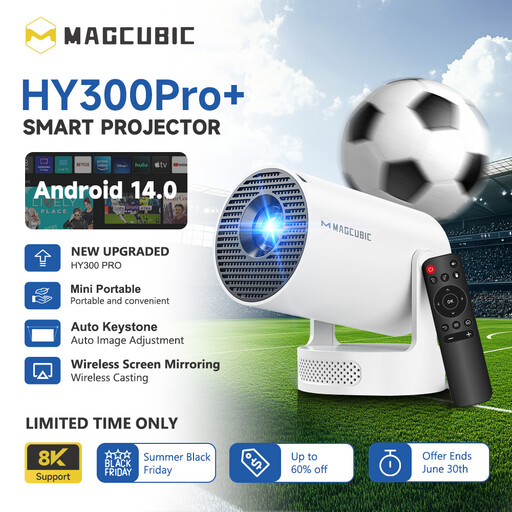
Why It Stands Out The HY300Pro+ focuses on maximum portability. Weighing under 400 grams and featuring a 180-degree rotating stand, it can be positioned with extreme flexibility, even for projecting onto the ceiling. The integrated Android 14 OS makes it a standalone entertainment device.
Pros
Who is it for? For users looking for an extremely lightweight and flexible device for spontaneous use in different rooms or while travelling. It's a great choice for beginners or as a secondary device.
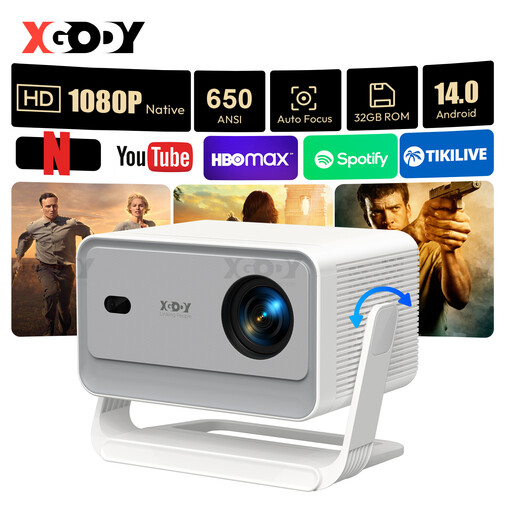
Why It Stands Out The XGODY Gimbal A6 Pro emphasises image quality and convenience. With a native 1080p resolution and a brightness of 650 ANSI lumens, it delivers a sharp and bright picture. Its strength lies in its fully automatic image adjustment features, which significantly simplify setup.
Pros
Who is it for? For users who prioritise high image sharpness and a hassle-free, quick setup. It's ideal for a permanent home cinema in the bedroom or living room where convenience is key.
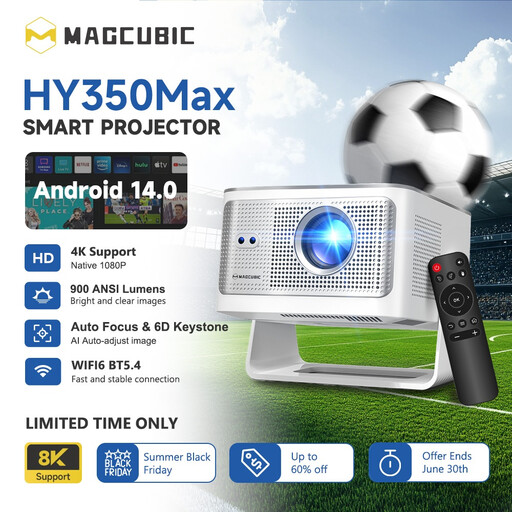
Why It Stands Out The Magcubic HY350Max positions itself as the powerhouse model in this selection. With 900 ANSI lumens, it offers the highest brightness, making it well-equipped for use even in environments that aren't completely dark. Combined with a native 1080p resolution and a powerful chip, it targets a more demanding audience.
Pros
Who is it for? For users seeking maximum brightness and performance for flexible use in various lighting conditions. It's an excellent choice for anyone who won't compromise on image brightness and wants to use the projector during the day.
If the models featured don't perfectly match your needs, or if you're specifically looking for a projector for your phone that connects seamlessly with mobile devices, you might find the right device in our wider selection.
Discover more projectors on Joybuy.de here
1. How many ANSI lumens does a mini projector need? It largely depends on the environment. For a darkened room, 200–300 ANSI lumens are often sufficient. If you plan to use the projector in rooms with some ambient light or outdoors, models with 500 ANSI lumens or more are a better choice to ensure a clearly visible picture.
2. Can I connect a mini projector to my phone? Yes, most modern smart projectors support wireless screen mirroring via Wi-Fi. Common technologies include Miracast (for Android) and AirPlay (for Apple devices). Alternatively, a wired connection via a suitable HDMI adapter is often possible.
3. What is the difference between native and supported resolution? The native resolution indicates the actual, physical number of pixels the projector has and is the decisive factor for image sharpness. "Supported resolution" simply means the projector can receive a signal at that higher resolution and downscale it to its native resolution. For a clear and sharp image, you should always focus on the native resolution, ideally Full HD (1920x1080p) or higher.