
Lieferung heute & morgen

Qualitätsgarantie

Willkommens-Angebote freischalten: KOSTENLOSE Lieferung | Bis zu 80 % RABATT | Kostenlose 30-Tage-JoyPlus-Testphase
App herunterladen
Anyone who frequently works or studies on the go knows the struggle: a single laptop screen often isn't enough to keep multiple applications in view at once. A portable monitor expands your workspace and boosts efficiency, whether you're in a home office, at university, or in a café. It's also a flexible solution for gamers who want to enjoy their console games on a high-quality display without being tied to a TV.
This article serves as a guide. We will introduce various models and explain the key technical features you should consider when making your choice. Our goal is to provide you with a solid basis for an informed decision, based on objective product characteristics.
Selecting the right model depends heavily on your intended use case. Three central criteria will help you narrow down the options.
Resolution determines the sharpness and detail of the image. Full HD (1920 x 1080 pixels) is an established standard for general office work and media consumption. For more demanding graphic design work or a more immersive gaming experience, higher resolutions like QHD (2560 x 1440) or 2.5K (2560 x 1600) are ideal.
The refresh rate, measured in Hertz (Hz), indicates how many times the image is updated per second. A 60 Hz display is sufficient for most applications. However, a portable gaming monitor with 120 Hz or 144 Hz provides significantly smoother motion for fast-paced action, which can make a noticeable difference in video games.
A modern USB-C monitor is especially convenient. A single cable can transmit video, audio, and power from the laptop to the monitor, provided the laptop's USB-C port supports DisplayPort Alternate Mode. This reduces cable clutter and simplifies a quick setup.
For broader compatibility with older laptops, PCs, or gaming consoles like the PS5, Xbox, or Nintendo Switch, an additional Mini-HDMI port is advantageous. Before purchasing, check which ports your devices have to ensure the external monitor for your laptop or console can be connected without issues.
Screen size is typically measured in inches. A 16-inch monitor offers a good compromise between ample screen real estate and portability. Models with a 15.6-inch display are often even more compact and lightweight. Pay attention to the total weight and dimensions, especially if you plan to transport the monitor frequently.
Some models feature an integrated, adjustable kickstand or a protective cover that doubles as a stand. VESA compatibility also allows for mounting on a monitor arm or wall bracket, increasing flexibility at a stationary workstation.
Based on the criteria mentioned, we have compiled a selection of models that cater to different needs.
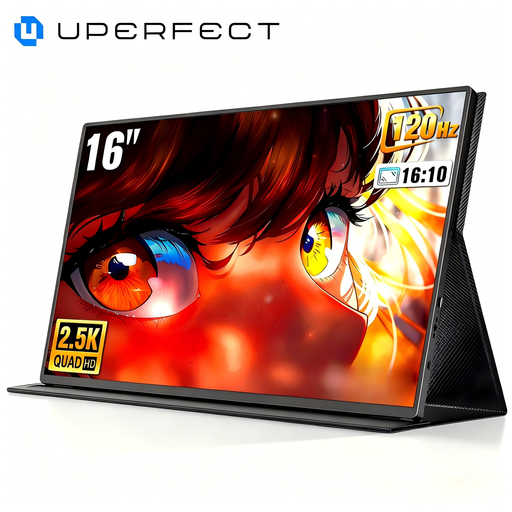
Why It Stands Out This model is specifically aimed at gamers and users who require extremely smooth visuals. The combination of a 2K QHD resolution and a high refresh rate of up to 144 Hz ensures sharp and responsive playback. According to the manufacturer, the monitor is equipped with technologies designed to reduce screen tearing and stuttering.
Key Features
Who It's For Ideal for gamers who want to play their PC or console games on the go in high quality, as well as for content creators who benefit from the high resolution and smooth display for video editing.
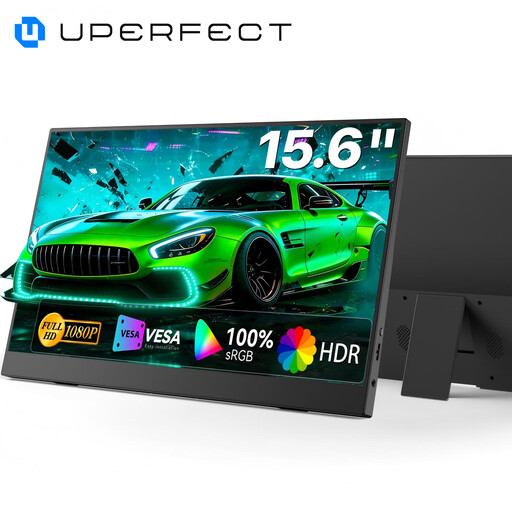
Why It Stands Out This monitor is a versatile second screen for daily productivity. With its Full HD resolution and 100% sRGB color gamut coverage, it is well-suited for design tasks, presentations, and general office work. The integrated, adjustable kickstand makes it particularly flexible and quick to set up.
Key Features
Who It's For A solid choice for professionals, digital nomads, and students looking for a reliable and user-friendly second screen to boost productivity on the move.
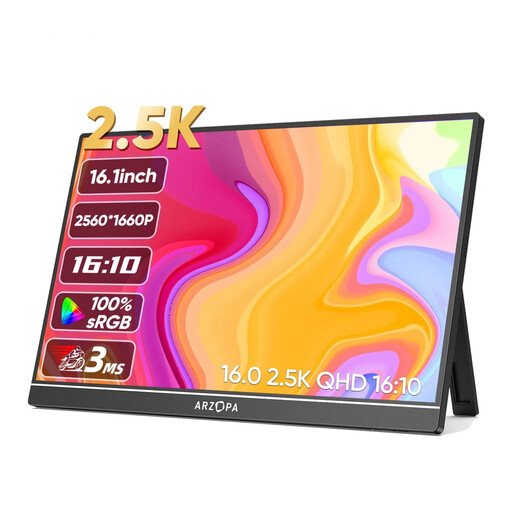
Why It Stands Out The Arzopa Z1RC combines a high 2.5K resolution with a lightweight and slim design. The IPS panel, with a specified brightness of 350 cd/m? and HDR support, delivers a clear and high-contrast image. Weighing only 810 grams, it is a highly portable companion.
Key Features
Who It's For Perfect for users who value high image quality and color accuracy, such as photographers, designers, or Mac users. Its low weight makes it a top choice for anyone needing maximum portability.
If you haven't found the right model in our selection or wish to compare more specifications, you can find a wider range of devices in our portable laptop monitors category. There, you can filter by size, resolution, and other features to find the right product for your needs.
1. How do I connect a portable monitor to my laptop? The most common method is via a USB-C cable that transmits video, audio, and power. This works if your laptop's USB-C port supports DisplayPort Alternate Mode. Alternatively, you can connect the monitor using an HDMI cable. In this case, a separate power supply via another USB cable is often required.
2. Does a portable monitor need an external power supply? Many models can be powered directly from a laptop's USB-C port. When connecting via HDMI or with laptops that don't supply enough power over USB-C, the monitor must be powered by a separate power adapter or another USB port.
3. Can I use a portable monitor for gaming with consoles like the PS5 or Switch? Yes, this is possible as long as the monitor has an HDMI port. Simply connect the console via HDMI and supply power to the monitor. For an optimal gaming experience, you should look for models with low latency and, depending on your preference, a high refresh rate.