
Lieferung heute & morgen

Qualitätsgarantie

Willkommens-Angebote freischalten: KOSTENLOSE Lieferung | Bis zu 80 % RABATT | Kostenlose 30-Tage-JoyPlus-Testphase
App herunterladen
A portable monitor promises greater productivity and flexibility, whether you're in a home office, at a café, or travelling. The ability to use a second screen on the go significantly expands your laptop's workspace. However, the market is crowded, and many devices fail to deliver on their marketing promises. Before you invest, it's crucial to understand the typical pitfalls that can lead to frustration and buyer's remorse.
This guide will help you correctly interpret technical specifications and find a model that truly fits your needs. We'll focus on the three most common problems encountered during the selection process and show you what to look out for.
To avoid these problems, you should focus on three core technical features. These are the primary determinants of your portable monitor's functionality and overall value.
The selection of ports is critical for hassle-free use. The most important distinction lies in the USB-C ports.
Before purchasing, carefully check which ports your source device (laptop, smartphone) has and which transmission modes it supports.
Image quality depends on more than just resolution.
A portable screen for your laptop must be lightweight and durable.
Based on the criteria above, we have curated a selection of monitors suitable for specific user groups.
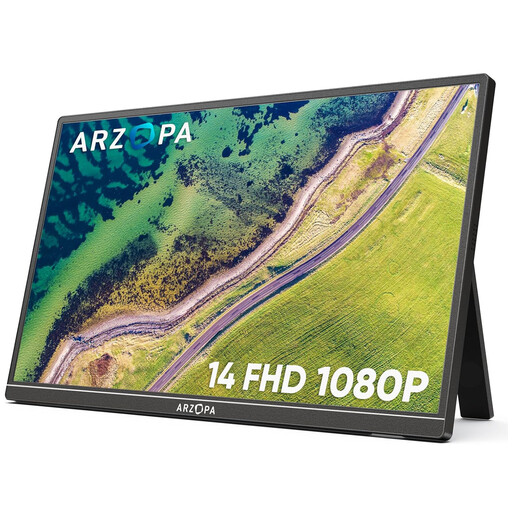
Why This Fits Their Persona: Ideal for students and professionals seeking a straightforward and extremely lightweight solution for basic productivity tasks. At just 600 grams, it's barely noticeable in a backpack, and the 14-inch size is a great balance between screen real estate and portability.
This model features two full-function USB-C ports as well as a Mini-HDMI port. This ensures broad compatibility and avoids the pitfall of a useless, single-purpose port.
Extremely low weight (600 g) and compact design. Plug-and-play functionality for a quick setup.
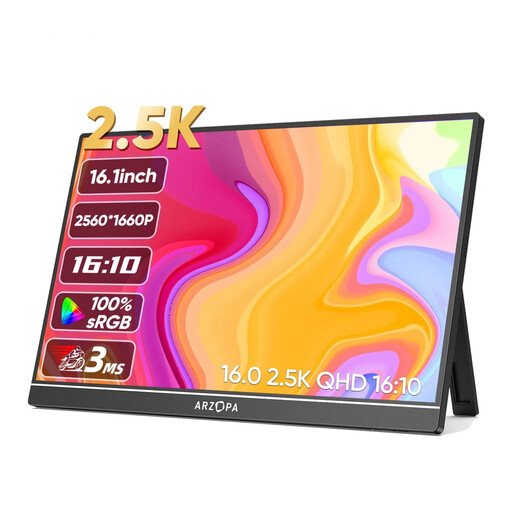
Why This Fits Their Persona: Perfect for creatives, developers, and anyone who needs more screen real estate and greater detail. The 2.5K resolution on a 16-inch, 16:10 aspect ratio screen provides noticeably more vertical space for code, timelines, or large spreadsheets.
With a brightness of 350 cd/m?, this monitor is significantly brighter than many standard models and remains easily readable even in brighter environments. This sidesteps the trap of a screen that becomes unusable in daylight.
High 2.5K resolution (2560 x 1600) and a productivity-focused 16:10 aspect ratio. Good colour gamut coverage (123% sRGB according to the manufacturer).
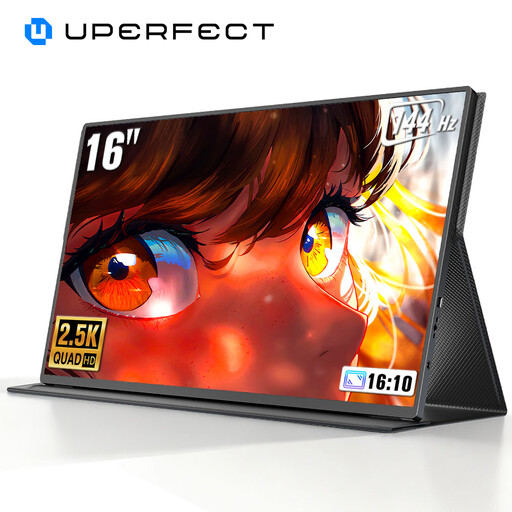
Why This Fits Their Persona: This portable gaming monitor is aimed at players who refuse to compromise on performance, even on the go. The combination of 2K resolution and a 144 Hz refresh rate enables a fluid and sharp gaming experience with a laptop or console.
While standard 60 Hz monitors are unsuitable for fast-paced gaming and cause motion blur, this model delivers true gaming performance at 144 Hz. It avoids the trap of buying a screen marketed for "gaming" that doesn't meet the technical requirements.
Very high 144 Hz refresh rate for smooth gameplay. QHD (2K) resolution for a highly detailed picture.
We have compiled a complete, up-to-date list of products that fully meet these strict selection criteria and safety regulations.
Does a portable monitor always need an external power supply? That depends on the model and the connection type. When connecting via a full-function USB-C port (with DisplayPort Alt-Mode and Power Delivery) to a compatible laptop, a single cable for both video and power is often sufficient. When using HDMI or a USB-C port without power transmission, a separate power source is typically required, such as a power adapter or a power bank.
How do I connect a portable monitor to a game console like the Nintendo Switch or PS5? For consoles like the PS5, you will typically use an HDMI cable for the video signal and a separate USB-C cable to power the monitor. To connect the Nintendo Switch in docked mode, you also use HDMI, and the monitor will need its own power source. Some monitors can connect directly to the Switch's USB-C port, but this often requires the monitor to have its own sufficient power supply. Always check the manufacturer's specifications regarding console compatibility.
What should I keep in mind when caring for a matte screen? A matte screen surface reduces reflections. For cleaning, it's best to use a soft, dry microfibre cloth. For more stubborn smudges, the cloth can be lightly dampened with water. Avoid chemical cleaners, alcohol, or abrasive materials, as these can damage the anti-glare coating.